quicken pulling wrong price quote for swppx from Schwab

Quicken is pulling the incorrect price quote for swppx from Schwab
Comments
-
Solved, there was a stock split
2 -
Thanks for reaching out and sharing!
We are happy to hear it was an easy fix.
Please don't hesitate to reach out with any further questions or concerns!
-Quicken Jasmine
Make sure to sign up for the email digest to see a round-up of your top posts.
0 -
I had the same problem this morning, exacerbated by my trying to restore my file multiple times till the stock split message came through. And while my current valuations are correct, my historical quotes for SWPPX have some issues. There are a bunch of dips in the price of SWPPX through the month of July, as represented in the dips in my networth graph. You can see the dates (approximately) with this screen grab.
I have, several times, tried to update the historical quotes to no avail.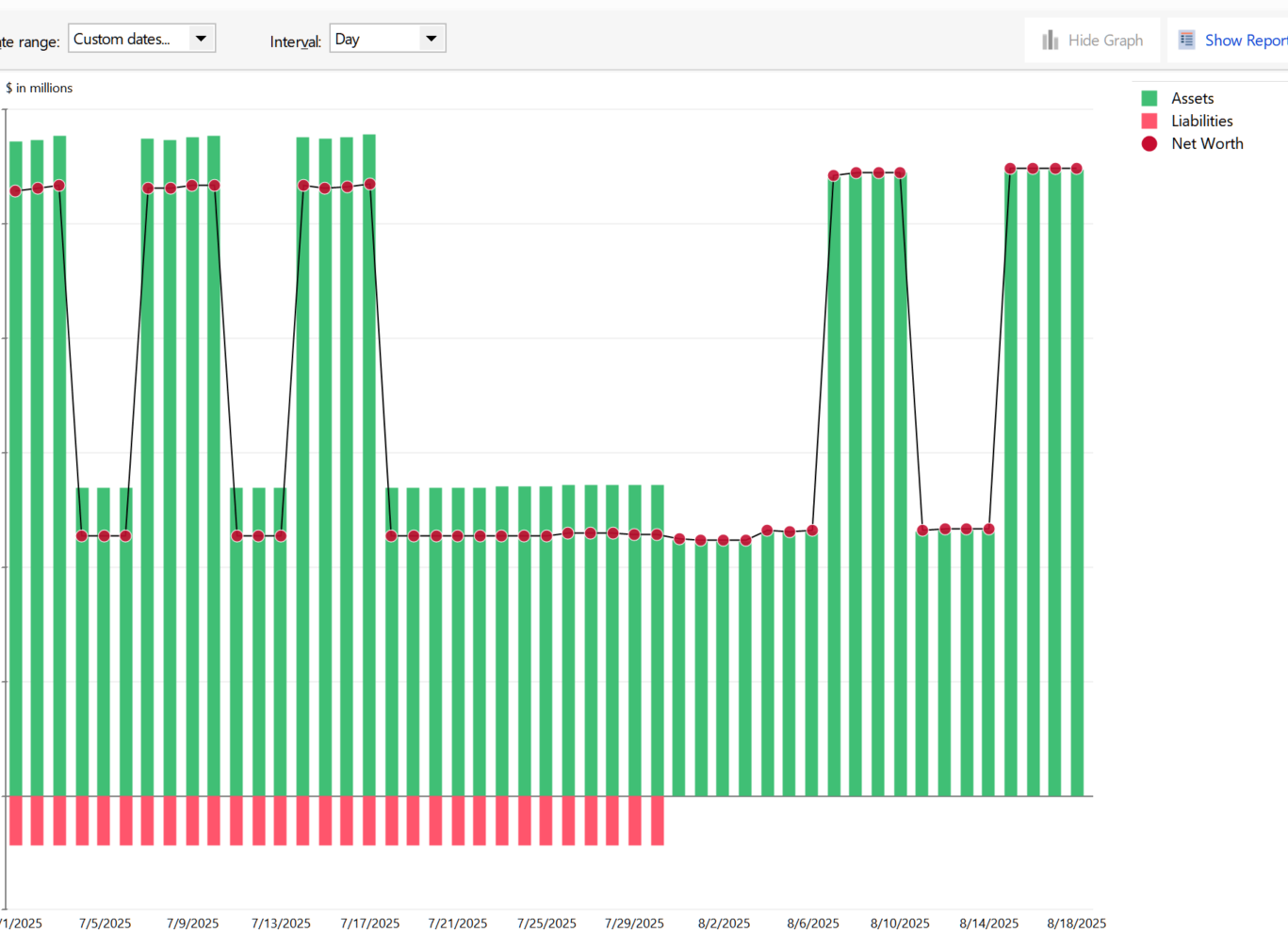 0
0 -
I had the same problem. The Schwab website had an error message on Aug 15, acknowledging that share balances were off. By the next day, the share number and balances were correct, however…
The previous prices of SWPPX going back to July 4 showed the split prices that didn't occur until August 15. These numbers were corrected twice, but then recurred to the split prices from July 16 to August 14. I have tried downloading again to no avail. I spoke with Quicken customer service, who tried diligently to correct the problem. They determined that the problem was at Schwab's end. I called Schwab, transferred three times and ultimately told they couldn't fix the problem. Now my quicken YTD balance graft looks like my computer had a seizure, and my YTD portfolio Gain/Loss shows -34% instead of +10%. Has anyone been able to resolve this successfully?
0 -
I have seen this happen with a stock split when prices are loaded using "Get Historical Prices". This price load will overlay the correct prices with "split prices". The split prices would be daily, weekly, or monthly, depending on the timeframe. That is why you are seeing patterns in the price history. The only way I have found to fix this situation is to delete the erroneous split prices, or reinput the correct prices either manually or by uploading a CSV file.
But if prices are loaded again using "Get Historical Prices", the erroneous split prices will be downloaded again.
0 -
Thanks for your response. I manually changed all the erroneous prices, and cancelled the downloaded "split" which was recorded as shares added. I then manually entered a stock split which corrected the Gain/Loss YTD. Everything now looks good.
0
