Elan Financial - Quicken Connection Issue

Suddenly today Quicken was unable to connect to Elan. I went to Settings and disconnected the Update/Download connection. That is when things got weird.
When the process attempted to initially make contact between the companies, I got the following message:
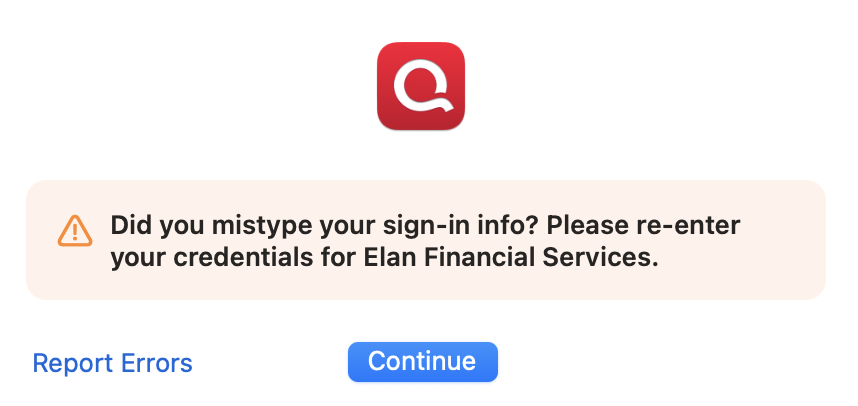
I did report errors. Pressed continue and this same message returned. To get out of this loop, I chose Report Errors and exited.
I quit Quicken and rebooted by Mac (which is up to date with 15.6.1) and verified I could log into the Elan website and see the account — no problems. Returned to Quicken and the problem remained.
Next, I tried copy & paste of login & Password versus typing the data. I tried letting 1Password paste the data — nothing worked.
At this time I noticed a small blue colored icon/button in the Window that opened when I performed the "Continue" option in the error message above. That window changed two upper-case letters in the Login to lower case. (all characters in login were now lowercase) That solved the problem and the connection was created.
The login we have used since the Elan account was created indeed had two upper-case letters, and the upper-case characters did not create any problem when I log into the Elan site through my browser.
Comments
-
Hello @gwpotter,
Thanks for the detailed write-up, and especially for sharing the fix you found. That’s really helpful for us and for other users who may run into the same issue.
If you notice the issue returning, please let us know, but for now it sounds like you found the solution. I’ve passed this along internally as well.
Thank you!
-Quicken Anja
Make sure to sign up for the email digest to see a round up of your top posts.0 -
I had the same problem and this fix worked for me! Thanks for posting.
1
