Always Displays the Calendar View Minimized When Opened

Recently my Calendar view is always minimized when I open it from the tool bar? I need to maximize it every time. How can I correct this behavior?
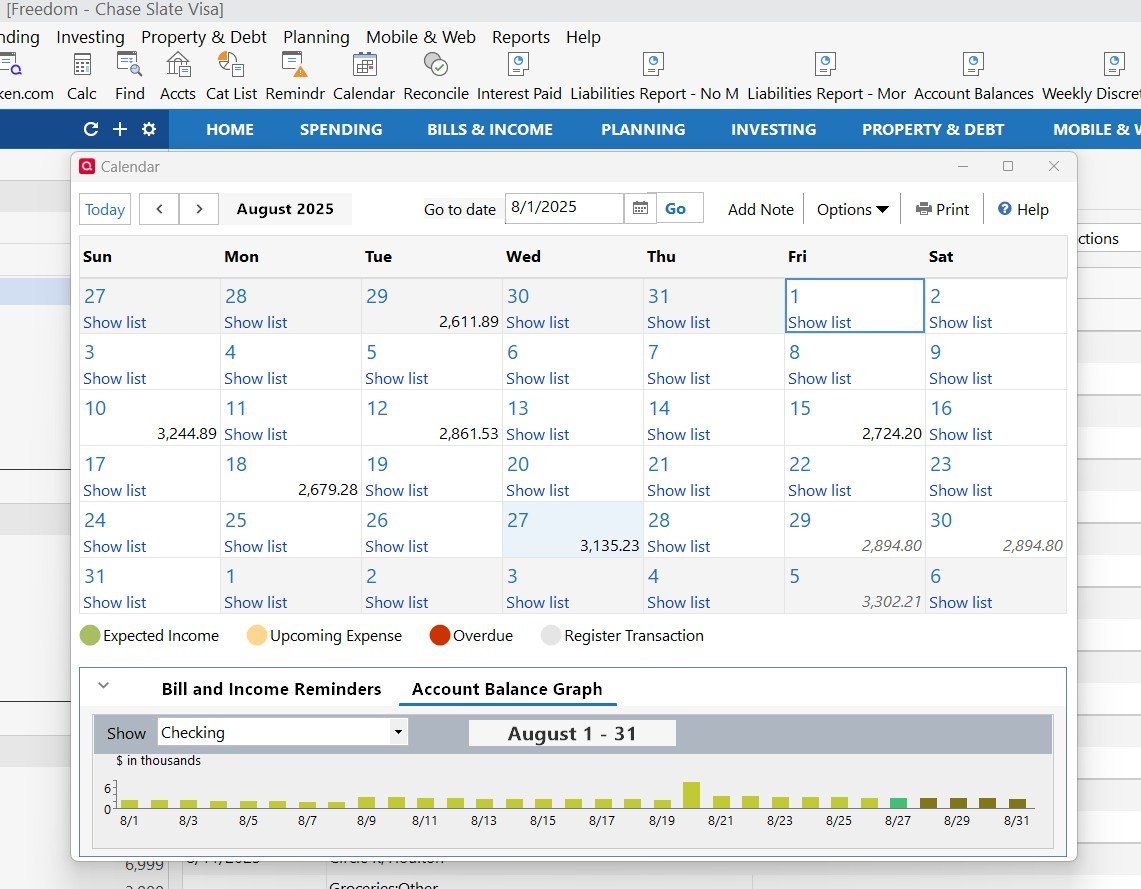
Windows, R63.21
Answers
-
Hello @Phil_Qkn,
Thanks for reaching out!
You can adjust this in your preferences. Go to Edit > Preferences > Setup and uncheck the box for Automatically minimize pop-up windows.
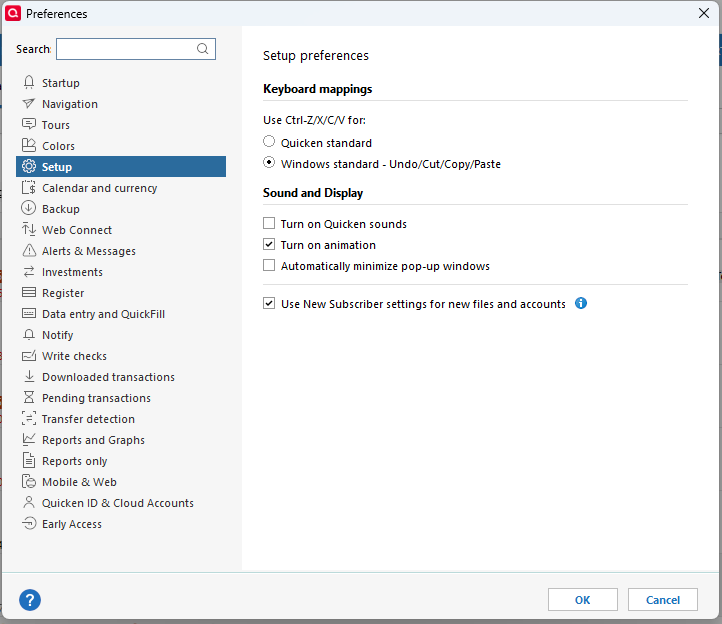
That should stop the Calendar from opening minimized.
Hope this helps!
-Quicken Anja
Make sure to sign up for the email digest to see a round up of your top posts.0 -
Thank you for the quick response Anja! Unfortunately, the "Auto Minimize pop up" option was not selected in my preferences panel. I did try toggling the option on and then off, but it continues to open minimized.
I believe the Calendar is the only "report" that is behaving this way.
0 -
@Phil_Qkn Thanks for following up!
Have you tried uninstalling/reinstalling Quicken? Please refer to the following support articles for instructions on uninstalling here and reinstalling here.
However, after you have uninstalled and before you proceed with reinstalling, please open your Windows File Explorer and navigate to This PC > C: Drive > Program Files (x86) and delete the folder titled "Quicken" (doing so does not affect your data files).

After you have deleted this folder, go ahead and try reinstalling.
Let us know how it goes!
-Quicken Anja
Make sure to sign up for the email digest to see a round up of your top posts.0 -
Thank you again Anja. I will have to give your reinstallation suggestion some thought. I'm somewhat concerned with the potential risks that might be introduced with that drastic a solution.
Phil
0 -
@Phil_Qkn I completely understand your concern. A clean reinstall is generally safe when done following the recommended steps, and it won’t delete your Quicken data file—your accounts, transactions, and settings remain intact. The main purpose is to refresh the program itself, clear cached or potentially corrupted files, and ensure Quicken is running optimally.
If you’d like to take extra precaution, you can save a backup of your data file before starting the reinstall.
-Quicken Anja
Make sure to sign up for the email digest to see a round up of your top posts.0
