Please add Fidelity NetBenefits as a supported financial institution.

Comments
-
Hello @Ru13,
Thank you for reaching out! Fidelity NetBenefits should be supported under the Fidelity Investments connection option in Quicken.
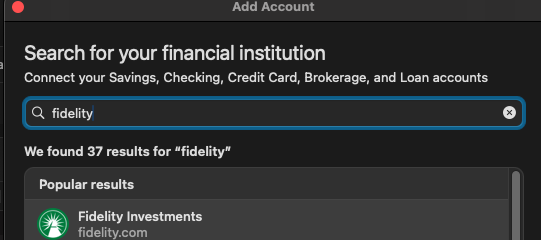
Are you having trouble adding/updating your account(s)? If so, to help troubleshoot, please provide information on exactly what is happening when you try to connect
I look forward to your response!
Quicken Kristina
Make sure to sign up for the email digest to see a round up of your top posts.
0 -
@Quicken Kristina, I recently changed my password for Fidelity NetBenefits. When I tried to connect, which I'd been doing using the old password without a problem, the update login button wasn't available for my Quicken account, so I disconnected the connection and tried to establish a new connection. Direct connection is not available, only Quicken integration. Quicken then opened a browser window for Fidelity Investments (there is no separate Fidelity NetBenefits option available). I entered my user name and new Fidelity NetBenefits password, and I got a message that "The page you requested is currently unavailable. Please try again later."
I've tried multiple times and always gotten the same message. Please help.
Thanks.
0 -
Thank you for your reply,
To help troubleshoot, I checked on our end, and am not seeing the connection attempts registering on our internal tools. That indicates that you're getting roadblocked before the financial institution connects back to Quicken.
Which web browser do you currently have set as your default browser (Chrome, Edge, FireFox, etc.)? Do you have any browser extensions, such as pop up blockers or ad blockers, active? If so, please try pausing them. If that does not resolve the issue, please try temporarily setting a different default browser (Note - Please do not use Brave browser or Duck Duck Go, since they are known to not work well with Quicken).
Please let me know how it goes!
Quicken Kristina
Make sure to sign up for the email digest to see a round up of your top posts.
0 -
@Quicken Kristina, I had been using Safari. I switched the default browser to FireFox and the same thing happened. After I log in to Fidelity, I get the same page: "The page you requested is currently unavailable. Please try again later." I turned off any pop-up blockers, and got the same thing. I then tried the same thing with Chrome and got the same page unavailable. I'm perplexed.
0 -
Thank you for your reply,
If you use a VPN or an anti-virus, it is possible that they are interfering with the connection. Try pausing any VPN or anti-virus software active on your computer, to see if that helps.
If the issue persists, I recommend that you contact Quicken Support directly for further assistance, as they have access to tools that we can't access on the Community, and they can escalate the issue as needed. The Quicken Support phone number can be found through this link here. Phone support is available from 5:00 am PT to 5:00 pm PT, Monday through Friday.
I hope this helps!
Quicken Kristina
Make sure to sign up for the email digest to see a round up of your top posts.
0
