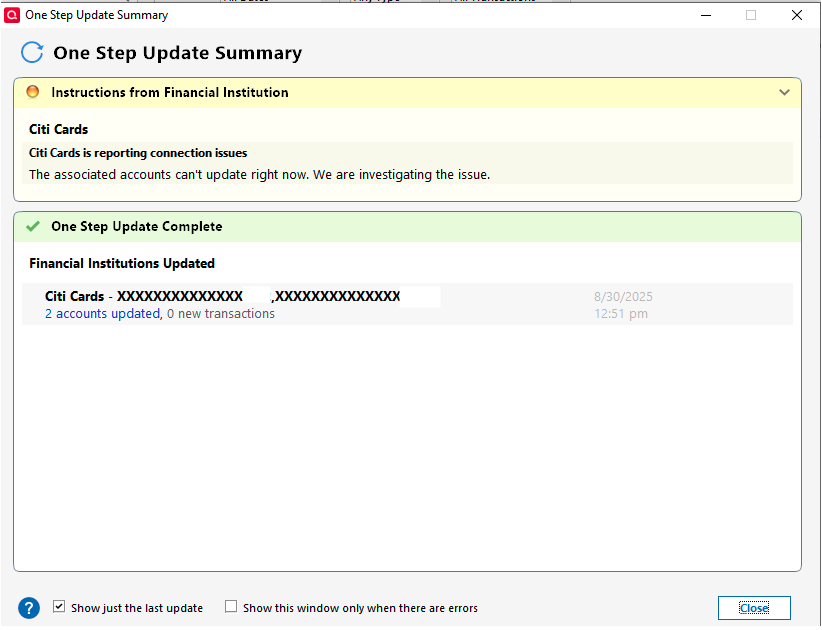
Getting yellow error message with Citi Cards and no transactions downloading

Comments
-
I am seeing the same message for two of my Citi Card accounts for the past week now. My accounts are NOT being updated. It appears that many users here have been experiencing this same issue for an extended period of time. Are there any know work arounds that a non-computer savvy user could try?
Thank you.
[Edited - Removed partial account numbers]
0 -
Hello @Djmovers99,
Thank you for letting us know you're encountering this issue. I moved your post to it's own separate discussion, since your issue is slightly different. To troubleshoot, please start by following these steps from this article on missing transactions/transactions not downloading:
Be sure to follow these steps in order:
1. Go to Edit > Preferences > Downloaded Transactions. The option Automatically add to banking registers needs to be unchecked.
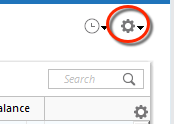
2. Refresh your online account information by clicking the Actions Gear Icon on the upper right of the register, and select Update Now. Follow the on-screen instructions to complete the update.
3. Confirm that the Sort Order in your account is by Date; just click the top of the Date column in your account register. It's possible the transactions are in your register, but not where you thought they'd be.

4. Click the Reset button at the top of the register. This will confirm that there's no filtering in your account register.
5. Go to Actions (Gear Icon) > Register Columns > Check Downloaded Payee in the account register. This allows you to search by Payee to confirm the transactions haven't been renamed unexpectedly.
6. Go to Tools > Account List and check Show Hidden Accounts at the bottom left. Confirm the missing transactions haven't been added to a hidden account by clicking on the name of any account that appears with a check mark in the Hidden column.

Please let me know how it goes!
Quicken Kristina
Make sure to sign up for the email digest to see a round up of your top posts.
1 -
Hi Kristina,
Thank you for your help! It appears that Quicken is actually updating those 2 Citi accounts even though I receive the message saying that the download was unsuccessful. If so, this would put me in the category of those that have functionality but just receive an incorrect error message. Also, before writing this reply, I tried the full download again. This time it completed downloading all accounts with no error messages. This was the first error free download in about 1 week. I will attempt the above procedure the next time that I receive the error message during an attempted download. Thanks so much for your assistance!
0 -
Thank you for the follow-up,
I'm glad to hear that your transactions are downloading.
The issue with that yellow error message has already been reported to our teams and is being worked on. We do not currently have an ETA or a Community Alert for the issue though.
Thank you!
(CTP-14158)
Quicken Kristina
Make sure to sign up for the email digest to see a round up of your top posts.
0

