Cannot download Amazon or Care Credit cards from Synchrony

I used to download Amazon with no problem. Earlier this year it stopped downloading so I did a reset and then it completely stopped working. So I disconnected completely and when I try to set it back up, it doesn't accept my login information. It is trying to connect to synchrony.com and I do not have an account with them. I only have credit cards with them. Quicken directs the login to the wrong website, so it won't log in.
Comments
-
Hello @hdkitty1,
Thank you for letting us know you're encountering this issue. To help troubleshoot, I checked our internal tools, and it looks like you're trying to connect using the Synchrony Bank Credit Cards connection option. That option will not work for retail cards that are serviced by Synchrony.
To connect the problem accounts, I recommend that you try the following:
- Backup your Quicken file.
- Deactivate the problem accounts.
- Navigate to Tools>Add Account.
- For the Amazon account, search for Amazon and use the Amazon Store Card connection.
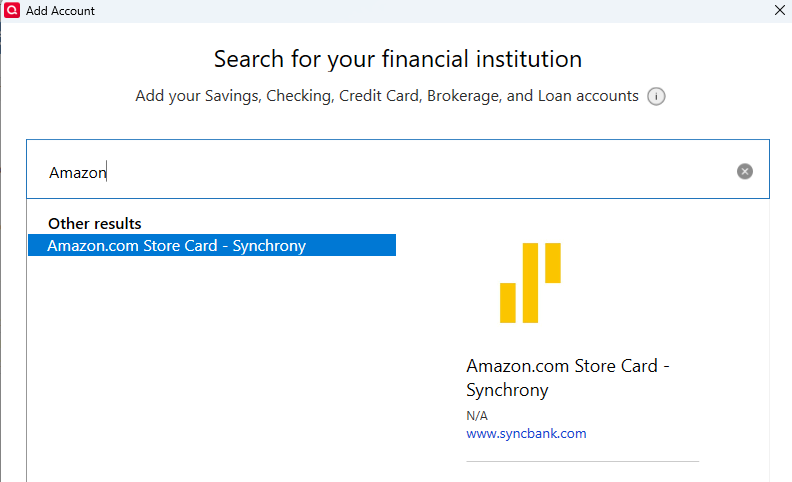
- Follow the prompts.
- Carefully link the account to the correct nickname in Quicken.
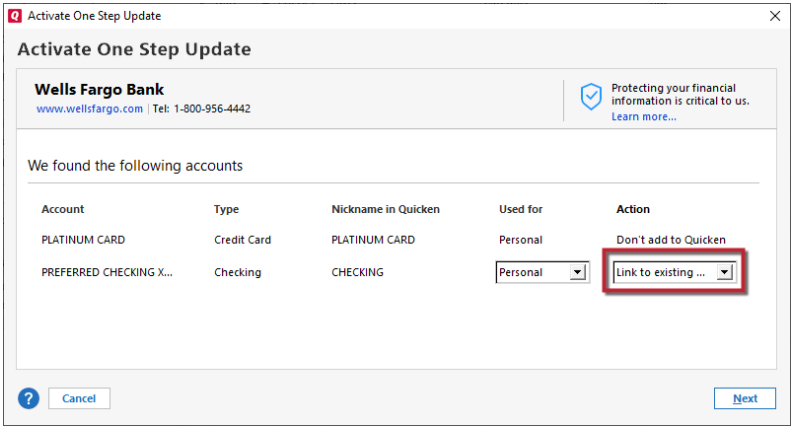
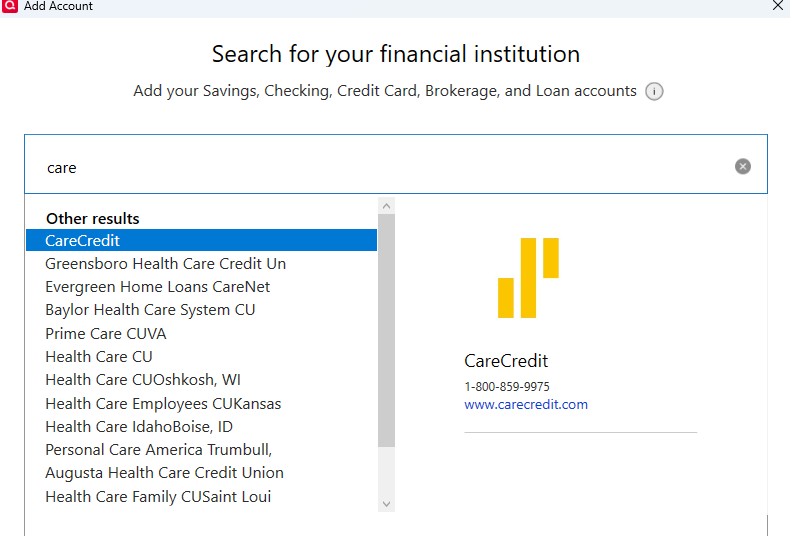
To reconnect the CareCredit account, follow the same steps as above, but for step 4, search for CareCredit and use that connection option.
Please let me know how it goes!
Quicken Kristina
Make sure to sign up for the email digest to see a round up of your top posts.
1 -
The directions provided above do not work for me. I cannot get any Synchrony account to connect. CC-503 error on every Synchrony account. Not sure what changed since this used to work but it has been months since I could get downloads. This is also true for Barclay Card, and Discover Card. It seems that the setup that launches the bank website and login there connects to Quicken works. Everything else gives the CC-503 error. Can't we get these all on the same process/technology?
Could you guys remove the dependency for Microsoft browser? You are forcing me to use a browser I don't trust. I have to enable it every time I want to update and then disable again. Since Edge is Chromium based, this should work with any other chromium based browser. It should really work regardless of the default browser, even Firefox.
It could be that this dependency on Edge is causing issues with account updates.
Forcing us to use Microsoft is not a good solution.
R/
Michael
0 -
Thank you for your reply,
If you are getting CC-503 errors when attempting to connect, then please follow these troubleshooting steps from our article on CC-503 errors:
Step One: Verify your bank login information
- Type your password/PIN into a text application, such as Notepad, WordPad, or other text/word application.
- Note: This is a way of confirming you don't have typographical errors in this field.
- Highlight the "confirmed" password and then copy it (Ctrl + C) and paste it (Ctrl + V) into the appropriate fields in Quicken.
Step Two: Verify your bank login at the bank's website
- Go to your bank's website and confirm that you're able to log in with the expected username and password.
- Once you are logged in, review your account at the website for notifications (such as pending messages in a mailbox or message center) to confirm if further action is required to grant Quicken access.
- Some banks will require a separate login, password, or both to access accounts on third-party software. Also note, you may need to go to your settings at the website to access these prompts for new credentials.
If the issue persists after following the above troubleshooting, then please contact Quicken Support directly for further assistance. The Quicken Support phone number can be found through this link here. Phone support is available from 5:00 am PT to 5:00 pm PT, Monday through Friday.
Please provide more details on this issue you're encountering with needing to enable Edge every time you update. I'm not able to replicate what you describe; I do not have Edge set as my default browser, and have no issues updating my Quicken.
Thank you!
Quicken Kristina
Make sure to sign up for the email digest to see a round up of your top posts.
0 - Type your password/PIN into a text application, such as Notepad, WordPad, or other text/word application.
