LPL Financial switched to Simple investment tracking

This discussion was created from comments split from:
CC-800 Error Message Updating Accounts from Schwab
.
Comments
-
I'm suddenly having almost the same issue with 3 (of many) accounts at LPL that have been in Quicken for 3+ years. Quicken reset the accounts from Complete to Simple tracking for reasons unknown (claiming restore from backup?) and is complaining about placeholder entries which I CANNOT edit because it's in simple tracking. Ugh. This IS a Quicken problem, not the FI.
Account reset has NOT helped resolve this.
FWIW, I did upgrade from classic/deluxe (?) to Classic Business and Personal recently.
0 -
Hello @rjt21,
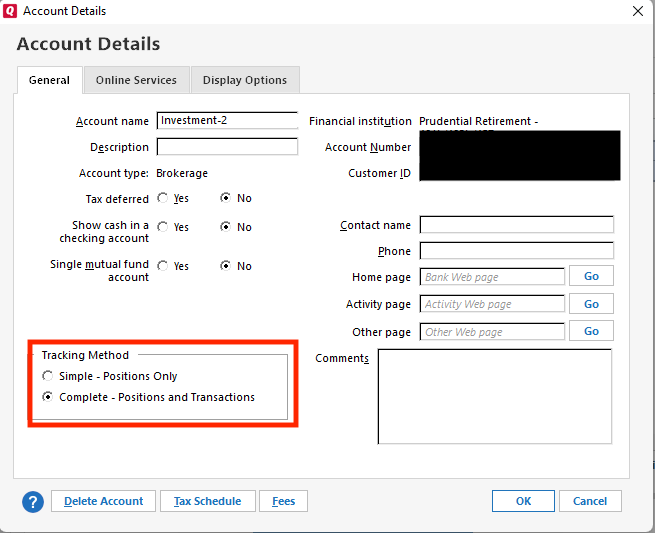
Thank you for letting us know you're seeing a similar issue. To switch from Simple to Complete tracking, navigate to Tools>Account List, then click the Edit button next to the problem account. On the General tab, there should be an Investment Tracking Method section. Click the radio button to switch to Complete. If it is greyed out, then the connection option you are using does not support Complete tracking.
I hope this helps!
Quicken Kristina
Make sure to sign up for the email digest to see a round up of your top posts.
0 -
This doesn't help. The option is greyed out, claiming LPL supports only Simple tracking and is using Express Web Connect, which is NOT true as 3 other accounts at LPL are downloading fine and still using Complete tracking. Restoring from a backup shows LPL using Web Connect. It's only been since the latest update that this has been a problem.
It's my position that QUICKEN is misreporting the connection method for LPL and this is what's causing the issue. A Validate, Super Validate, and numerous restores from backup just loop me back to the same problem when I try to D/L transactions.
0 -
Thank you for your reply,
When I check LPL Financial in Quicken, it shows only the options for Web Connect and Express Web Connect.
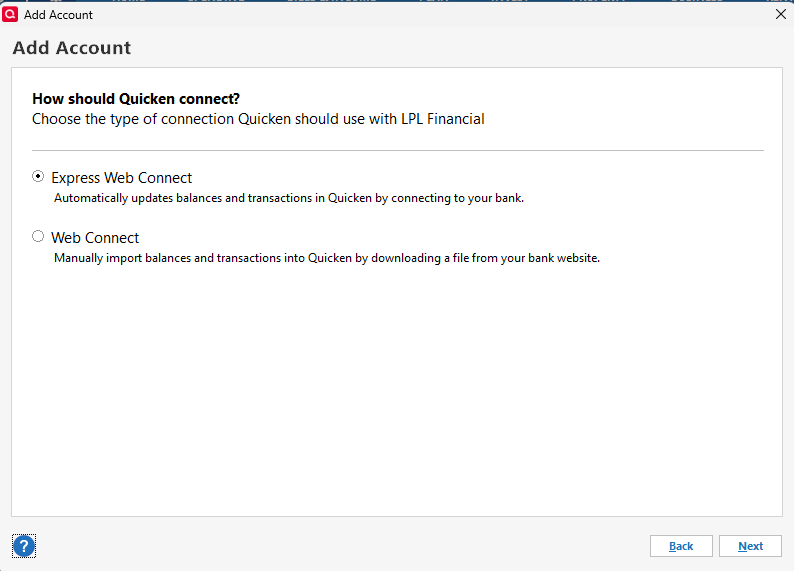
Our FIDIR (list of supported financial institutions) also shows those are the only connection methods supported.

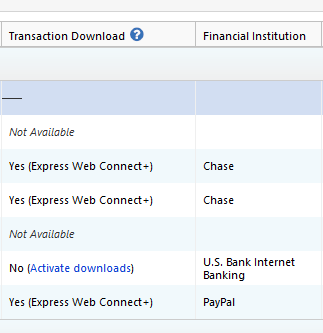
Are the accounts that are still connected via Direct Connected connected to a different connection option in Quicken? You can check this by navigating to Tools>Account List. In the Financial Institution column, you should be able to see which connection option the accounts are connected to.
Thank you!
Quicken Kristina
Make sure to sign up for the email digest to see a round up of your top posts.
0

