Stuck account

I have a Fidelity Cash account
I shows a red flag indicating that it downloaded trascations.
However no transactions show up when I open it.
When I try to re-download nothing happens.
Now Deactivate button is greyed out.
It's an interesting case as far as how this can be fixed.
Any clues?
Product idea - have some way to refresh online accounts and fix them.
Comments
-
Your profile says Qwin 2017 … which you should no longer be able to download into.
SO, what Q product, and what Build of that product, are you actually running?
And, when you say "Fidelity Cash Account", do you actually mean that in your taxable brokerage account, you use the "Show Cash in a Checking account" option? Or what.
Also, when you do TOOLS, Account List, what shows in the "Transaction Download" column adjacent to that Fidelity account?
Q user since February, 1990. DOS Version 4
Now running Quicken Windows Subscription, Business & Personal
Retired "Certified Information Systems Auditor" & Bank Audit VP0 -
That just a file name.
I run QW B&P 27.1.64.23
"Fidelity Cash Account" is a checking account.

Thx for pointing that out
This is actually incorrect. It is not Schwab obviously and should be Fidelity.
And how to fix it?0 -
Very interesting why and how QW was able to switch Fidelity and Schwab?!
0 -
See this
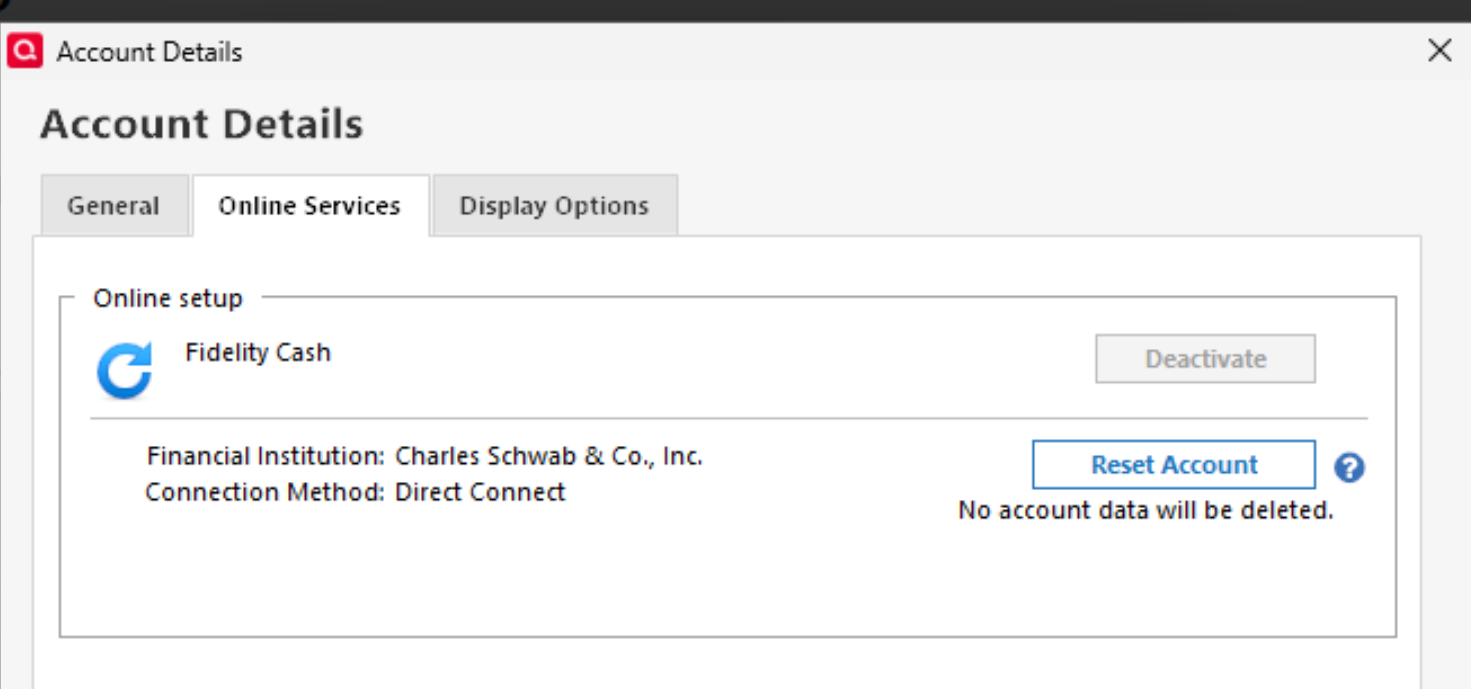
Reset does not work Deactivate either
0 -
You have named the account "Fidelity Cash" but according to the Account List it is an investing account connected to Schwab.
If you click on the Edit button in the account list and select the Online Services tab, what does it say for the Financial Institution and connection method?
QWin Premier subscription0 -
Yes it say "Schwab"
And I see no way to fix it, except Delete this account and I don't want to do itGets back to my initial suggestion - QW does not do a good job allowing resolving online backing issues
In this example it's stuck completely. :(
The reason why it's stuck is clear AFAICS
Two transactions were downloaded. They are not visible and can't be added/removed because of bad bank association. And that is it.0


Categories
- All Categories
- 52 Product Ideas
- 34 Announcements
- 247 Alerts, Online Banking & Known Product Issues
- 20 Product Alerts
- 514 Welcome to the Community!
- 680 Before you Buy
- 1.5K Product Ideas
- 55.5K Quicken Classic for Windows
- 16.8K Quicken Classic for Mac
- 1K Quicken Mobile
- 832 Quicken on the Web
- 126 Quicken LifeHub