Multiple accounts at Bank of America

My family has multiple accounts at Bank of America. We have 3 unique logins. Some of the accounts are joint and visible from Multiple logins. Everything was fine until a few weeks ago. I don't know if it was after any specific update. Now when I update some of the accounts get marked with inaccessible (red circle with slash) because it says they are no longer there. They then can no longer be accessed from another login where they use to be updated.
I have tried resetting them and reconnecting them. Each is only accessed from one Id. The problem still occurs. I even disconnected them all and reset up each download. Depending on which gets updated first some of the other accounts are marked inaccessible. if I reset them and redownload, then others are marked in accessible. I can get all the data but I have to reset some each time to get them to work.
The accounts that get marked as inaccessible are not even visible from the account being updated. It seems that quicken is confusing which accounts are associated with each login.
I'm running the latest quicken on latest windows 11.
Comments
-
Hello @James LeoGrande,
Thank you for providing those details. When checking your accounts, I can see that your accounts are receiving a CP_ACCOUNT_NOT_FOUND error during updates. Since you’ve already tried deactivating and reactivating, can you confirm how you reactivated the accounts?
Specifically:
- Do you use Set up Now in the Online Services tab, or Tools > Add Account?
- Set up Now
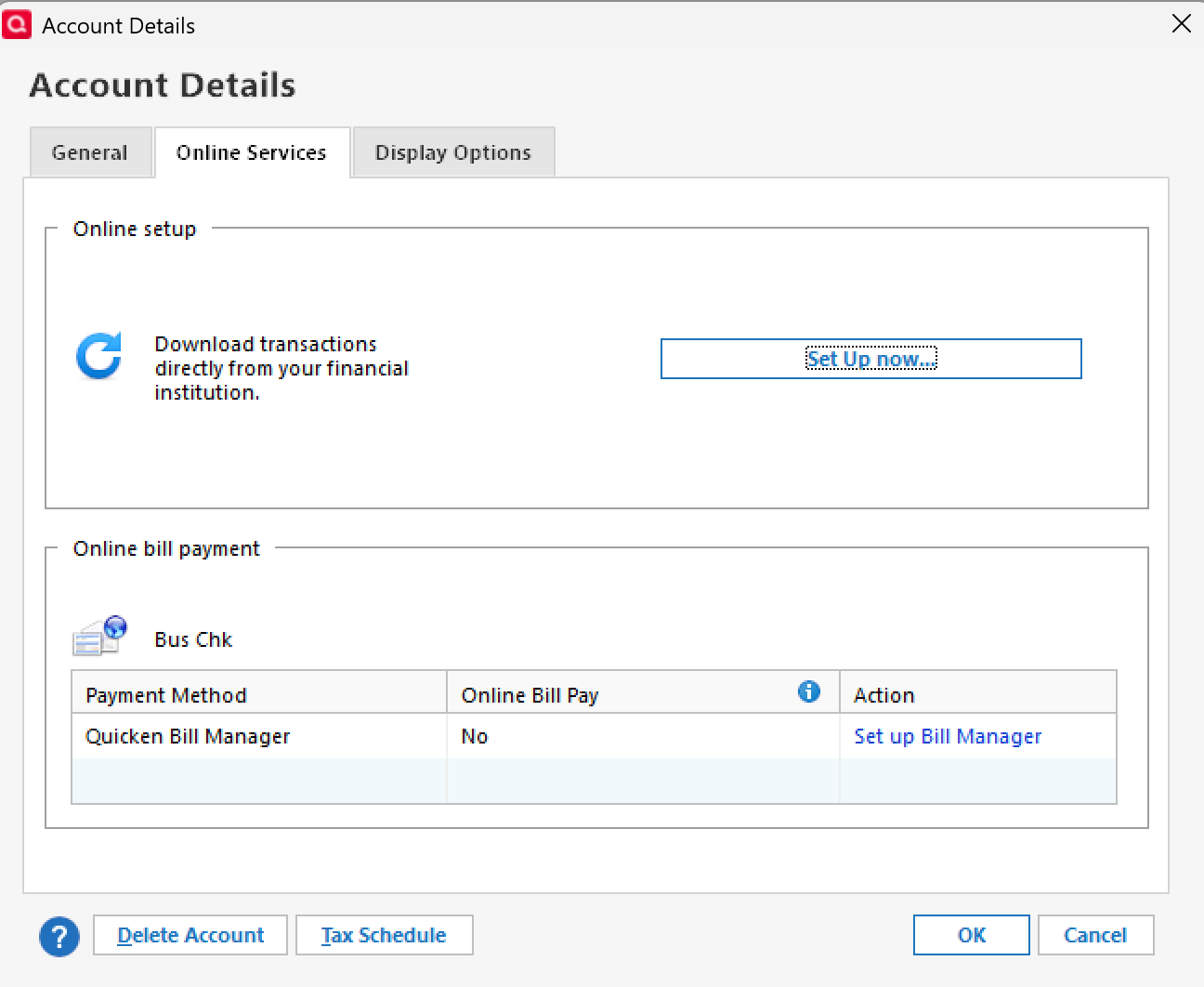
- Tools > Add Account
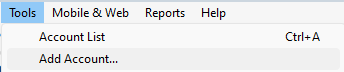
- Set up Now
Also, to help us narrow this down further, could you let us know:
- Where is your Quicken data file stored—on your local hard drive (e.g., C: drive), or on a cloud/external drive (such as OneDrive, DropBox, or USB)?
- Are you using a VPN while updating accounts? If so, does turning it off make any difference?
- Do you have any antivirus or malware protection software running, and if so, have you tried temporarily disabling it to see if the issue changes?
- Were there any significant updates or changes to your system/software around that time (Quicken update, Windows update, etc.)?
The answers to these will help us better understand what’s going on and how to get your accounts updating correctly again.
Thank you!
-Quicken Anja
Make sure to sign up for the email digest to see a round up of your top posts.0 - Do you use Set up Now in the Online Services tab, or Tools > Add Account?
-
Answers:
I set up the accounts using the online services tab. I have tried resetting, deactivating and reactivating.
Data is on my C Drive. ( I am using Parallels on a Mac).
No VPN
No other virus protection.
Not sure if there was a quicken update when the problem started, but it is possible since there seems to ba a lot. I accepted the latest update today. problem still occurs.
0 -
@James LeoGrande Thanks for following up!
Instead of reactivating the accounts via Online Services > Set up Now, I recommend the following steps:
- Save a backup of your Quicken file before attempting any further troubleshooting. This ensures you have a restore point if anything unexpected occurs.
- Deactivate the affected accounts completely.
- Reconnect the accounts using Tools > Add Account rather than the "Reset Account" or “Set up Now” options in the Online Services tab.
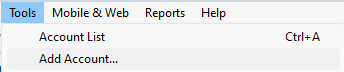
This approach tends to work better because it creates a fresh connection with the financial institution, rebuilding the account link in Quicken from scratch. That often resolves issues that persist even after multiple resets or partial reconnections.
Once you’ve done this, check to see if the accounts update properly, and let us know how it goes!
-Quicken Anja
Make sure to sign up for the email digest to see a round up of your top posts.0 -
Thankyou. That seems to have cleared up the problem.
0
