Memorized account links fail (Q Mac)

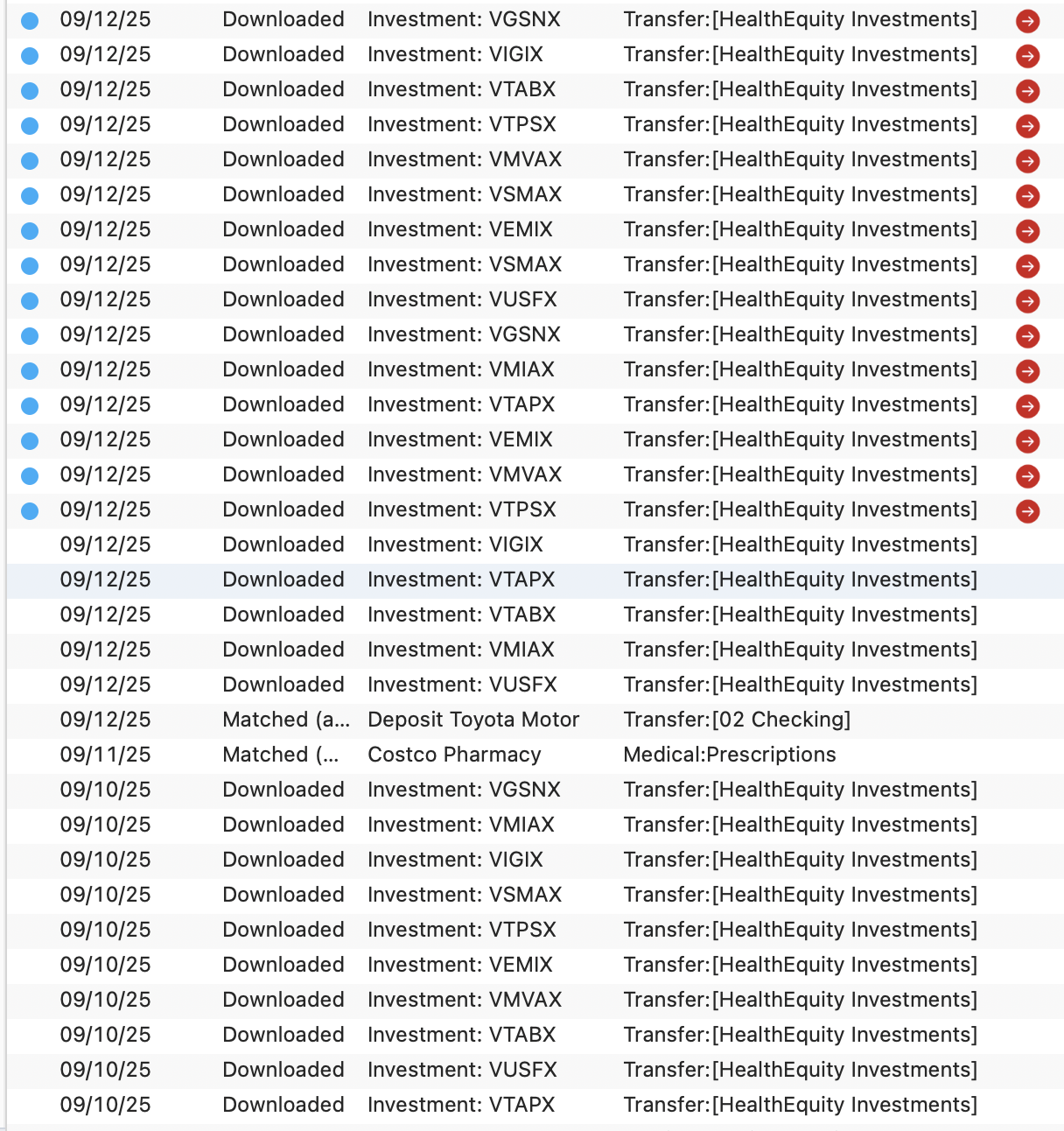
Whenever I download transactions that have a memorized transfer, the red arrow appears as shown. To make them work, I have to go in, remove the transfer (blank it out) then re-enter it. THEN it works. This has been going on for a couple of years and it's an annoyance.
Thanks for any thoughts/ideas!
Answers
-
Hello @Jonathan Perkins,
Thanks for sharing the details of what you’re running into! Since the issue seems tied to how the transfer is being applied from a memorized rule, I recommend deleting the existing QuickFill rule for that transfer and then recreating it fresh. Be sure to save a backup first (just in case) before doing so, then follow the instructions below:
- Go to Window > Payees & Rules.

- Select QuickFill Rules.
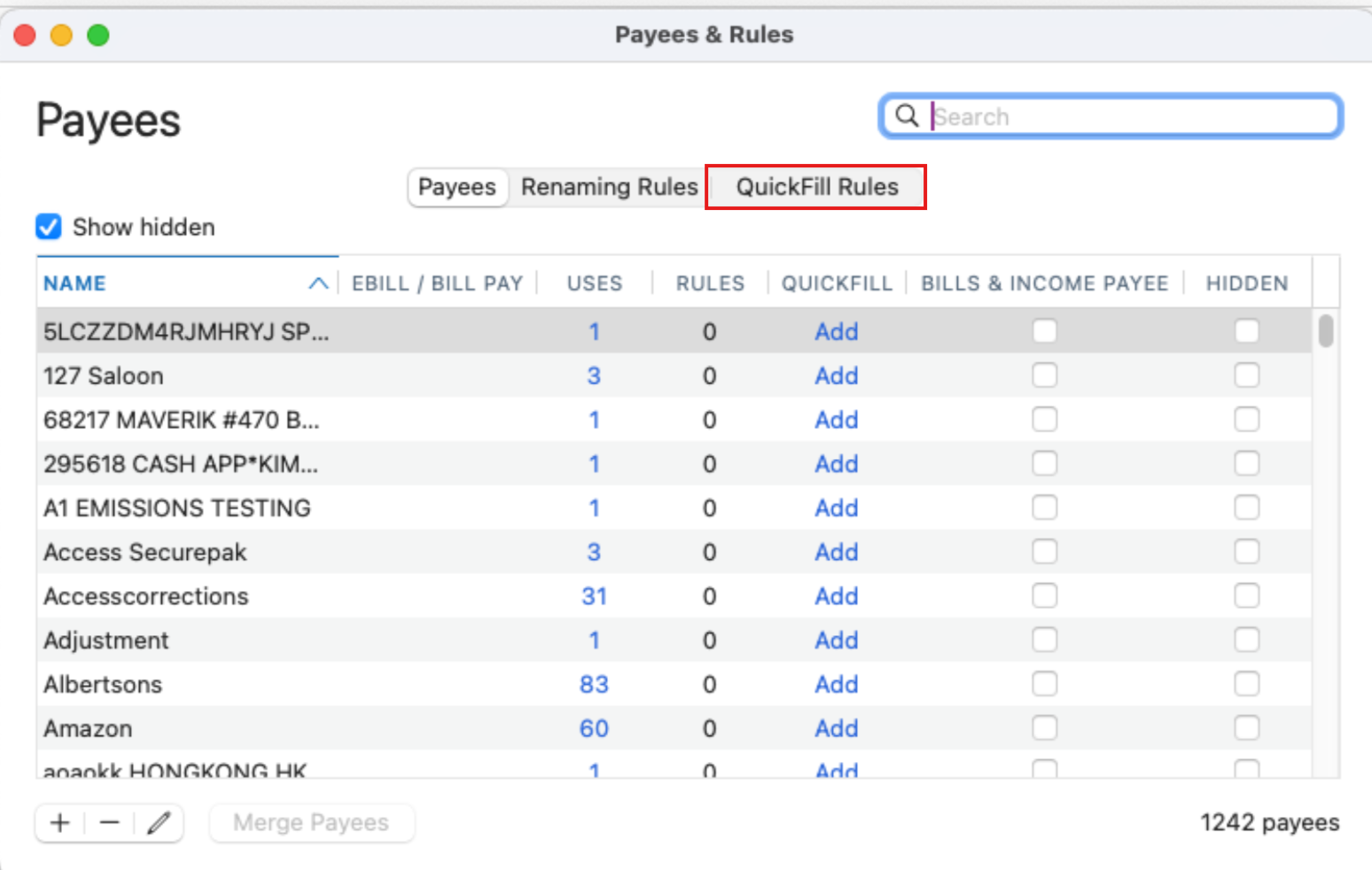
- Locate the rule that you will need to remove.
- Select the minus (-) sign in the bottom left corner to remove it.
- Then click the plus (+) sign in the bottom left corner to recreate it.
Sometimes older QuickFill rules can carry hidden conflicts or outdated links that cause the behavior you’re seeing. Rebuilding the rule usually clears that up and ensures future downloads apply the transfer correctly without needing manual edits.
Let us know if that helps!
-Quicken Anja
Make sure to sign up for the email digest to see a round up of your top posts.0 - Go to Window > Payees & Rules.
