Where is the New Idea for USA Windows version for New Ideas?

Is the Canada Version different than USA windows version?
[Edit - moved post to a more appropriate location]
Comments
-
In multiple aspects YES, they're different. That's why there IS a CDN version.
And there's a "Product Ideas" link to the right of this reply that has subcategories for US, Canada, Mobile, etc.
Q user since February, 1990. DOS Version 4
Now running Quicken Windows Subscription, Business & Personal
Retired "Certified Information Systems Auditor" & Bank Audit VP0 -
Yes, it is.
They share a lot of the same code/functionality, but they are different in a number of ways.
Note you did post this in the right category for New Ideas for Quicken Windows Canada.
0 -
Thanks I see it now. Maybe glitch on day I was looking.
0 -
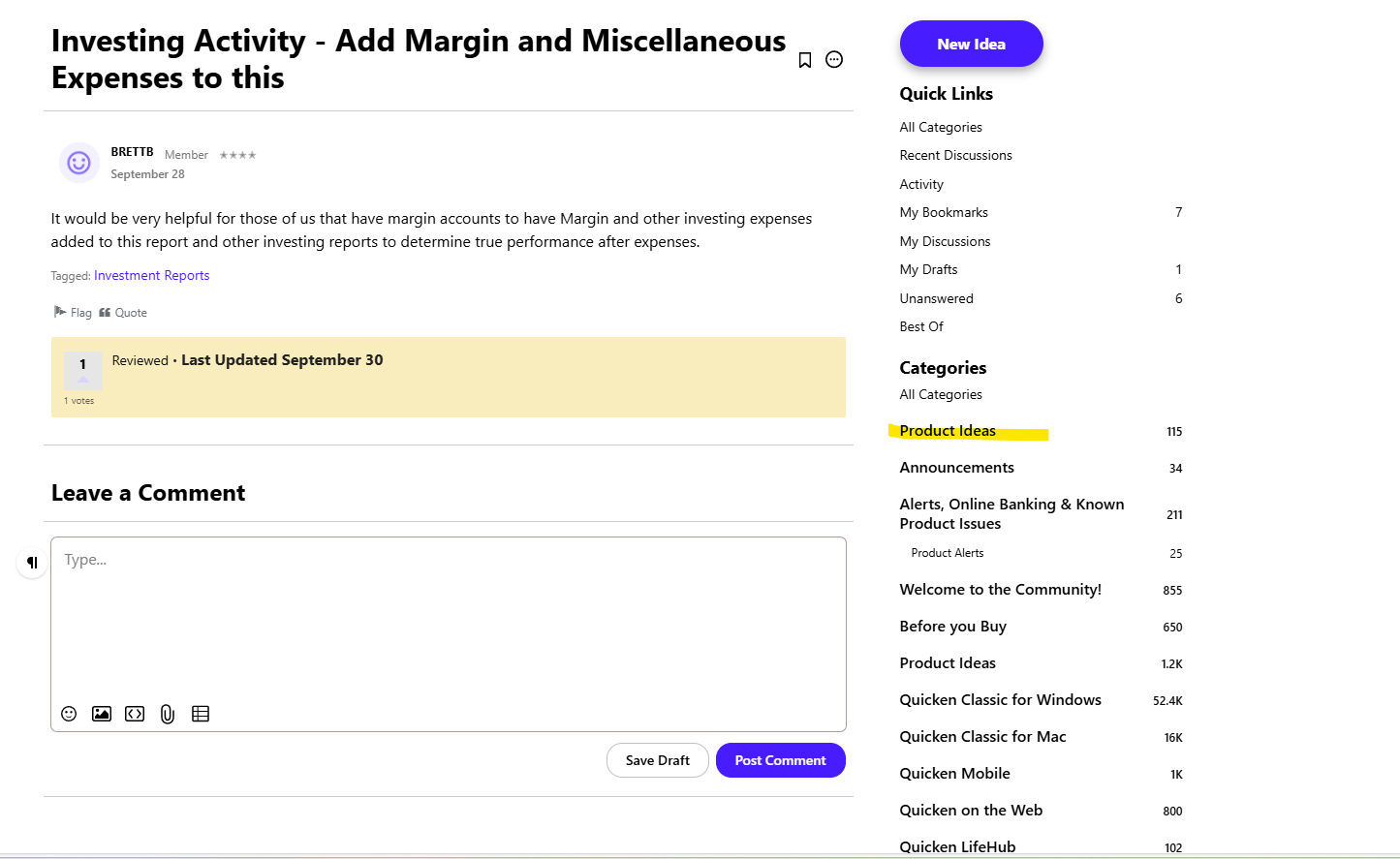
Found Issue on Quicken. When on a discussion and there are links to the right. On that link it does not show the USA or some of the other links if you go in a different way. I'm in USA and not using a VPN
 0
0 -
This website doesn't separate out Canadian from US other than the category you post in. The same goes for the different categories for Windows and Mac. And I agree depending on how you go through the website it isn't easy to tell what category you are in sometimes.
But if you click on the Product Ideas you should have got this page:
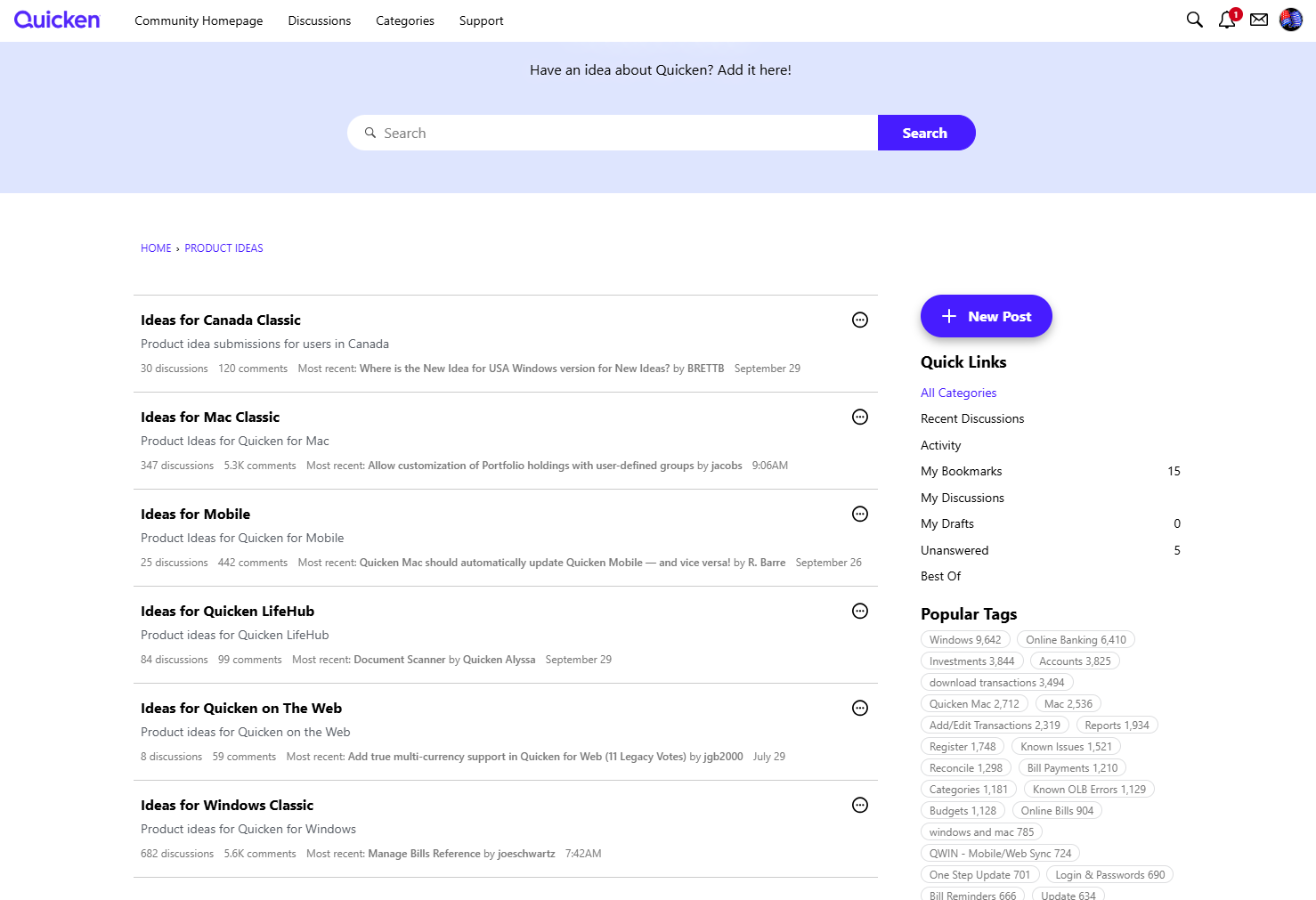
Where you can click on the proper category to the left, drilling down to the category you want and then post the idea, it will be in that category.
Also, if you start at the Home page and then do New Post → New Idea, you will get this page where you can select the category directly:
 0
0 -
Yes I found that too - thanks.
There must be a bug/issue with the link to right on discussion that gives a smaller list without the USA Version0 -
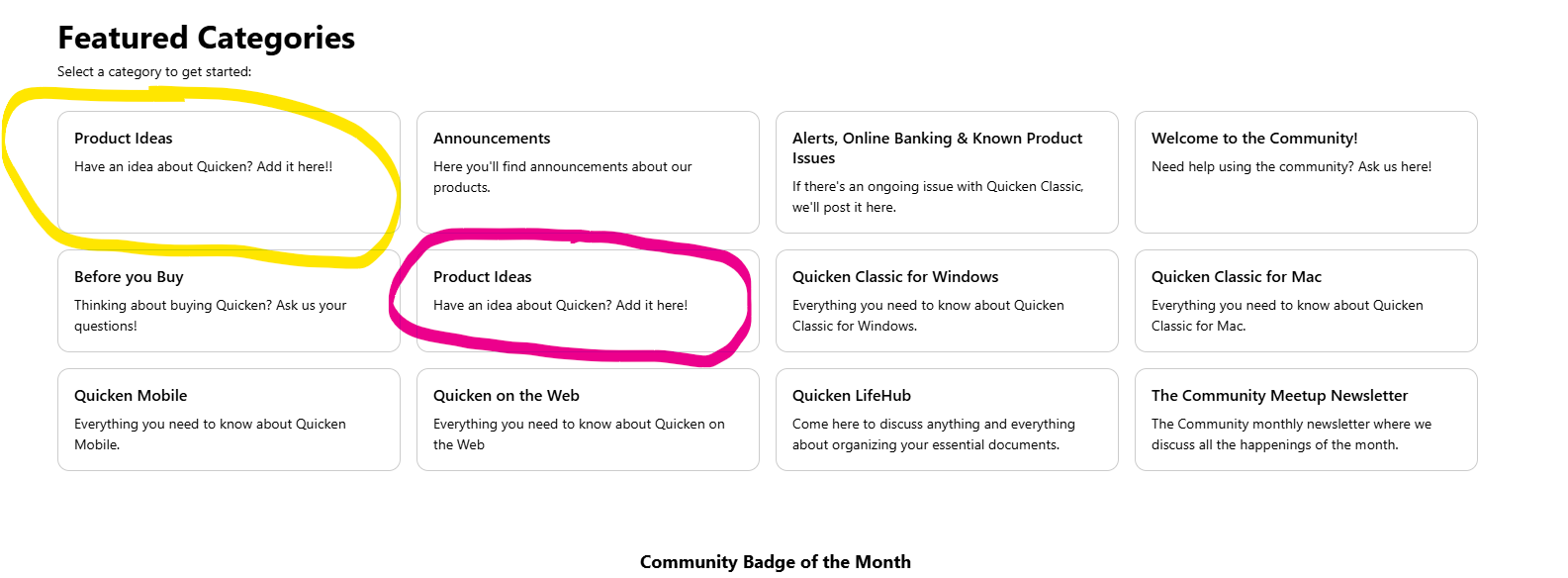
It appears there are two separate categories called Product Ideas that link to two separate collections of posts.
If one goes to and clicks on the first item listed, Product Categories, it takes you to and there are three sub-categories listed.
If you click on the 7th item listed, it takes you to where there are six sub-categories listed, several of which then have sub-categories within each of those.
Both of these are also listed in the right-hand links of Categories in @BRETTB's screenshot.
Seems like some discussion board organization/clean-up is needed.
0 -
Saw this this morning. The red one looks correct (more options) and the yellow has 3 choices. Looks like some one handling the web page forgot to remove when updating.
 0
0


