Unable to Upload Transactions - Navy Federal Credit Union.

I have all of my accounts listed in Quicken. All of them appeared and uploaded transactions last week. I tried to upload transactions again this evening but received a message advising I would need to log into Navy Federal Credit Union in order for the transactions to upload. I can't get any transactions from Navy Fed to upload and now Navy Fed is no longer on the list of accounts to upload. Any ideas on how I can get this taken care of??
[Edited-Readability]
Answers
-
Hello @Cgsg1398,
Thank you for your question, and I am happy to help.
With NFCU being a bank that uses the Express Web Connect+ connection method, I think the best steps to take here would be the following:
1. Save a Backup. Steps can be found in this article if needed.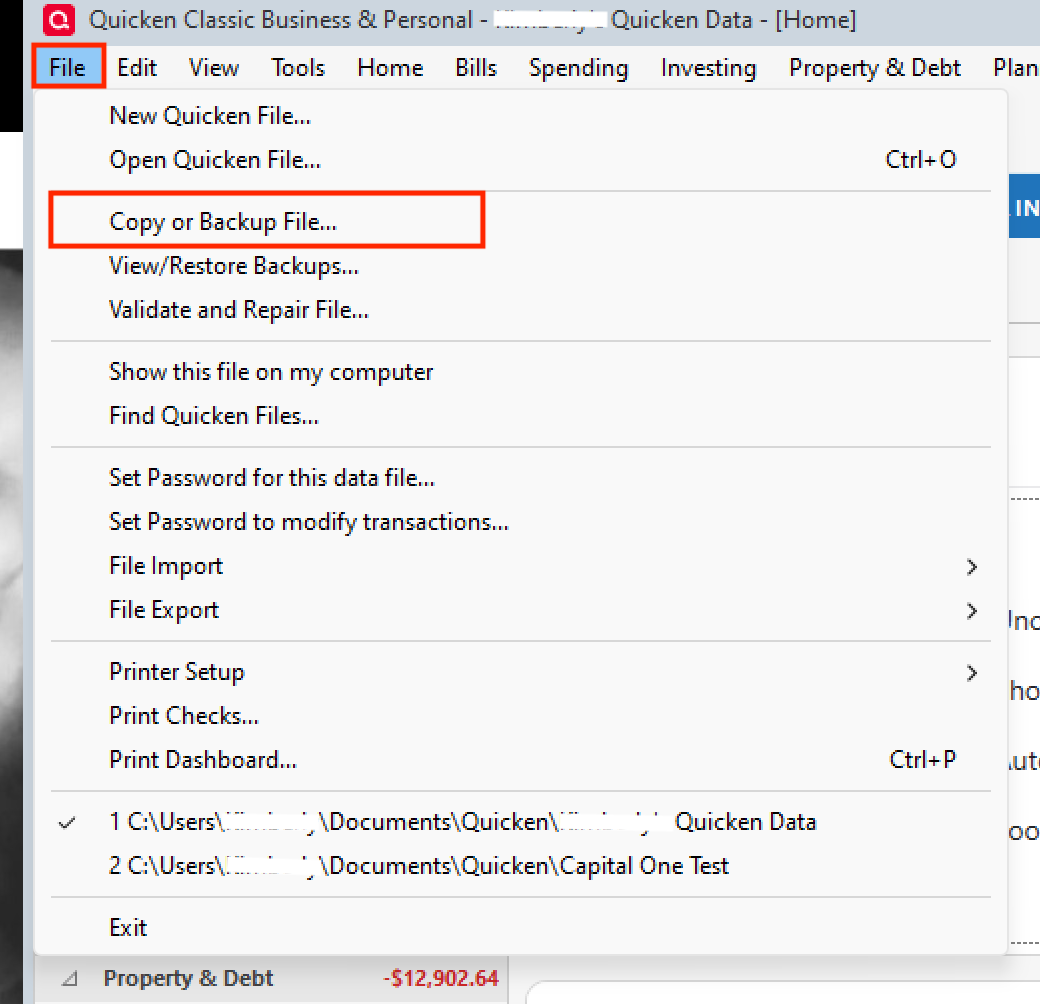
2. Disconnect ALL NFCU accounts in Quicken. Here are the steps on how to do that.
3. Revoke Quickens Third-Party Access from the NFCU website.
4. Add accounts back into Quicken
Once back in Quicken, you will want to make sure you choose the "LINK to existing" option for any accounts that are already in Quicken. Doing so will prevent duplicate accounts.
Let me know if this resolves the issue.
Quicken Alyssa
Make sure to sign up for the email digest to see a round up of your top posts.
0 -
my Navy Fed accounts are doing the same - not updating on Windows.
I go to the accounts tab, deactivate all of the Navy Fed accounts, then go to the add account. Goes back to Navy Fed to sign in, which I do. It then offers a number of accounts to link, which I check, and then submit. As soon as I do that, it goes right back to the Navy Fed sign in page - so I sign in again and a new page showing an error code comes up- AM00. When I minimize that page the big circle is showing like it's trying to connect but nothing happens. I've let that run for 15 minutes before I say screw it and cancel. Any ideas?
[Edited-Readability]
0 -
Hello @wjb727,
Thank you for adding to this discussion. I understand how frustrating issues like this can be and I am happy to assist.
After reviewing your account internally, I do not see any errors for Navy Fed. Are you still having this issue?
If so, would it be possible for you to share a screenshot or the error message you are seeing? If needed, please refer to this Community FAQ for instructions on how to attach a screenshot. Alternatively, you can also drag and drop screenshots to your response if you are not given the option to add attachments.
Thank you!
Quicken Alyssa
Make sure to sign up for the email digest to see a round up of your top posts.
0
