Fifth Third Bank OL-293-A error

As of 10/5/25, I can no longer download my account information from Fifth Third Bank. I receive OL-293-A error. The last successful download was Friday, October 3rd.
Comments
-
I am having the same problem this morning.
0 -
Same error since yesterday on Quicken Classic for Mac. It's returning a "HTTP-500 Error from Fifth Third Bank" now. I'm using Direct Connect.
2 -
Same for me.
0 -
Also receiving OL-293-A upon update request this morning.
Yesterday I had a problem with my Fifth Third online account website not finding my list of payees. Called their service. Was told this was a recognized problem they were working on. Later in the day the payee list was populated again and I was able to schedule a payment.
This morning I checked Quicken's "Online Services" tab in Fifth Third's "Account Details" window. There is a new section I never noticed before called "Online Bill Payment". It was not set to "Activated" even though I've been enrolled in it for years, so I activated it. The 293 still occurs upon update request, so this new activation may be unrelated, but I don't know that for sure.
Hopefully, Quicken will contact Fifth Third and work at getting this fixed.
0 -
I am also getting this error message. Also, both Firefox and Chrome browsers hang at the 53 bank login after entering my password. Only the Microsoft edge works. After talking with 53 support, I am told other customers are having this problem.
1 -
Hello All,
Thank you all for reporting this issue.
Can I please have you all try the steps in this Support Article, and if they do not resolve the issue, go to Help>Report a problem, from within your Quicken software, and Send to Quicken?
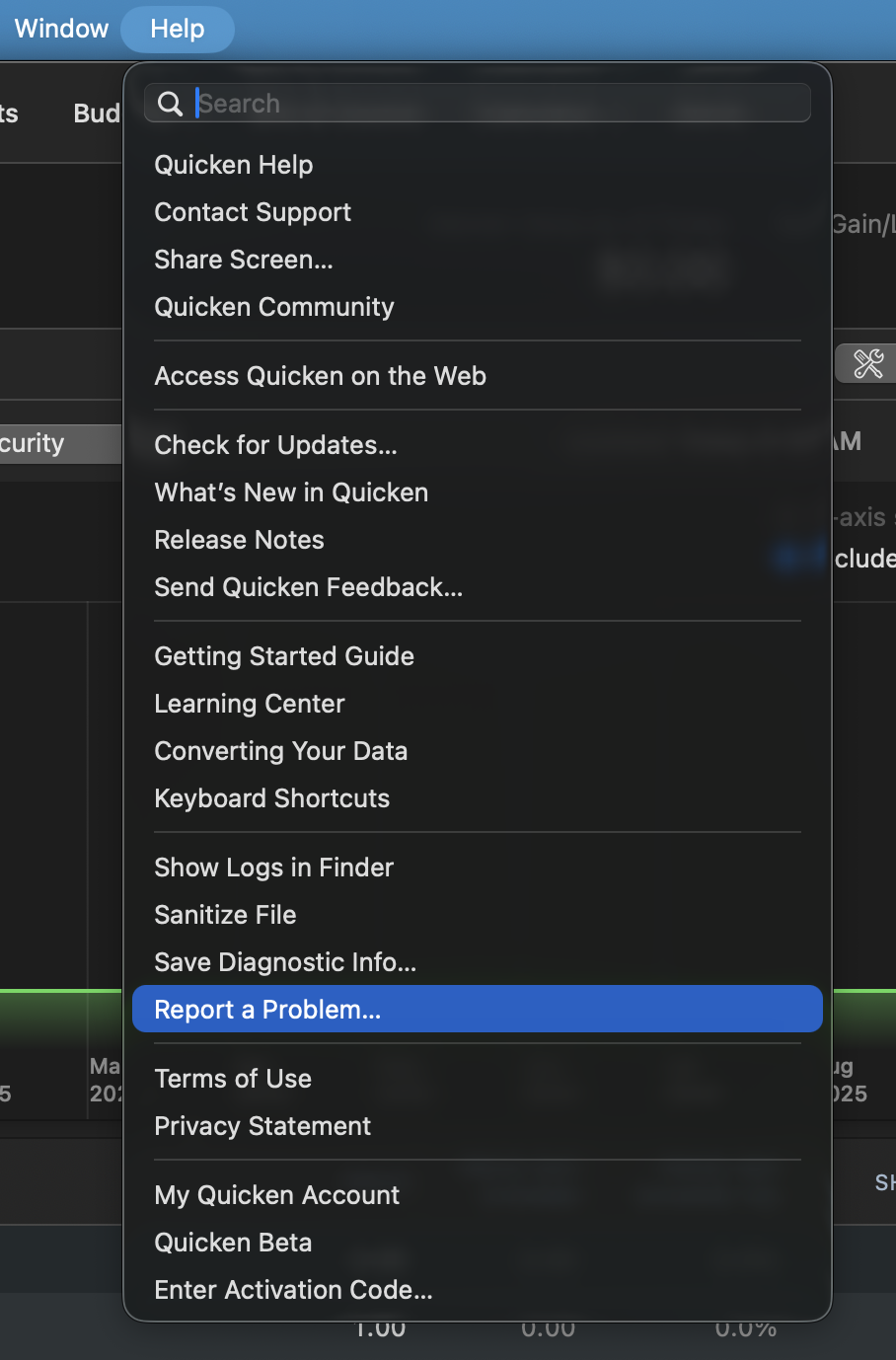
This issue has been reported, and your log files will help the investigation. Additionally, Screenshots can be helpful as well. If needed, please refer to this Community FAQ for instructions on how to attach a screenshot. Alternatively, you can also drag and drop screenshots to your response if you are not given the option to add attachments.
Thank you!
(CTP-14776)
Quicken Alyssa
Make sure to sign up for the email digest to see a round up of your top posts.
0 -
I'm having the same issue.
0 -
Hello @cdlinderer,
Thank you for adding to this discussion.
Please follow the steps above so you can be added to the reported issue.
Thank you!
Quicken Alyssa
Make sure to sign up for the email digest to see a round up of your top posts.
0 -
Re-entering my password did not work, same error, I used the Report a Problem option to send it in.
0 -
The procedure described by Quicken Alyssa fixed the problem for me.
While I was working through step 1, I noticed one of my accounts (only 1) was showing online bill pay turned on. I don't have this service to my knowledge.
I'm not certain how that flag got turned on as I'd not looked at the online services tab for a while (only looked while following this procedure to fix the problem).
At any rate, I turned that flag off and all is now well.
0 -
I do use Bill Pay (and I think it's free with Fifth Third, at least with my account), so I wouldn't be able to disable that and maintain functionality. Still seeing the issue this morning as well.
0 -
Getting the same OL-293-A issue since 10/5/2025.
0 -
Ditto here. Few days now.
0 -
Same issue, same time frame. Possibly related to Quicken update?
0 -
Same issue 10/6 & 10/7.
0 -
I am having the same issue 10/7.
0 -
Same issue for me since 10/4. Let's hope that both Quicken Support and Fifth Third support can resolve this issue quickly.
If you are only downloading transactions into Quicken, you can do it manually from Fifth Third's website. Login. Select the account from which you want to download transactions. Select the Services Tab and Export Transactions. Select the format "QFX" and proceed to download and save the file. Double-click the downloaded file and be sure to link to your current account. I hope this helps! Have a great day.
0 -
I am having the same issue since 10/5/2025.
I attempted to do what Dave Salisbury did and that created a different issue for me. So, I then disconnected the online connection for all 7 of my 5th Third accounts. Now, I cannot add them back due to the OL-293-A error message.
Furthermore, now every time I open Quicken, I get a message that my prior update failed do I want to try again.
I look forward to a solution very soon hopefully.
0 -
Same issue. The suggested fix did not work.
0 -
I did follow the procedure and discovered that bill pay in Quicken had been turned on. This is something I do not use and did not enable. Once I turned it off I was able to download my data.
0 -
Been getting 293 error for 3 days. I deactivated online services. Then (surprisingly) was able to activate online services (via user and pw that remains stable) and link to my one 53 account in Quicken. I noticed that Online Bill Pay was enabled for 'Bank Bill Pay' method (which I disabled). All would seem well but OSU still returns 293 error
0 -
Turning off bill pay fixed the problem for me. Apparently, it had somehow been turned on in one of my accounts, which prevented both accounts from updating. If you have multiple accounts via one login/password combination, make sure you check all accounts.
0 -
10/7 12:01 PM conversation with Grand Rapids CSR help confirmed it is a known problem being currently worked on…Good Luck to everyone😂
0 -
Hello All,
Thank you all for adding to this discussion and reporting this issue.
Happy to hear that some of you have managed to resolve the issue by following the steps in the article provided above. Anyone who is not able to resolve it, please go to Help>Report a problem> Send to Quicken. We need to continue collecting log files to aid in our investigation and escalation of this issue.
Thank you!
Quicken Alyssa
Make sure to sign up for the email digest to see a round up of your top posts.
0 -
I am also having the same error. OL-293-A from Fifth Third Bank. My wife's account downloads fine, but mine does not. Maybe that is because my account is used for payong bills via quicken.
0 -
The "Account Details" in Quicken for my Fifth Third Checking account appears to have an incorrect Customer ID. For all other bank accounts in Quicken, the Customer ID is the same as the UserID needed to login to the bank's web site. Instead of the UserID, there is a 17 digit number which means nothing to me. I went to "Manage Passwords" and found that for Fifth Third there were two entries, one of which was for my UserID, and one of which was for the strange 17 digit number. The entry for the strange number had no password assigned, so I assigned it the same one associated with my UserID. The OL-293-A error continued to appear despite this revision. I also tried changing the Customer ID to the UserID, but that also did not fix the problem. I don't know if this Customer ID versus UserID anomaly is at all related to the inability to update. However, if it is not related, I would sure like to know why there is this discrepancy between Customer ID and UserID. In the Manage Passwords window, I note there are several entries for other banks which have numbers instead of UserID's, but this seems to only apply to accounts that are using connection method "Express Web Connect +", whereas my Fifth Third accounts are using "Direct Connect".
0 -
Turning off Bank Bill Pay in all of my accounts also solved my problem. I also had to reenter my bank password for one of my accounts.
0 -
Hello All,
We do have a Community Alert for this issue that you can check out.
Don't forget to bookmark it to stay up to date on progress or changes.
Thank you!
Quicken Alyssa
Make sure to sign up for the email digest to see a round up of your top posts.
0 -
Update had been giving OL-293-A since Sunday. Just successfully updated now. I also use the Bill pay service, which downloaded an update.
-1 -
I just also saw a successful download, will check again in the morning.
-1


