What’s Going On Between Fidelity and Quicken?
Comments
-
I still cannot, consistently, download Fidelity transactions. I spent well over an hour with a Quicken representative and this is what we did. He had me unauthorized all of my Fidelity accounts. For each of those accounts, he also had me delete the institution and the account number associated with that account. Then he asked me to add all of those accounts as new accounts. Once that was done and they all matched up correctly, I got a download. It was messy. It tried to match (near match) older, already cleared transactions with new transactions. I had to unmatch all of those and then accept them as New.
Now, fast forward a few days, I have more "new" transactions that will not download. They are not marked as pending at Fidelity. Quicken just won't download them. The Online Center claims all of what I have in Quicken matches Fidelity. It doesn't.
This has been going on for over a month with no solution in sight. Quicken fails to address the issues.
I'm losing faith in a product I have used for decades.
2 -
>Now, fast forward a few days, I have more "new" transactions that will not download. They are not marked as pending at Fidelity. Quicken just won't download them. The Online Center claims all of what I have in Quicken matches Fidelity. It doesn't.
I have experienced delays of up to 72 hours in Quicken downloads from Fidelity and some banks.
1 -
I have never had this issue with downloads from Fidelity until the last month or so. This isn't just days, it's weeks that nothing downloads.
0 -
Curious. Have you tried creating a new datafile that has just Fidelity accounts to see if transactions will download to that different datafile?
Deluxe R66.23, Windows 11 Pro
0 -
Yes, On September 19th, I created a new test file containing only Fidelity accounts and so far so good.
1 -
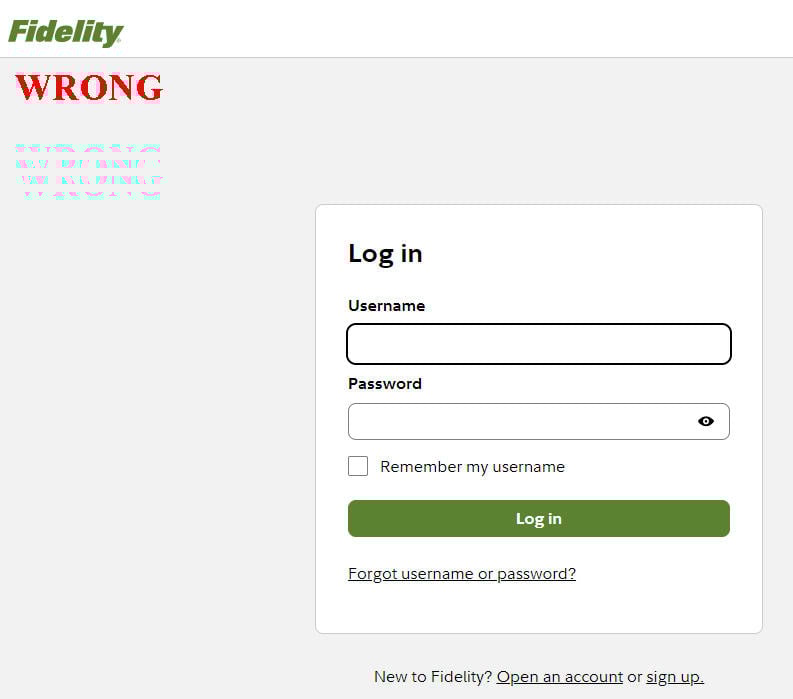
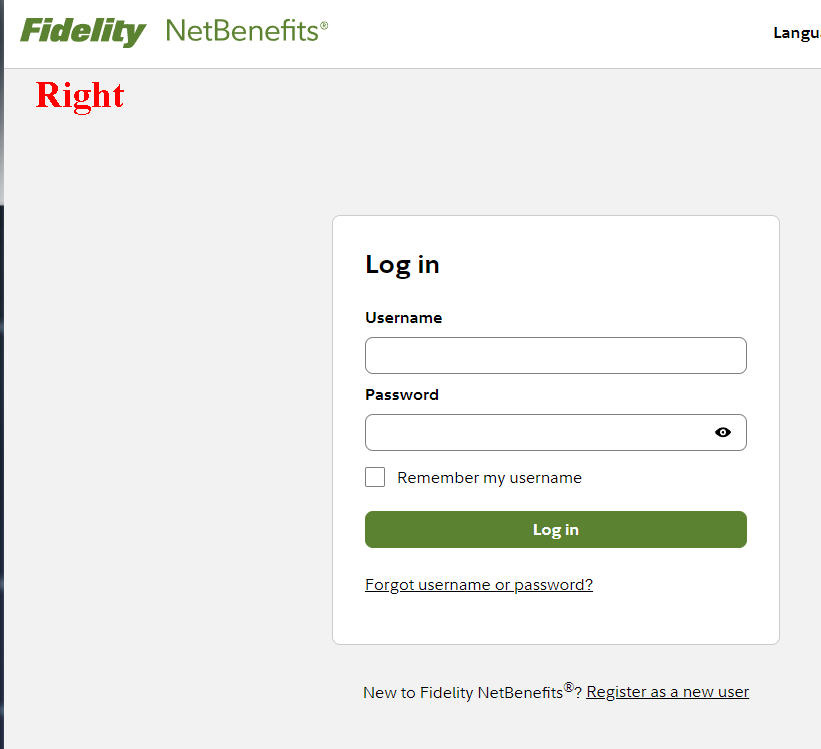
I cannot reauthorize and connect to Fidelity NetBenefits. Quicken sends me to the standard Fidelity login which is different than the NetBenefits login. Quicken and Fidelity needs to fix this.
 1
1 -
@robyn2024 As part of the transistion to EWC+ there is no longer a separate Netbenefits login, all account are updated through the Fidelity login.
0 -
I did. Didn't work. During my call with Quicken, they felt that file was a problem and made me delete it. Still no change.
0 -
Just a wild shot. Maybe try the corrective procedure given at
It corrected an OL-297-A I was getting this morning even though the description isn't for that error type.
Deluxe R66.23, Windows 11 Pro
0 -
Nope doesn't work. If I login with my normal Fidelity login there is no NetBenefits account listed to reauthorize. If I try to login with my NetBenfits login, I get an error. They are two completely different systems at Fidelity with their own logins. Quicken and Fidelity needs to fix this ASAP.
0 -
Sounds like a Fidelity issue. I am just relaying my experience, from converting from DC to EWC+ on Sunday. Reauthorizing my Fidelity accounts and then separately my Netbenefits accounts, each time was prompted to login into my Fidelity account (not my separate Netbenefits account) all my accounts (Brokerage and Netbenefits) were listed with the option to authorize access. Hopefully others can comment on their experience.
0 -
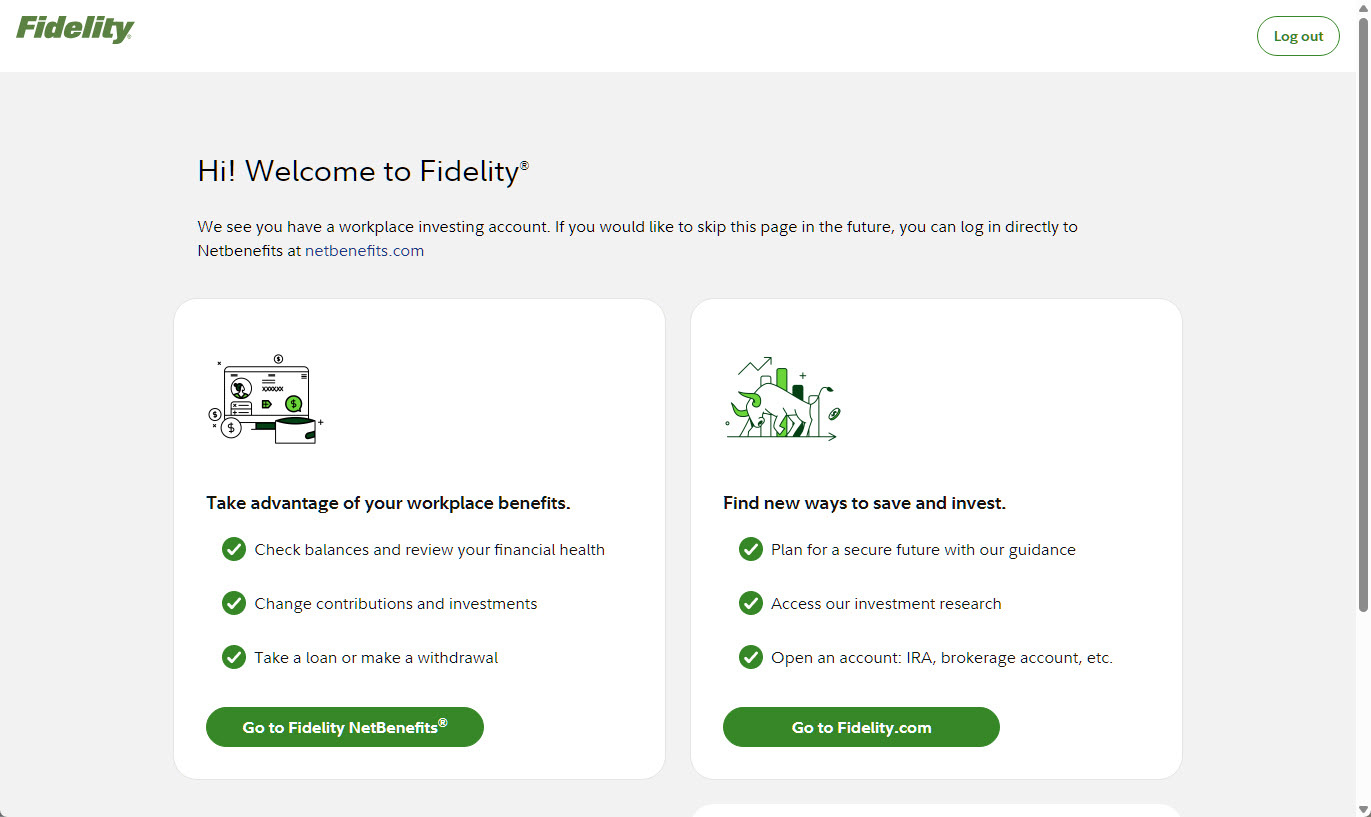
If I go to Fidelity.com (not Netbenefits) and login I get a choice of staying on Fidelity or going to Netbenefits. If I choose Fidelity, I still see my 401Ks there. The UI is different than NB but the numbers are still the same. I switched from DC to EWC+ this morning. I used the same userid/pw I always used for NB. I have no other accounts under this specific site. I do have another account at fidelity but it's an individual investor account (Fidelity Investments Institutional) with a different login page and user account. It only uses web connect so no OSU for it.
Here's the page. Do you not get this when going to Fidelity.com? NB does not show this page.
 0
0 -
So I have two separate logins with Fidelity. The first one that provides access to my personal Fidelity Investment accounts also used to provide access to my 401k account on Netbenefits before I rolled it into an IRA. My second login provides access to only a Netbenefits account for a beneficiary 403b retirement account.
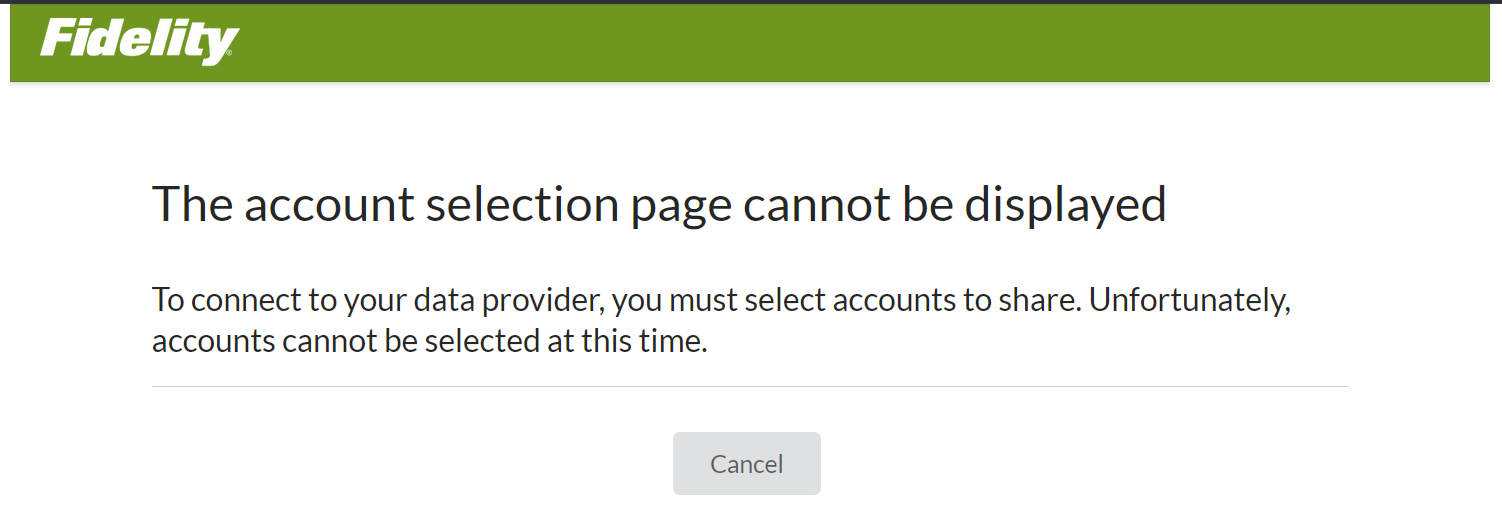
I have converted my first login to EWC+ and, while far from easy, it is mostly (fingers crossed) working at this point. When I attempt to Reauthorize my second login (that only has a Netbenefits account attached to it), I get this error message at Fidelity. No options to do anything so I guess I wait for a day or two to see if it clears up?
 0
0 -
Did Quicken or Fidelity kill the Direct Connect method? Yesterday one of my Fidelity accounts failed to update and now they're all failing to update. I'm still using the old connection method because of all of the problems discussed in this thread. Is anyone else having trouble connecting via Direct Connect today (October 15th at around 8AM EDT)?
1 -
Yup, still on DC for same reason and both Fidelity Investments and Fidelity NetBenefits were throwing OL-293/295 errors earlier this morning. Now Fidelity Investments seems to be working again but the same OL-295-A errors on Fidelity NetBenefits continues this hour. I've also discovered there have been no new price updates on my Fidelity NetBenefits holdings (401K) in the past 4 days, since 10/10; where-as daily price updates on Fidelity Investments seems to be working as expected.
0 -
Are you getting an error code from the failed update? I have had to use this procedure almost every day since last week to get DC to work. The procedure even worked for error code OL-297-A .
Deluxe R66.23, Windows 11 Pro
0 -
Thank you, that was helpful. That worked for my Fidelity brokerage, IRAs, and HSA accounts. At least the update worked without an error, though a transaction I expected in my brokerage isn't there. I can wait until tomorrow on that one and try again if need be.
I tried that with my 401k (Fidelity NetBenefits) and the update failed again. Wondering if this is Quicken or Fidelity's way of forcing people to use the new update method.0 -
Perhaps, this recent discussion thread may provide some suggestions about NetBenefits.
Deluxe R66.23, Windows 11 Pro
0 -
DC worked for me this morning (Brokerage & IRA accounts). I don't use NetBenefits anymore so don't know about NetBenefits connection.
0 -
I don't know if this means anything but I don't get an error. Quicken goes through the motions of updating and then it finishes and I have nothing new from Fidelity. My banks and credit cards update but not Fidelity.
0 -
I too am on the new connection method to Fidelity including NetBenefits. Quicken did not get the end of day pricing for my NetBenefits funds for Oct 13th. Normally, the prices now are not available until the next day for the previous day. In this case, the prices for Oct 13th were recorded as for Oct 14th. I had to manually enter the prices for Oct 13th. However, the price downloading seems to be working this morning. Not an improvement in my opinion.
Whereas, when using the previous Direct Connect method, the prices were usually available between 8pm and 9pm Pacific time.
0 -
Can you verify, using the Online details tab for the account, that it is actually connected? I just created a new datafile from a template and connected my Fidelity accounts using EWC+. Quicken reported all accounts were connected without errors but one of them showed not connected in the account's Online tab. I couldn't get it to connect. So no transactions downloaded for that account and there were no errors reported during reauthorizing, and relinking the accounts.
Deluxe R66.23, Windows 11 Pro
0 -
Again, I know it's off topic, but, I finally got back to this and followed the instructions of depositing net amount into Checking acct, then entering gross dist with category of [my_IRA] and neg amounts for fed and state withholding.
However, I do not see this deposit in my Cash FLow comparison report. I am just trying to get a simple sort of Profit/Loss result that should show all income and expenses while ignoring some of the chatter of non-material transactions (e.g. transfers from brokerage acct to a savings acct, which is just moving money, not a realization of income).
Shouldn't the Gross distribution appear in cash flow as I have transfers out of IRA going to the "1099R: total IRA Taxable distrib" set? My Pension I receive is assigned an Income category that maps to "1099-R: total Pension taxable distrib".
***UPDATE***
For what it's worth I came up with a different approach. I am trying to emulate Income and expense recording like my 1099 Pension is handled. To do this I just need to adjust the cash balance of the IRA after a distribution to eliminate any transfers.
I have modified Jim_Harman process:
It is a bit tricky to record IRA distributions in Quicken so that the tax implications are captured correctly. The gross distribution and any tax withholding must be recorded in the receiving account, not the IRA. It can be a banking or an investing account, but it must be a taxable account, not another IRA for example.
First create and Income Category for IRA Distributions (e.g. “IRA Distributions”). I then created a subcategory of “RMD” and assigned the Tax code of “1099-R:Total IRA taxable dist.” Next either use existing Fed & State Tax categories or create two new sub categories under “Tax” (e.g. “Fed (IRA Withdrawal), Tax code 1099-R:IRA federal tax withheld, and State (IRA Withdrawal), Tax code 1099-R:IRA state tax withheld).
In the IRA:
Accept any downloaded sell transactions. If there is already an Xout transaction in the IRA account that transfers money to the taxable account, note the amount and delete it before entering the Deposit in taxable account. Do not try to edit the receiving end of the transfer.
In the IRA, click on the gear at top right and select “Update Cash Balance” to remove the exact distribution amount.
In the taxable receiving account:
1) Enter a Deposit transaction for the net amount of the RMD as a positive number.
2) Split the category:
- Line 1 of the split: Category = the (new) RMD income for the gross amount as a positive number.
- Line 2 of the split: Category = a Fed tax withholding category, as a negative number.
- Line 3 of the split: Category = a State tax withholding category, as a negative number.
- Total of the split: Must equal the net amount of the deposit.
If you receive the distributions regularly, you can set up this transaction as an Income Reminder or Paycheck.
Delete or do not accept any downloaded brokerage transactions for
- The net distribution
- The Fed taxes withheld
- The State taxes withheld
"No Matter Where You Go, There You Are"Windows 11 Pro, Quicken SubscriptionIntel Core i7-12700, 32GB Ram0 -
Still failing every time I try to connect with Direct Connect. I made a backup of my file and reset the accounts to use EWC. It downloaded a bunch of old transactions I had to manually delete. And in my 401k previously with Direct Connect when I would do what is known as the "mega backdoor Roth" to move after tax 401k money to my Roth IRA, it would first show as a sale of shares into the 401k (putting money in the cash balance), and then the Roth IRA would have deposit transactions that I would just put the 401k as the category and it moved the money over correctly.
EWC treats it as Withdrawal with I suppose technically it is. But it treats the sale as a $0.00 transaction which results in a negative cash balance in my account. If I change those Withdrawal transactions to a SoldX transaction, with the cash balance landing on the Roth IRA, then it works as I'd expect. But that's a heck of a lot of work for something that worked flawlessly under Direct Connect.
It also has a the incorrect cash balance in my brokerage account and I have no clue why. It was fine before the EWC change.
Where does that leave me then? One file with EWC that might or might not work right, requires a lot of extra work for a transaction that worked correctly before, and an incorrect cash balance in my brokerage that I need to go figure out. Or I go back to my DC file, try to make the connection work, or just say screw it and enter everything manually.
I know everyone in this thread is frustrated. I am with you and am very frustrated with how poor this whole transition has gone.
0 -
I started getting OL-295-A error for Fidelity when trying to use my DC datafile. I guess this is the mandatory cutover. When using the EWC datafile, some transactions download that require manual corrections. For me, a transactions download but do not have correct payees or securities. The $ amounts have been correct and I have had to the amount to match with the correct payee or security. The timesaving that the DC connection provided has diminished with the EWC+ connection. It seems Fidelity & Quicken are still getting a handle on correct transaction mapping into Quicken.
Deluxe R66.23, Windows 11 Pro
0 -
I've remained on the zzz-Fidelity Investments - DC connection since the end of July and fortunately avoided the issues that many have encountered. In the past week I've received more OL-297-A errors and an occasional OL-232. In either case, it could be "fixed" by the instructions here, even though this link isn't indicated for the OL-297:
While it would resolve the issue and I would get downloads, the error would return in a day or so. I guess they are trying to frustrate us enough to convert to EWC+! The strategy apparently worked. I bit the bullet and converted yesterday morning. I did it via the Quicken - copy function and created a parallel file to my Direct Connect file. I apologize for the long post, but wanted to share my experience in the hopes that it will help others.
Using the copy function breaks all existing online connections so they all needed to be reconnected. I had numerous bank and credit card accounts where the opening balance of the account was changed during this process. This has been a long term known issue with Quicken upon reauthorizations. Fortunately I had noted opening balances in the memo field of each of my accounts and this made it much easier to sort through the discrepancies. It appeared that when the opening balances were changed it was always when there were "stray" duplicate transactions that were downloaded. I could find no pattern as to when or which transactions downloaded as duplicates. I had a lot of duplicate transactions to delete, but having recently reconciled all of my accounts this made it much easier to identify the duplicates.
My eight regular Fidelity accounts (2 Brokerage; 1 IRA; 2 Roth; 2 HSA; 1 CMA) transferred seamlessly. All starting and ending balances matched. I had some duplicate transactions show up from the past few months but they were easy to identify and delete having reconciled all accounts at the end of September. All accounts asked me if I wanted to handle SPAXX as cash, which I acknowledged "yes". While I have some other MM funds in a couple of those accounts, I only use SPAXX as a core fund. All worked fine and matched between Quicken and Fidelity.com. I do not have CD's or T-Bills in any of my accounts, so can't comment on handling of those.
I chose to keep my Fidelity credit card connected via Elan as I have in the past. Yesterday evening I received new downloaded transactions in the DC file, but not in the EWC+ file even though I ran them consecutively. This morning those transactions downloaded in the EWC+ file and they now match. No idea why these would be different timing.
I was surprised to see my Donor Advised Fund show up as an option for download. I never knew it could be linked and in the past just reconciled based on quarterly statements issued by the fund. This was my only hiccup with Fidelity. Valid grants since my June 30 reconciliation showed up, but so did 9 other "grants" with values I would never use in a donation, i.e. $10.02, $39.99, etc. I have no idea where these came from. Also, total value of the DAF didn't update to match Fidelity Charitable. This isn't a big deal to me, as I can always just continue with quarterly reconciliations, but am curious as to why support a connection if it doesn't update? (The investment funds from the DAF are proprietary, not funds with normal tickers) The balance remained the same as my last reconciliation on 6/30. (September quarterly statement has not yet been issued)
My plan is to monitor these two in parallel for a few days to make sure all remains in sync, then convert to my EWC+ file as my primary.
I want to give a big thanks to those who were the guinea pigs in making the transition. Your input was invaluable in helping me understand the transition and know what to look for. And an especially big thanks to whoever provided the tip to document opening balances as a memo of the first transaction of all accounts. This made a much easier job of sorting out banking and credit card accounts upon reactivation. Kudos to all of you! And best off luck to the rest of you going through the transition!
[EDIT} - Received an OL-295-A error this morning. It was not repaired by the process I used for the OL-297.
2 -
I'm getting a download after the "forced" conversion (i.e. the old connection method seems in the last 24 hours to have been disabled). After the reauth I am getting transactions but all have unknown security against each buy transaction. Would really be nice if this was resolved, finding it astonishing that this whole project wasn't abandoned, the old connection method reinstated. If the connection is to be re-engineered, it is not acceptable for paying customers to be the beta testers and have to put up with the extensive failures.
1 -
I'll maintain two separate files for now. Is anyone else able to get Direct Connect to work? It gives me an error but frustratingly I don't actually see the error. It says "an error occurred" but when it finishes it doesn't show me the error. It just shows two random accounts that I didn't even ask to update.
What a mess. So frustrating.
0 -
@gsquaredmarg My DC connection also got OL-295-A this morning. I suspect the DC connection has been turned off. If lucky, I'm wrong and it is a temporary issue.
Deluxe R66.23, Windows 11 Pro
1 -
All are connected. All say they match but they don't.
0


