Is this a live chat? I'm not receiving a response to my questions.

Answers
-
Hello @Norris Aikens,
The Community forum is primarily user-to-user based with only a handful of us mods. Therefore, responses are not immediate and can take up to 24 to 48 hours. If you prefer immediate assistance, please contact Quicken Support directly. Note - Due to issues with AWS, chat and phone support are temporarily closed. See this announcement for more information:
You can find the Quick Start Guide for Quicken for Windows by clicking here. If you want to set up an appointment to have an agent walk you through getting started, please refer to this article to schedule:
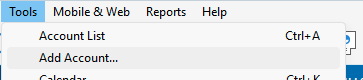
For assistance through the Community, please provide more details what exactly you need to set up for income and expenses. Are you trying to add accounts that are connected to your financial institutions to download into Quicken? If so, then to start, navigate to Tools>Add Account.
In the window that comes up, search for the name of your financial institution.
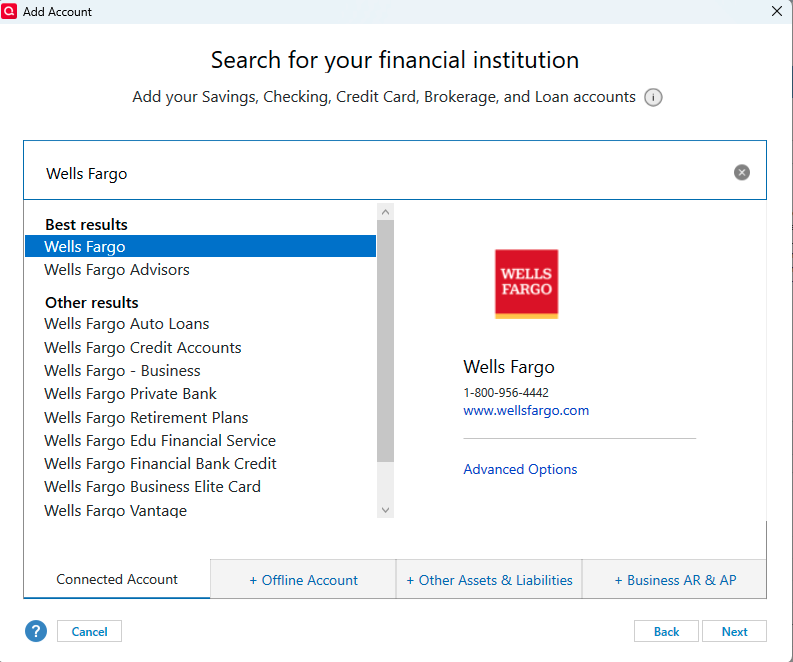
Select the appropriate option from the list that comes up, then follow the prompts to get your account connected.
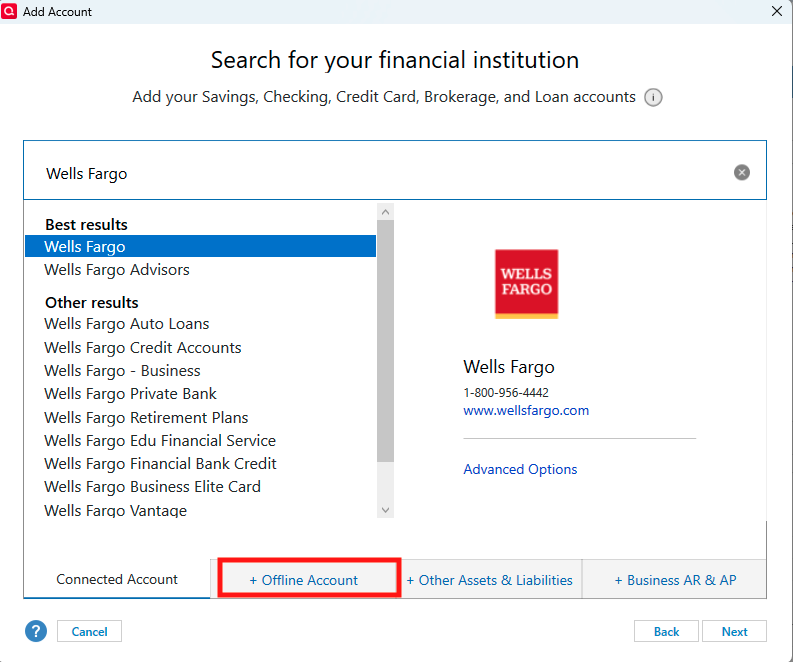
If your financial institution isn't in the list, it may not be supported. You can try alternate spellings or inquire on the Community or directly with Quicken Support to confirm if the financial institution is supported. If it is not supported, you can still track your account in Quicken as a manual account. To do that, you would click the + Offline Account tab.
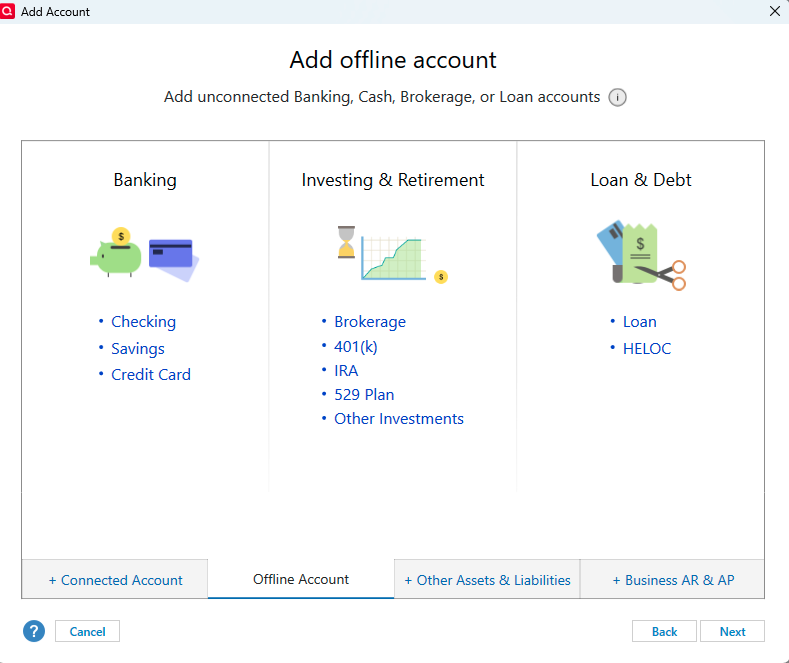
Select the appropriate account type and follow the prompts to get the manual account set up.
I hope this helps!
Quicken Kristina
Make sure to sign up for the email digest to see a round up of your top posts.
0

Categories
- All Categories
- 18 Product Ideas
- 34 Announcements
- 247 Alerts, Online Banking & Known Product Issues
- 19 Product Alerts
- 518 Welcome to the Community!
- 682 Before you Buy
- 1.5K Product Ideas
- 55.7K Quicken Classic for Windows
- 16.8K Quicken Classic for Mac
- 1K Quicken Mobile
- 834 Quicken on the Web
- 128 Quicken LifeHub