Download window blank after updating prices from Fidelity

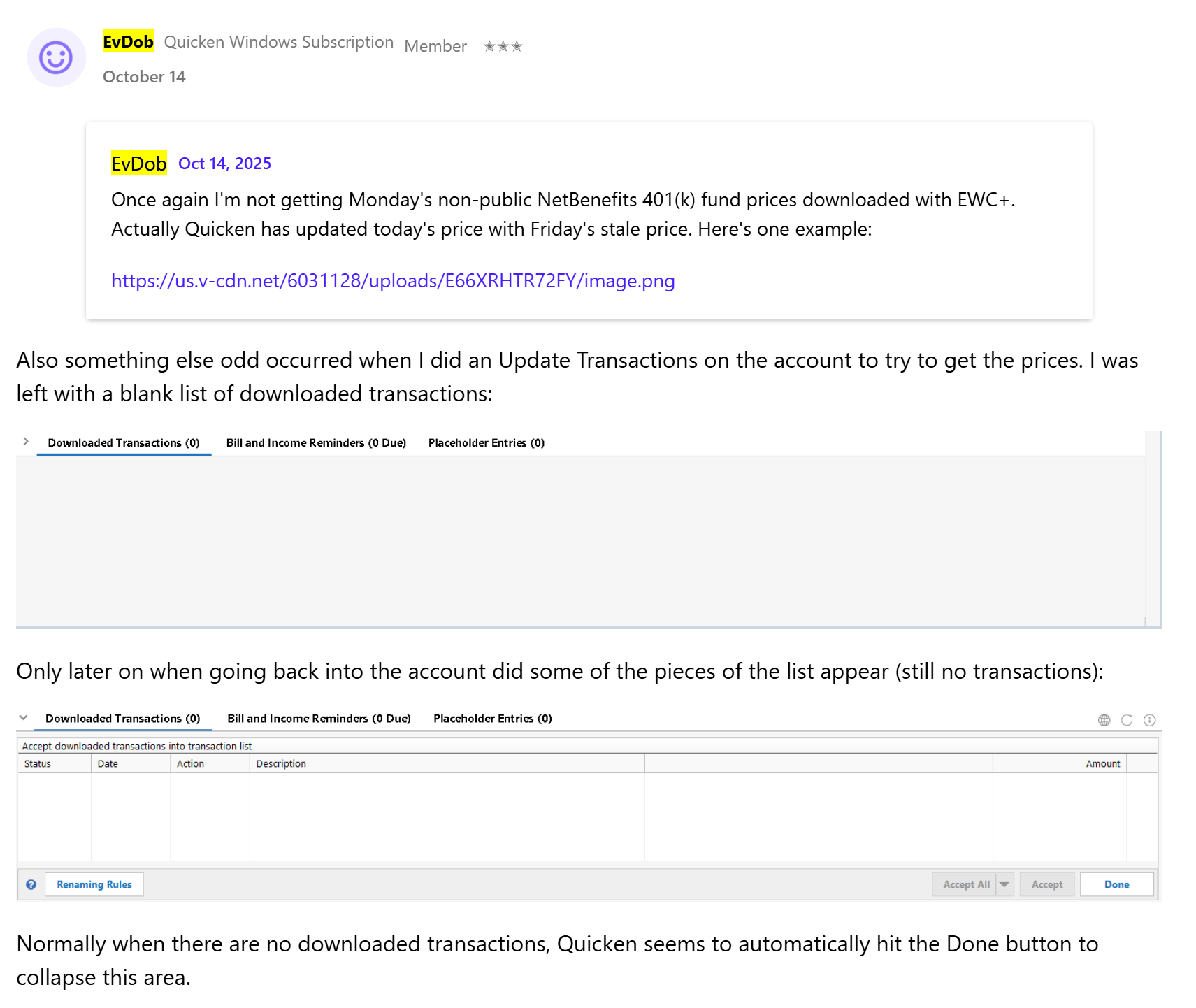
From
@Quicken Kristina I submitted a problem report for this. It may have nothing to do with the EWC+ transition for Fidelity, though.
Comments
-
Hello @EvDob,
Thank you for letting me know you're seeing this issue. If you haven't already done so, I recommend restarting your computer and checking to see if that resolves the issue.
If the issue persists, please provide additional information. Do you keep your Quicken file directly on your local hard drive? Is your Quicken file synced with any cloud services, such as OneDrive, iCloud, or Dropbox? Did the issue start immediately after a program/computer update or unexpected program/computer shutdown?
I look forward to your response!
Quicken Kristina
Make sure to sign up for the email digest to see a round up of your top posts.
0 -
@Quicken Kristina I believe I've seen this after restarting my computer. My Quicken file is on my local hard drive and isn't synced with any cloud services. I don't think I saw the issue before the Fidelity EWC+ transition.
0 -
Thank you for your reply,
Since this issue may be a file specific problem, I suggest that you try validating your data file. Please save a backup file prior to performing these steps.
Validate:
- File
- Validate and Repair File...
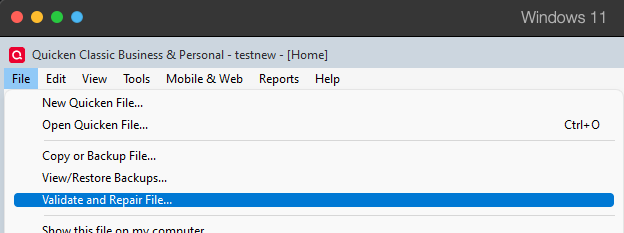
- Validate File
- Click OK
- Close the Data Log
- Close Quicken (leave it closed for at least 5 secs)
- Reopen Quicken and see if the issue persists.
Let me know how it goes!
Quicken Kristina
Make sure to sign up for the email digest to see a round up of your top posts.
0 -
OK, Kristina, I'm validating the file and will wait for the issue to happen again.
1 -
@Quicken Kristina it happened again today, and I filed a problem report. The downloads window showed a transaction after I closed & reopened Quicken. This time it was a Bought transaction at Schwab.
0 -
Thank you for your reply,
If possible, please try restoring a backup from before the issue started, and test to see if that resolves the issue.
Thank you!
Quicken Kristina
Make sure to sign up for the email digest to see a round up of your top posts.
0 -
@Quicken Kristina I'd rather not restore from a backup for as long as it takes to reproduce this somewhat random issue. Plus I'd never know for sure if the issue would have occurred.
0 -
Thank you for your reply,
Understandable. Just in case it is a program issue, rather than a file issue, I'd recommend manually reinstalling the update patch. For instructions on how to do that, please use this article:
I hope this helps!
Quicken Kristina
Make sure to sign up for the email digest to see a round up of your top posts.
1 -
OK, I've installed the patch and will let you know if I see the issue again.
0 -
@Quicken Kristina I see the issue again today after getting CC-501 at Fidelity & Schwab. Problem reported.
1 -
Thank you for the follow-up,
Since reinstalling the most recent patch didn't correct the issue, the next step is to backup your Quicken file, then uninstall and reinstall Quicken. If this issue is being caused by a program problem, the uninstall/reinstall should correct it.
Thank you!
Quicken Kristina
Make sure to sign up for the email digest to see a round up of your top posts.
0

Categories
- All Categories
- 24 Product Ideas
- 34 Announcements
- 248 Alerts, Online Banking & Known Product Issues
- 19 Product Alerts
- 265 Welcome to the Community!
- 301 Before you Buy
- 1.5K Product Ideas
- 55.8K Quicken Classic for Windows
- 16.9K Quicken Classic for Mac
- 1K Quicken Mobile
- 834 Quicken on the Web
- 129 Quicken LifeHub