Installation of R64.29 today caused my budget to be completely deleted.

After allowing the patch installation of release R64.29, I discovered that my active budget, along with all my previous years' budgets were GONE. The Planning, Budgets tab prompted me to BEGIN a brand new budget from scratch as if I had NO budgets EVER created. When I tried to run any out-of-box or customized budget reports in the Report Generator, there were NONE.
R64.29 wiped out all my budget data from all current and past managed categories for all past and current year. All that work and monitoring GONE.
Comments
-
Hello @JHARVEY,
Thank you for sharing your experience — I’m sorry to hear this has happened. Having your entire budget, including all your historical data, vanish is understandably distressing.
If you have a backup of your Quicken data from before installing R64.29, restoring it could recover your budgets. Steps on how to restore a backup can be found in this Help Article, if needed.
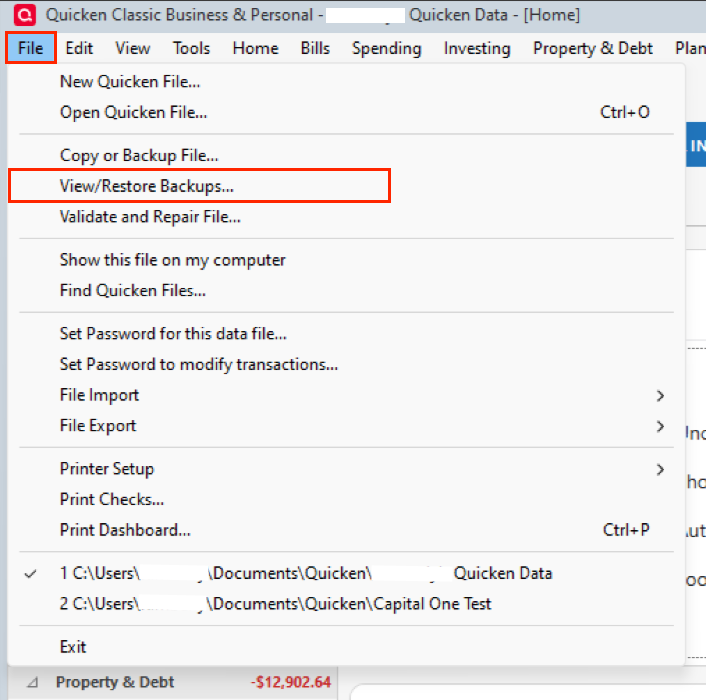
After restoring, double-check your budgets (Planning & Budgets tab) and run some reports to confirm that your categories and prior years’ budgets are all back.
Hope this helps!
Quicken Alyssa
Make sure to sign up for the email digest to see a round up of your top posts.
0 -
I'm having similar issues with my budget, but not completely wiped out. What is causing this, what is the fix. My budgets have changed, or are gone.
0 -
Hello @Toasties,
Thank you for adding to this discussion.
Did you have a chance to try the suggestions I posted above? If you are experiencing the same issue as the original poster, I would go with those steps first.
Let me know how it goes!
Quicken Alyssa
Make sure to sign up for the email digest to see a round up of your top posts.
0 -
This happened to me too. I restored from backup and got the budget back, but when I tried to update from my financial institutions again, it deleted the budget.
0 -
Thank you for adding to this discussion.
To clarify, in your case, the budget is disappearing when you do a One Step Update. Is that correct?
If so, I would restore a backup again, like you had before. This time, before updating your accounts, check to see if you have the cloud sync turned on.
To do this:
- Go to Edit.
- Select Preferences.
- Click on the Mobile & Web tab.
- If your Sync is turned on, then you should see some options.
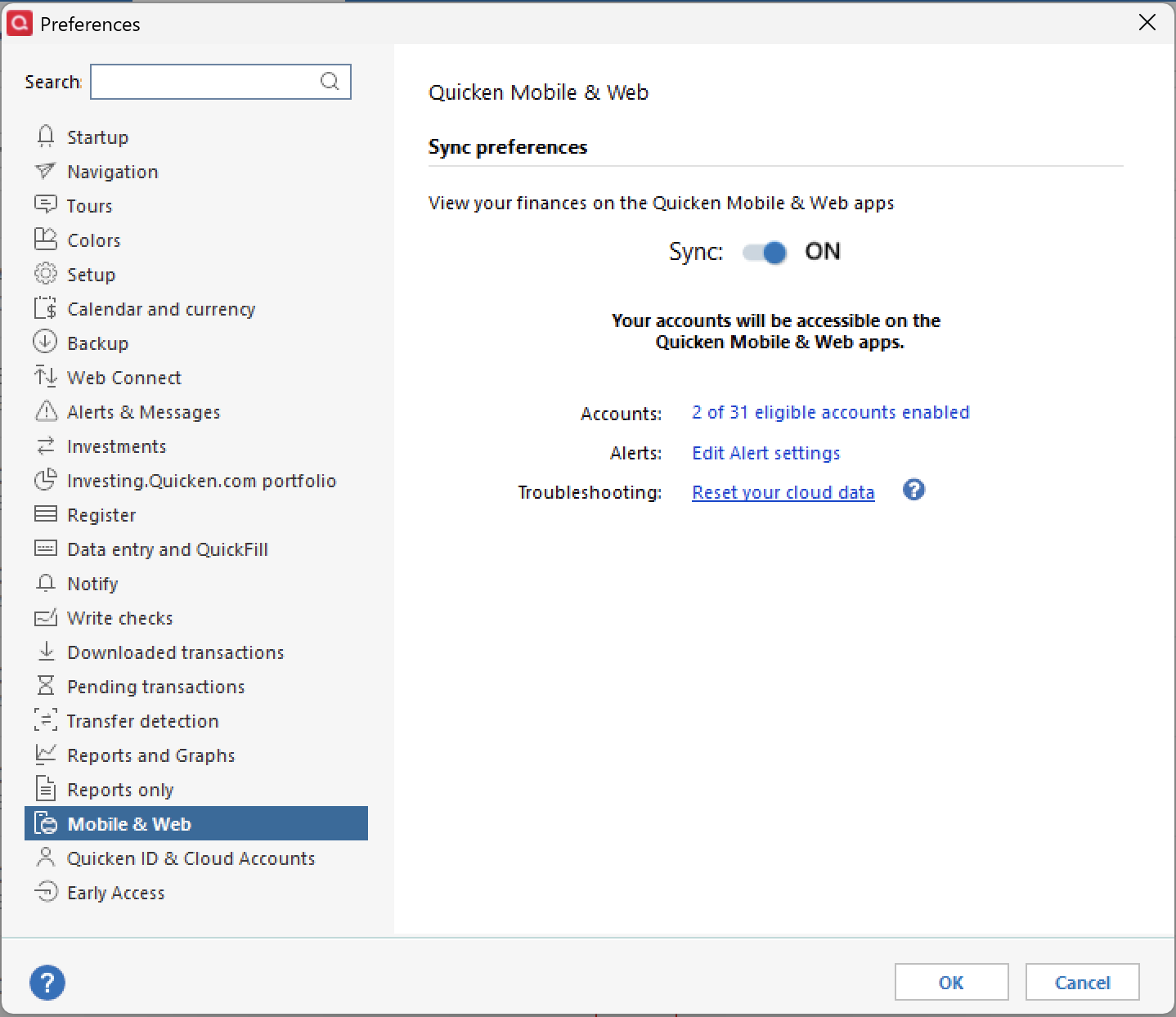
- Click Reset your cloud data.
Wait for the reset to finish, and check to see that your budget is still present. Now try the One Step Update and see if it still causes the budget to disappear.
Note that doing this could interrupt your connections to Express Web Connect +, which is a connection method that some of your financial institutions use. If resetting the cloud works and fixes the budget disappearing issue, you may need to reconnect some of your bank accounts. If resetting does not work, then restore the backup once more.
Let me know how it goes.
Quicken Alyssa
Make sure to sign up for the email digest to see a round up of your top posts.
0
