Downloading Fidelity Brokerage accounts

I have three Fidelity accounts and have used Quicken for eons. Once Fidelity did whatever they did to its system for downloading, I have had only issues.
Keep getting the ZZ thing, have continually had to re-register all the accounts, called Fidelity and was told this is a Quicken problem, not a Fidelity problem.
I am considering going back to Schwab (that I inherited after TD Ameritrade closed) and closing Fidelity. I prefer Fidelity's website and statements but downloading accurately is more important to me than those two items.
Has anyone else had issues with Fidelity downloading? Are you staying with them? Anyone using Schwab and happy with their process?
[Edited - Readability]
Comments
-
Hello @Cathy Diotte Scott,
Thank you for reaching out! When you refer to the ZZ thing, do you mean you're seeing the financial institution name prefaced by zzz? If that is the case, the zzz is used to mark connections that are either inactive or soon to be inactive. That would also explain why you are getting prompts to re-register your accounts. Quicken is still seeing accounts connected via the old method and is prompting you to reconnect using the new method.
When you get the prompt to reauthorize your accounts, it should list the name(s) of the account(s) that need to move to the new connection option.
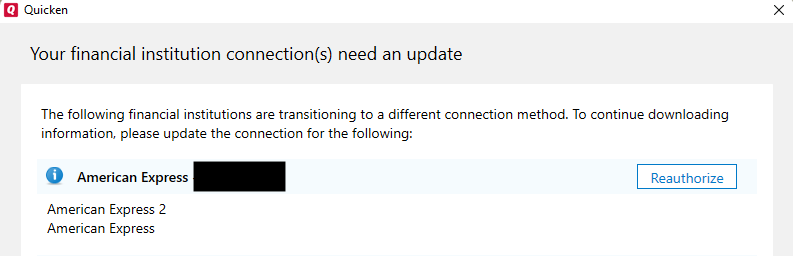
Take note of those account names, then backup your Quicken file and navigate to Tools>Account List. If you see the option to show hidden accounts (near the lower left of the Account List window), please select that option.
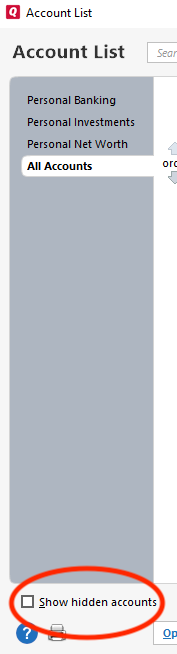
Then, review the account list and locate the accounts that Quicken sees as still connected via the old method. You may also want to check for any duplicate accounts, since you may have duplicates if accounts got added as new instead of linked to the existing account. Deactivate the problem accounts and any duplicate accounts you find.
Once the problem accounts are deactivated, reconnect them by navigating to Tools>Add Account and following the prompts. When you get to the Add/Link screen in Quicken, carefully link the accounts to the correct nickname in Quicken.
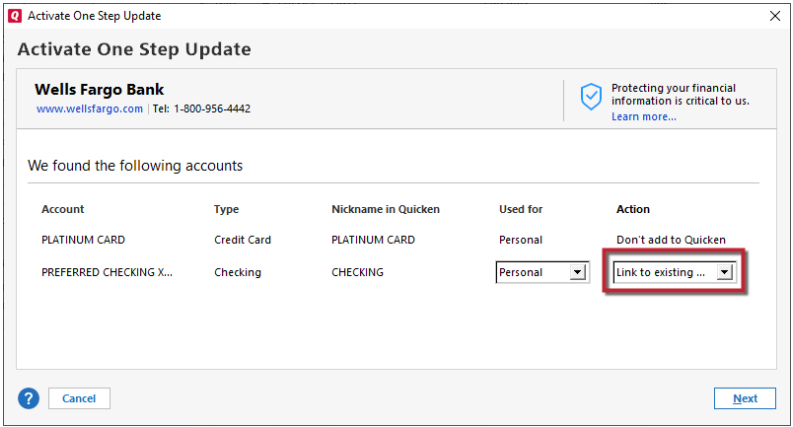
Once the accounts are linked, run One Step Update to verify that you're no longer getting prompted to reauthorize your accounts. If there were any duplicate accounts, once you verify the original accounts are connected and correct, delete the duplicates.
Please let me know how it goes!
Quicken Kristina
Make sure to sign up for the email digest to see a round up of your top posts.
0 -
I have been unable to download any data from fidelity for about a month. I have 6 fidelity brokerage account and there are 63 transactions that show on Fidelity site but when I download nothing comes over. If I try to reconcile shares Quicken tells me everything is in agreement but nothing really matches.
0 -
Hello @andalusiabob,
Thank you for reaching out! To troubleshoot this issue, please start by following these instructions from our article on missing transactions/transactions not downloading:
Be sure to follow these steps in order:
1. Go to Edit > Preferences > Downloaded Transactions. The option Automatically add to investment transactions lists needs to be unchecked.
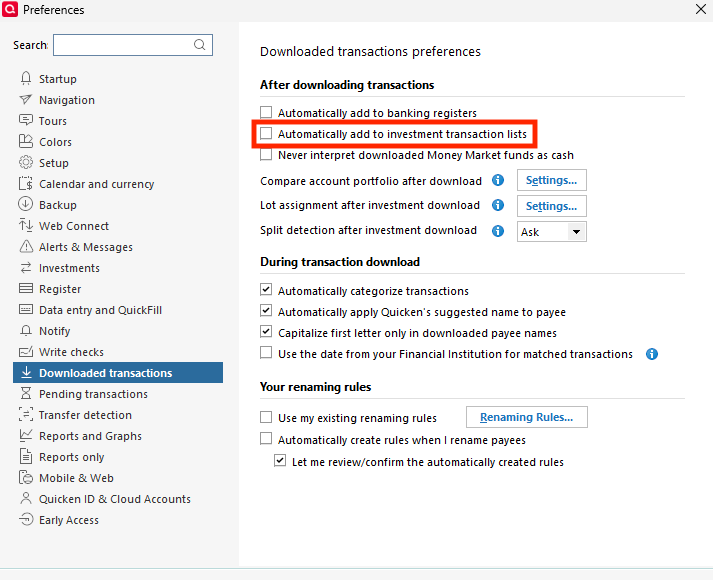
2. Refresh your online account information by clicking the Actions Gear Icon on the upper right of the register, and select Update Transactions. Follow the on-screen instructions to complete the update.

3. Confirm that the Sort Order in your account is by Date; just click the top of the Date column in your account register. It's possible the transactions are in your register, but not where you thought they'd be.

4. Try refreshing your login session: To do this, go to Help > Refresh Sign in. After completing the log-in process, trying running a One Step Update again.
5. Go to Tools > Account List and check Show Hidden Accounts at the bottom left. Confirm the missing transactions haven't been added to a hidden account by clicking on the name of any account that appears with a check mark in the Hidden column.
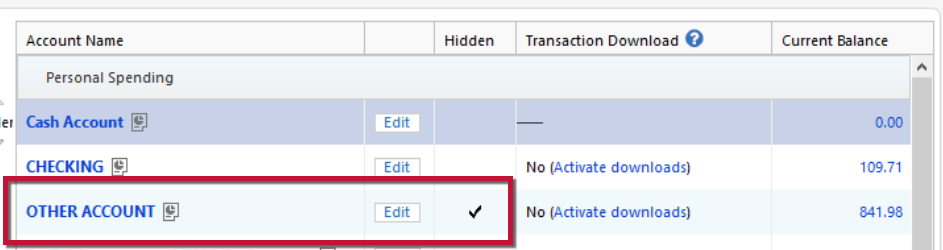
Let me know how it goes!
Quicken Kristina
Make sure to sign up for the email digest to see a round up of your top posts.
0 -
Thank you. Here is what I did:-
Verified auto add was unchecked
Verified register is date sequenced
Refreshed signin
checked hidden and did not find missing downloads
Additionally, over the last 2 weeks I did the following:-
deactivated and reactivated online services many times
reset account many times
Validated and repaired file twice
Did all the above on 2 different laptops
Restored a 1 year old backup from 9/2024, reauthorized Fidelity accounts, (was not asked to reauthorize any of my other accounts), the missing 9/1/25 to date Fidelity transactions were downloaded but none for the 9/2024 to 8/31/25 period were downloaded. All other accounts were downloaded for the entire period.
I've been using Quicken since 1992 and never had a problem like this that has been unresolved this long. Please help
0 -
Similar issue. I deactivate, readd the account. Sometimes it shows available to add to quicken, sometimes not.
Here is the sequence of messages:
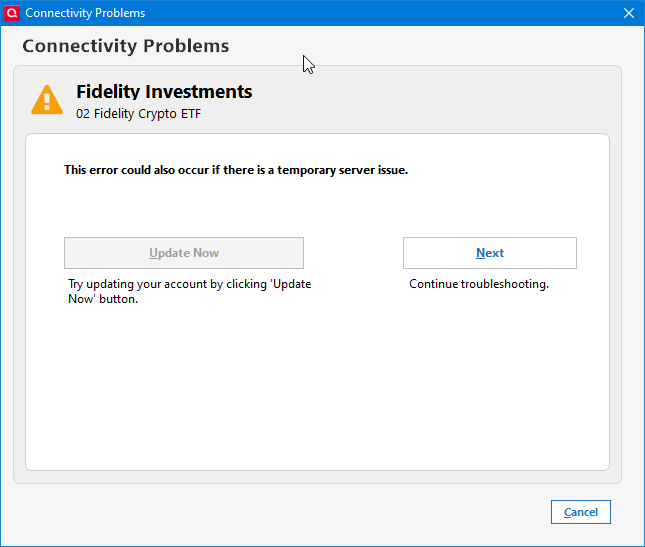
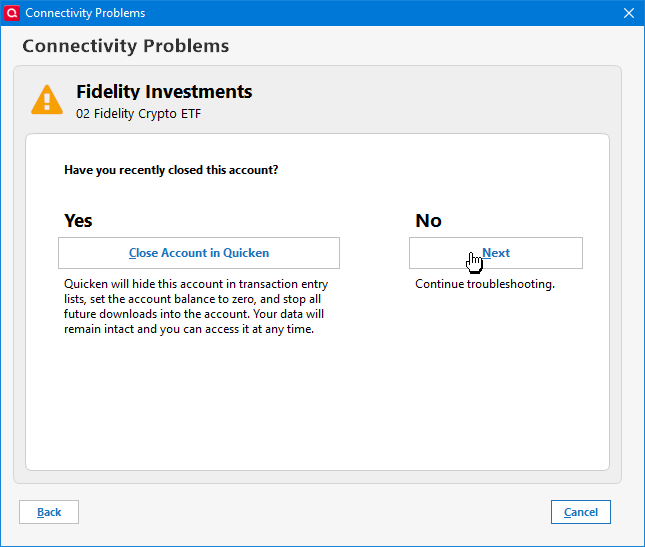
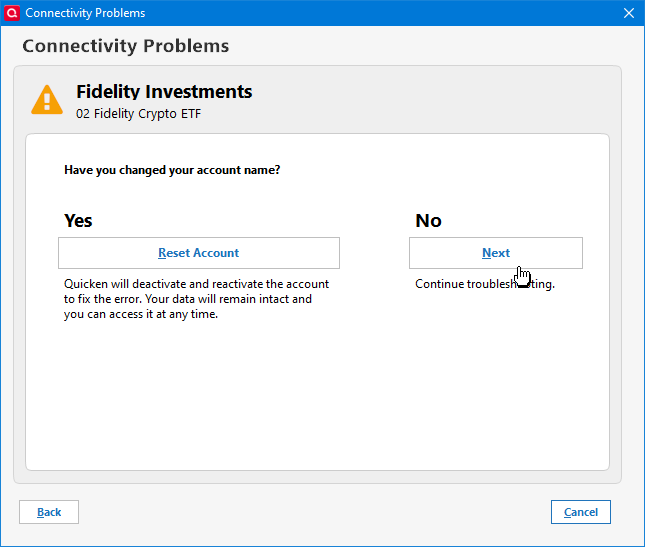
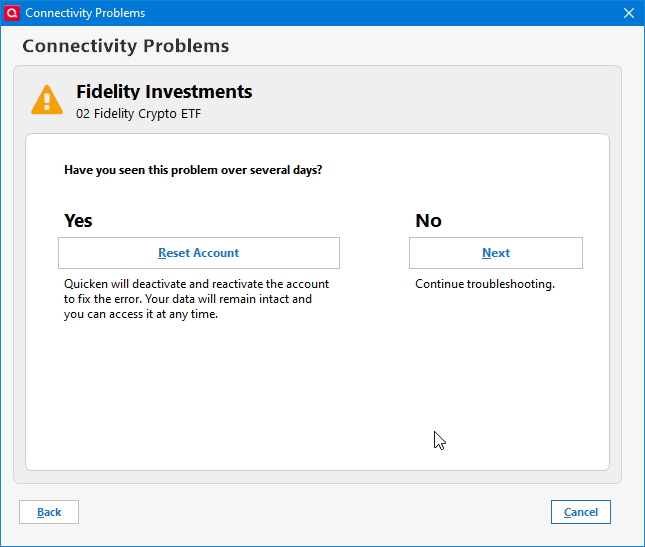
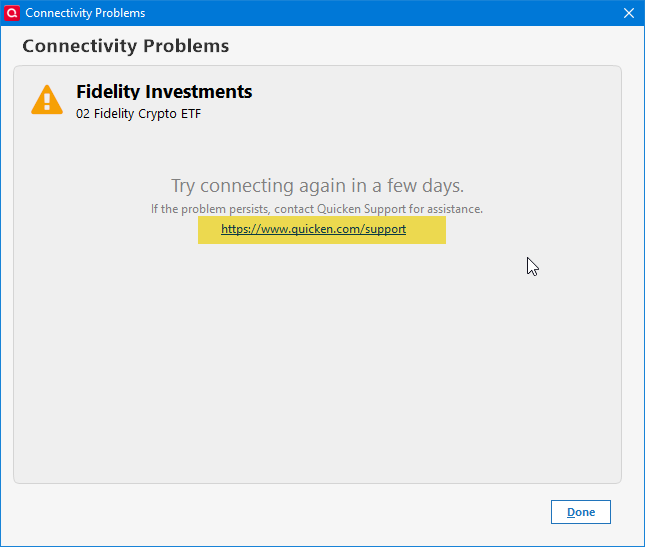
I have tried all options given and now am reaching out to support.
0 -
I have had same problems with my account and quicken instructions above did not work after re-authorizing accounts which worked for a while. The problem was finally resolved by talking to Quicken's rep Abner, he was methodical and knowledgable. The issues were not Fidelity issues.
0 -
I've tried all of the suggested things above. Fidelity is connected and has a successful connection, but it doesn't find any new transactions to download. This has been happening since at least 9/30/25. Deactivating and reactivating did nothing. All of my settings are correct. I've also been a user since 1992.
Schwab works well to answer one of the above questions. To be honest Fidelity worked pretty well until around June of this year. Funny enough just about the time their name appeared on the Quicken logo…
-1 -
…. so, "b m" what did Abner tell you to do that we might find helpful??
0 -
Thank you for your reply @andalusiabob,
To clarify, in the restored backup, did your accounts download everything except that gap from Sep 2024 through 31 Aug 2025? If that is the case, then the issue is a file-specific issue. You may want to see if you can find a more recent backup that works, so that you can reduce the size of the gap. You can also fill in the gap by importing a properly formatted CSV file. For information on how to import CSV files into Quicken, please see this article:
Hello @b m,
Thank you for sharing your experience! When I check your interaction with Support, it appears that they walked you through deactivating your accounts, Validating your file (by going to File>Validate & Repair File), then re-adding the accounts (by navigating to Tools>Add Account and following the prompts). Is that what corrected the issue for you?
Hello @Brian McDonald,
If you followed all of the troubleshooting steps posted earlier and no transactions are downloading, then I recommend that you contact Quicken Support directly for further assistance, since they have access to tools we can't access on the Community and they're able to escalate the issue as needed. The Quicken Support phone number can be found through this link here. Phone support is available from 5:00 am PT to 5:00 pm PT, Monday through Friday.
Thank you!
Quicken Kristina
Make sure to sign up for the email digest to see a round up of your top posts.
0 -
I created a brand new Quicken test file for one Fidelity account. Everything to date was successfully downloaded. I can't understand why my current file for Fidelity won't update
0 -
Nothing was corrected when working with support
0 -
csv file would not import as it was for investments not banking
0 -
Thank you for your replies @andalusiabob,
If your account works properly in a test file, but not in your main file, that implies a file-specific problem. I suggest that you backup your Quicken file, deactivate the problem account, then reconnect it by navigating to Tools>Add Account, follow the prompts, and add as new rather than link to the existing.
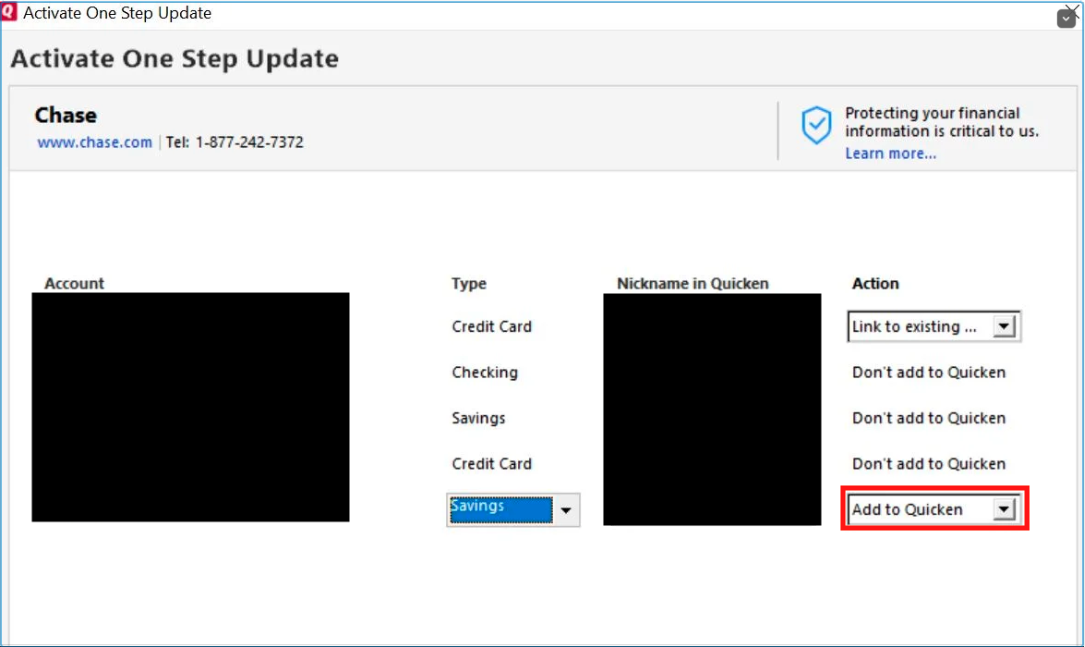
Once the account is added as a new account, test to see if it is working properly. If it is, then you can move your historical transactions from the old account to the newly added account by clicking the gear icon near the upper right of the register in the old account and use the Move Transactions option.
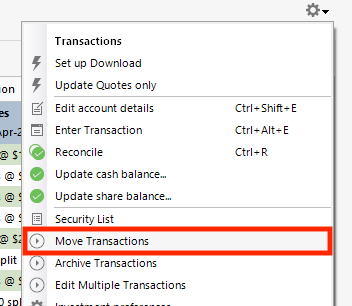
I hope this helps!
Quicken Kristina
Make sure to sign up for the email digest to see a round up of your top posts.
0
