Online Center Contact Info - Greyed Out

This discussion was created from comments split from:
Comments
-
I just checked my R64.35 version and all of the Contact Info links are greyed out except for Vanguard. Vanguard still uses Direct Connect. All of my credit cards, Fidelity, and banks have that link greyed out. However, on a R64.30 version, the Contact Info is not greyed out and is see the same strange email address for Fidelity contact info.
🤦
0 -
Hello @cyberphile,
Thank you for adding to this discussion.
I am not seeing the same thing you are in my own Quicken file. I would try validating your file and then checking again.
To do this:
- Go to File.
- Select Validate and Repair file…

- Check the first box for Validate file.
- Click Ok.
Once that is done, check to see if they are still greyed out, and let me know how it goes.
Thank you!
Quicken Alyssa
Make sure to sign up for the email digest to see a round up of your top posts.
0 -
I've already tried the normal validation as well as super-validation with no change.
0 -
Thank you for following up, though I am sorry the validation didn't make any difference in what you are seeing.
I have a couple of follow-up questions for you.
- Where is your data file located?
- Is your file being backed up/synced with any third-party services like iCloud, Dropbox, or Carbonite?
Additionally, screenshots of this issue could be helpful. If needed, please refer to this Community FAQ for instructions on how to attach a screenshot. Alternatively, you can also drag and drop screenshots to your response if you are not given the option to add attachments.
Looking forward to your response.
Quicken Alyssa
Make sure to sign up for the email digest to see a round up of your top posts.
0 -
The data file in on a local drive and always has been. It is not being backed up or synced by any third-party services.
0 -
Thank you for following up.
Please take a look at this Support Article for advanced file troubleshooting. Apply the steps therein and let me know if the issue is resolved in the new copy file.
Something to note is that you will have to reconnect all of your accounts once you get into the copy file. If anything goes wrong, you can always get back to your original file by going to File and selecting the second file listed at the bottom of the menu.
Let me know how it goes.
Quicken Alyssa
Make sure to sign up for the email digest to see a round up of your top posts.
0 -
Oddly enough, copying the datafile via Quicken and reconnecting all of the accounts solved the greyed out Contact Info. The weird email address for Fidelity is still there though. I'm curious why this method fixed the issue but not deactivating and reactivating the Fidelity accounts (as a test) in the original file did not.
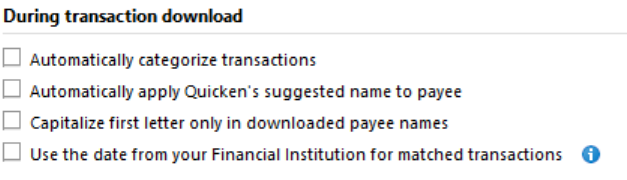
There is one other oddity. When some new transactions were downloaded as part of reconnecting my Costco Citi Visa credit card, the Payee names were downloaded using normal capitalization whereas they were all capitalized in the past. Once Payee's name was different in the Payee field versus the Downloaded Payee field.

It is not this way on Citi's website. This is how it used to be downloaded.

I have not changed any of the Preferences in Quicken. I'll watch to see what happens with transactions downloaded in the future through the normal way.
Any way, I'll move forward with this new copy.
0 -
FWIW, when I ran OSU this morning it did not change the capitalization of a subsequent transaction with TST*OLD NEW YORK DELI & Woodland HillCA. So it appears that the transactions that are downloaded as part of the reconnection process do not honor the capitalization preference.
 0
0 -
Thank you for trying the recommended steps and following up with additional details.
The copy file fixing the issue indicates that the issue was/was in the original file.
To clarify, you are now seeing Quicken ignore the download preferences and adjust the Payee name, as shown in the screenshots you posted above, correct? I was unclear on this.
If so, the only thing I can think of that would affect this, other than the settings you already checked, is Renaming Rules. Although it seems that it is less likely, I would still like to check.
Please go to Tools>Renaming Rules.
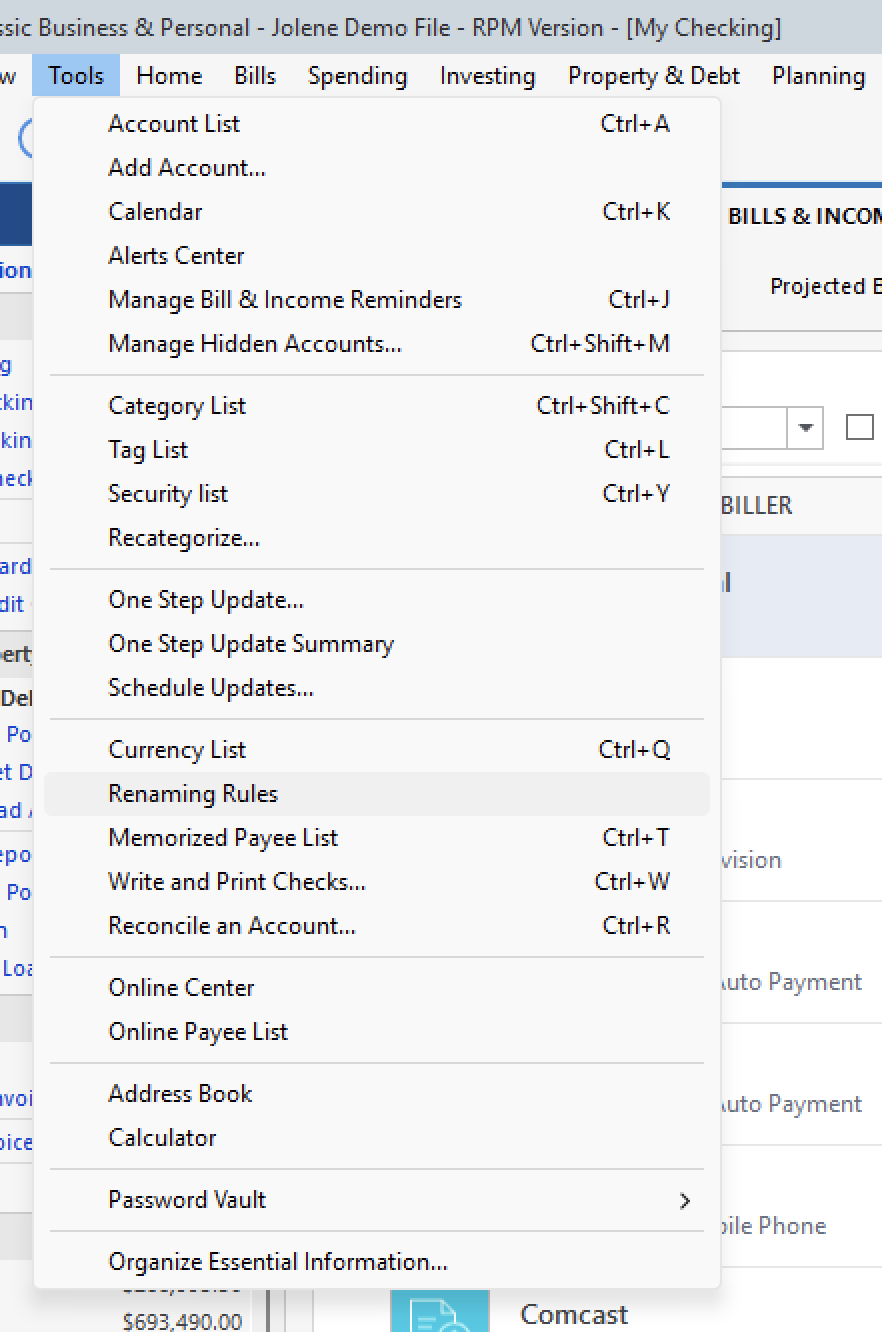
Once there, look for rules for the affected Payees. If there are any, delete them.
Let me know what you find.
Quicken Alyssa
Make sure to sign up for the email digest to see a round up of your top posts.
0 -
Only the transactions downloaded during the re-connection process were affected as I showed. Without making any changes to the preferences or rules, the problem did not repeat the next time transactions from that payee were downloaded. This never happened in the past either. Also, notice the name of the payee was missing the word "OLD" and was truncated.
0 -
Thank you for following up with additional details.
Definitely a strange thing to happen. Fingers crossed the issue doesn't resurface, but if it does, let us know.
Thanks again!
Quicken Alyssa
Make sure to sign up for the email digest to see a round up of your top posts.
0

