Contact Info links greyed out in R64.35 but not R64.30

Per @Quicken Alyssa 's request for a separate thread,
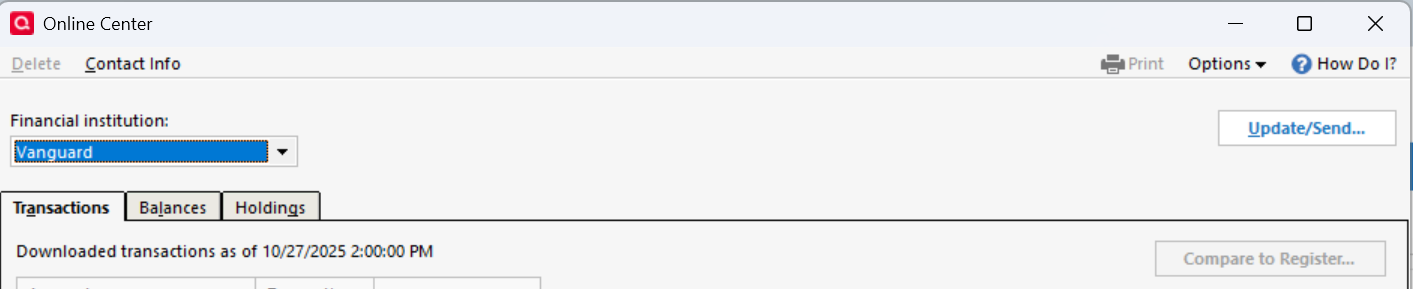
I just checked my R64.35 version and all of the Contact Info links in Tools→Online Center are greyed out except for Vanguard. Vanguard still uses Direct Connect. All of my credit cards, Fidelity, and banks have that link greyed out.
🤦

Comments
-
Hello @cyberphile,
Thank you for letting us know you're seeing this issue. I attempted to replicate the issue in my own Quicken, but the Contact info link was not greyed out for me after upgrading to R64.35.
To troubleshoot, since the patch is still in staged release (and not yet available to download though our article on manually installing the patch), please backup your Quicken file then uninstall and reinstall Quicken.
Please let me know how it goes!
Quicken Kristina
Make sure to sign up for the email digest to see a round up of your top posts.
0 -
I'm not clear about your response. To what patch are you referring? Is there a later release someplace?
Are you asking me to uninstall and re-install the same release?
0 -
Thank you for your reply,
Usually, the first troubleshooting step is to manually reinstall the update patch. However, since the patch is still in staged release, our article on manually reinstalling still has the previous patch, R64.30. Rolling back to a version where the issue doesn't happen would "fix" the problem, but there's no guarantee that it wouldn't come back as soon as you were prompted to upgrade again.
I'm asking you to uninstall and reinstall the Quicken program, since that is the next troubleshooting step.
I hope this helps!
Quicken Kristina
Make sure to sign up for the email digest to see a round up of your top posts.
0 -
After I uninstalled Quicken Classic, I downloaded the installer from the link you provided. When I ran the installer, it aborted with an error. I uninstalled the application and re-ran the installer. It aborted again. This time I just re-ran the installer and it was successful. However, the Contact Info links were still greyed out except for Vanguard.
FWIW, I'm running Windows 11 Home 25H2.
0 -
Thank you for your reply,
Since checking for program issues didn't resolve the issue, the next thing to check for is file-specific issues. I suggest that you try validating your data file. Please save a backup file prior to performing these steps.
Validate:
- File
- Validate and Repair File...
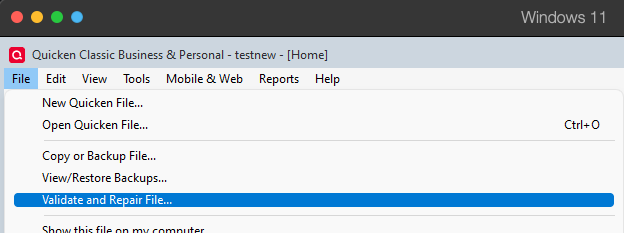
- Validate File
- Click OK
- Close the Data Log
- Close Quicken (leave it closed for at least 5 secs)
- Reopen Quicken and see if the issue persists.
Thank you!
Quicken Kristina
Make sure to sign up for the email digest to see a round up of your top posts.
0 -
I mentioned that I have already done that in this thread:
The issue still persists. Why not ask a developer where the source for the Contact Info is kept and then I can determine if it is present on my system. You should also mention that the Contact Info link is NOT greyed out for one FI, Vanguard, which perhaps coincidentally is still on Direct Connect.
0 -
Thank you for your reply,
Perhaps I'm just missing it, but I don't see that you've posted to that discussion?
I do see that the issue with unusual contact information has been reported. That might be related to contact information being greyed out, or it may be a separate issue.
Have you already tried restoring a backup from before the issue started?
Thank you!
Quicken Kristina
Make sure to sign up for the email digest to see a round up of your top posts.
0 -
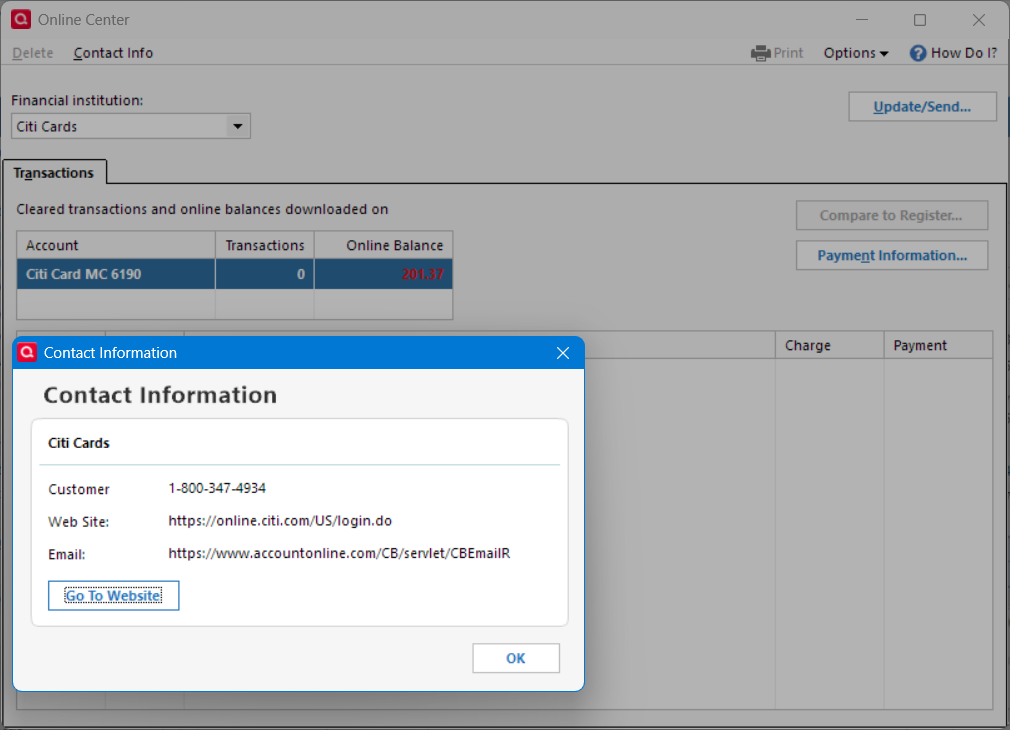
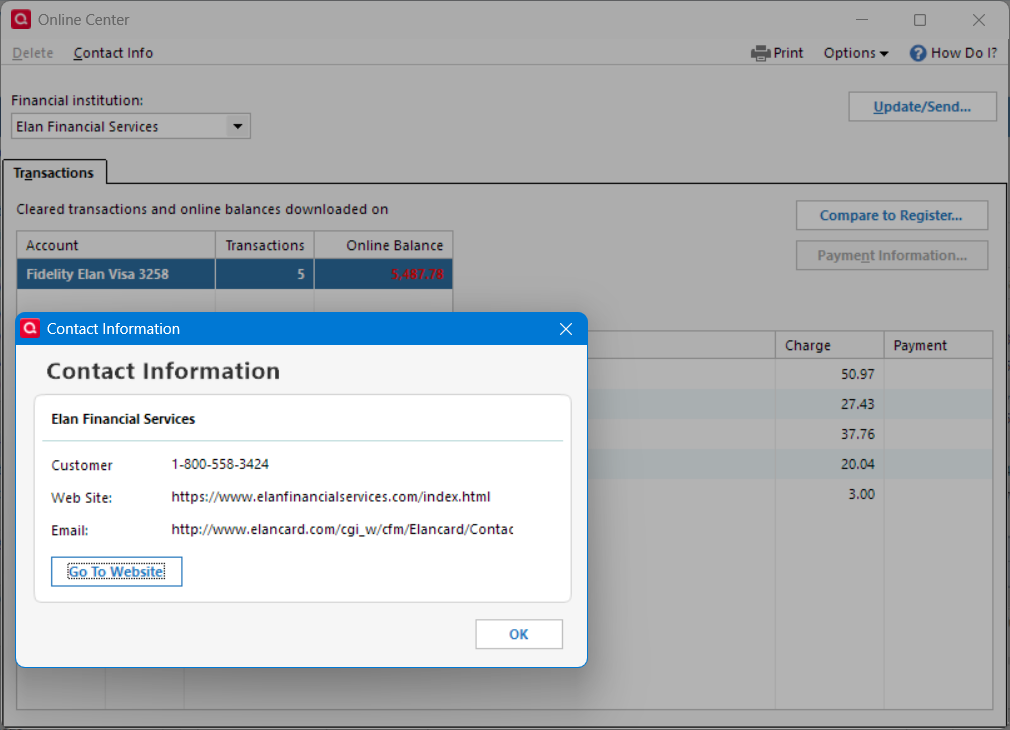
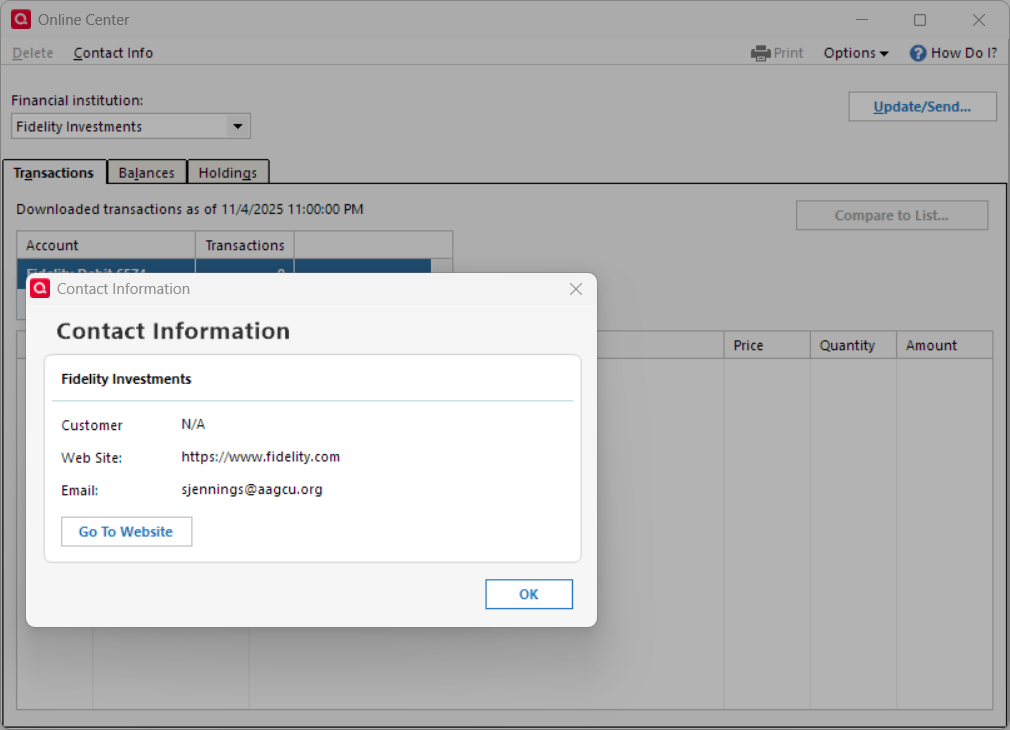
Not directly related, on R64.30 the "Contact info" is not greyed out but some of the email info in them is junk. Examples:
Garbage email for Citi:
Garbage email for Elan:
Garbage email for Fidelity:
Deluxe R66.23, Windows 11 Pro
0 -
Here is the correct link with my comments about validation and super-validation:
I'm not sure how I picked the other link unless something changed in the meantime.
BTW, I responded in another thread on this topic that having Quicken copy the datafile and reconnecting all of the accounts seems to have solved the Contact Info problem but introduced a minor issue as part of the reconnect process.
https://community.quicken.com/discussion/comment/20519499#Comment_20519499?utm_source=community-search&utm_medium=organic-search&utm_term=greyed
0 -
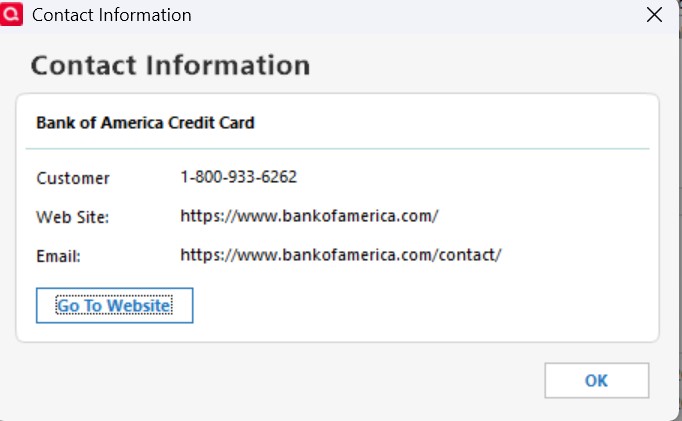
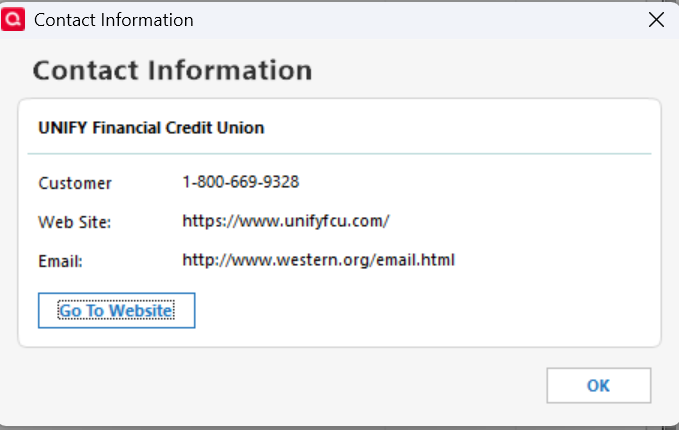
There are more FI's with incorrect email addresses in their Contact Info
 0
0 -
Thank you for your reply,
The information in the Contact Us section is provided by the financial institution. If it is incorrect, I'd recommend contacting the financial institution to get them to update it. I also notified the proper channels internally to have it looked into on our end.
The "email" for Bank of America looks like the URL for their Contact Us page.
Thank you!
Quicken Kristina
Make sure to sign up for the email digest to see a round up of your top posts.
0 -
How is it that multiple different financial institutions (BofA, Unify FCU, Elan, and Citi) all put URLs in the email field of the information they sent Quicken? It seems unlikely that they all would have made the same mistake.
0
