Fidelity IRA Cash Balance Off in Reports

For one of my IRA accounts, the cash balances are all correct in Investing and Transactions. But when I run Net Worth Reports or look in the Dashboard, this account shows about $30K more cash. How do I troubleshoot this. I do not think it has anything to do with all the current Fidelity issues since everywhere else in Quicken the account looks correct.
Comments
-
Just to restate: The amount of cash in this particular Account is correct when you click on the "Holdings" button in that Account, but the total value of the Account in a Net Worth report of overstated by $30K?
How are you determining that "cash" is overstated in the Net Worth report as a Net Worth report, in and of itself, shows no details of the assets behind the overall figure?
Within the Account itself, is the amount of cash shown consistent in all the places where cash is shown; in the security listing under Holdings, in the Account Status below the detail listing, and in the "Cash Balance" shown right below the last entry in the Transaction List?
Is the Net Worth report you're referring to created by Reports > Net Worth & Balances > Net Worth, or some other way? If you follow that path and click on Account Balances does the error show up there too? Personally I've found that a net worth report created following that path is the only reliable net worth report.
0 -
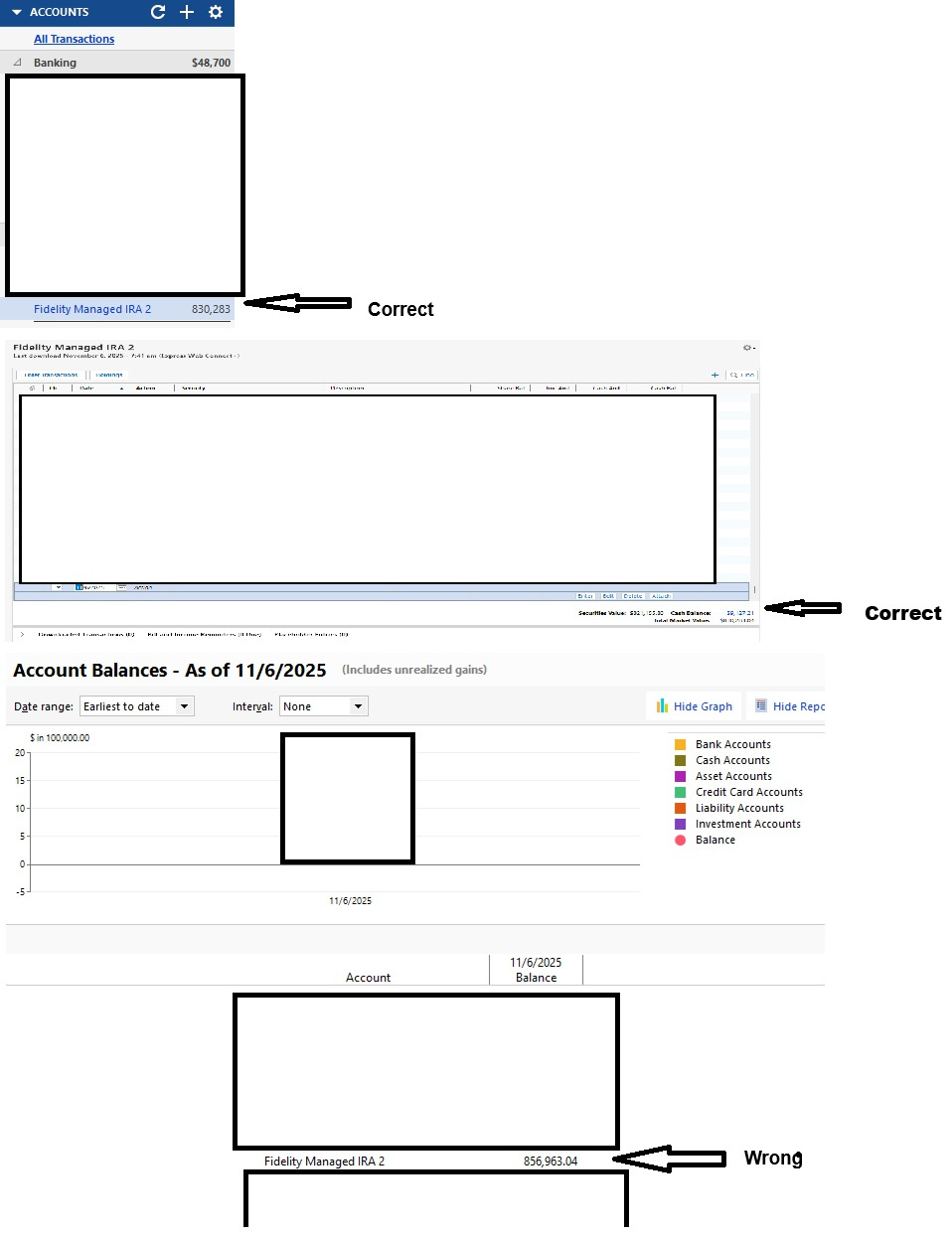
Yes, the cash holdings amount is correct at $9K. If you look at Reports - Net Worth - Account Balances, that specific account is overstated there by $26K. The total holdings under the Accounts column is correct as is the portfolio breakdown under Investing. When you look at the total Reports - Investing - Portfolio Value, the summarized "Cash" line is overstated by the $26K. Attached is a rather lengthy pictoral of the values mentioned.
 0
0 -
Off hand the only other place "cash" for an Investment Account is shown is in the Account Status of the Account Overview, and I have seen instances where that number was "off", though I don't remember how this particular error expressed itself elsewhere, like in reports.
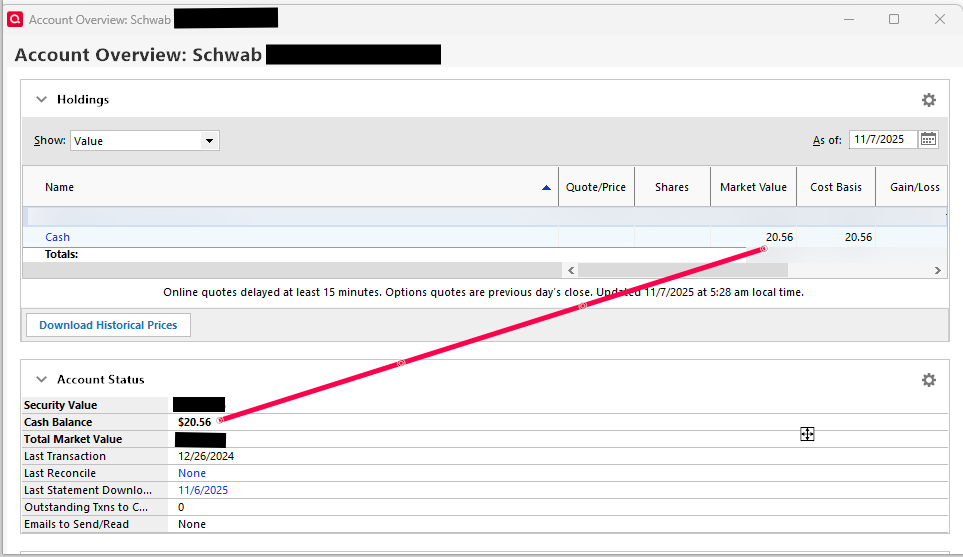
At this point, if you haven't already, try a Validate & Repair with Rebuild investing lots selected. You could even do a Quicken Copy of the file, save it with a new name, and then do the Validate & Repair on the COPY. I mention that as Quicken's Copy does rebuild the file as opposed to simply copying the file "as is" and can result in a smaller file size. The downside is you have to go through and reconnect all your Accounts for downloading.
If that doesn't work then the next thing to try would be to try and isolate the transaction or transactions that might be causing the error. You'd do that by stepping "backwards" in time, creating the reports that exposed the error to you - large steps at first then smaller steps as you hone in on the date(s) the error showed up, and if you can identify the transaction(s) causing the error, delete them and re-enter them manually. That process has been known to work.
0