Fidelity CC-501 Error - Recent Updates cause Security Mismatches

Recently, there were some updates made to the OSU/EWC+ connection method for downloading Fidelity updates. These updates were posted 01-Nov according to other posts here, and while they have corrected the ability to download and update transactions from Fidelity - it has created problems when using the Online Center to compare holdings in each account.
Here is a recent example: I have one account at Fidelity with one security. I purchased this security in September of this year, and my Quicken register clearly has all of the associated purchase details. Yet - when I use the Online Center tool to compare securities - this is what I see:
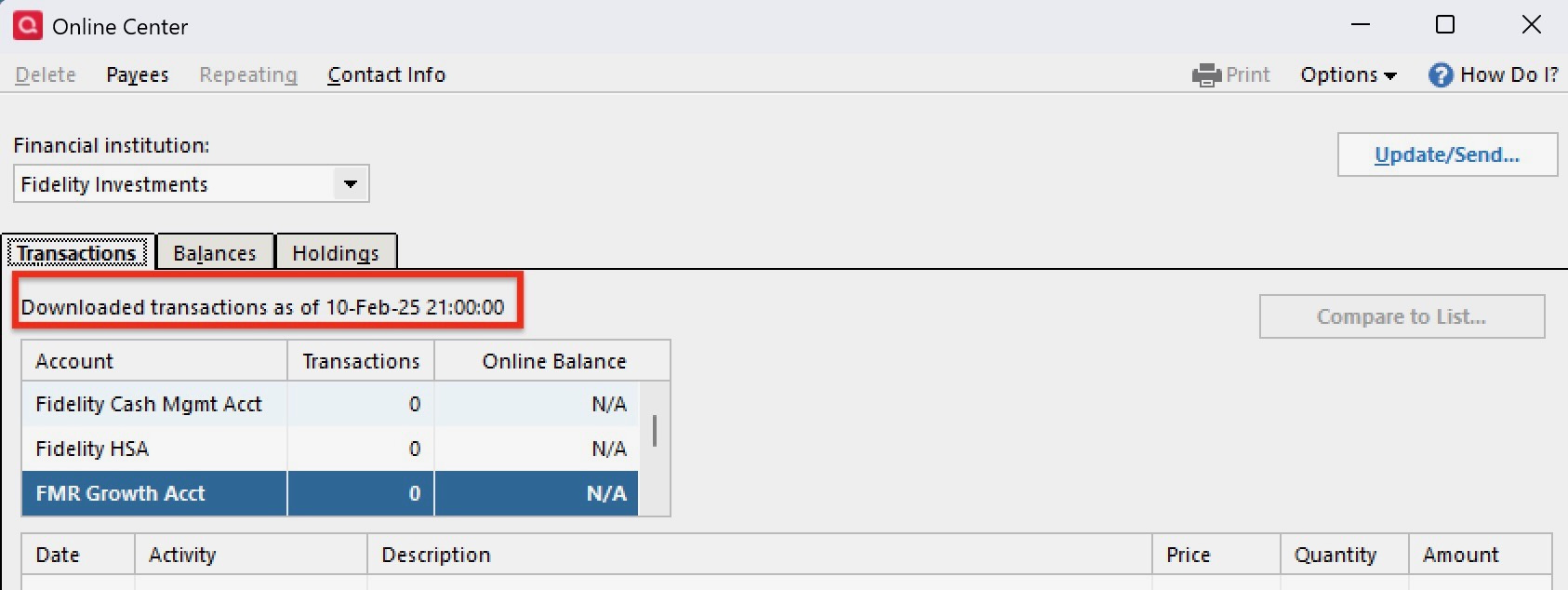
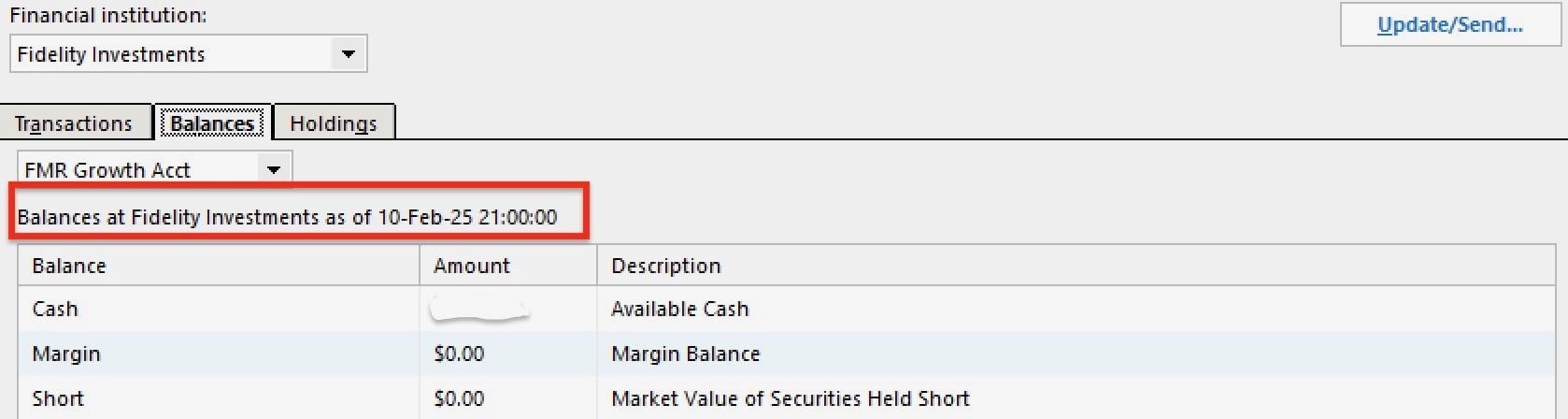
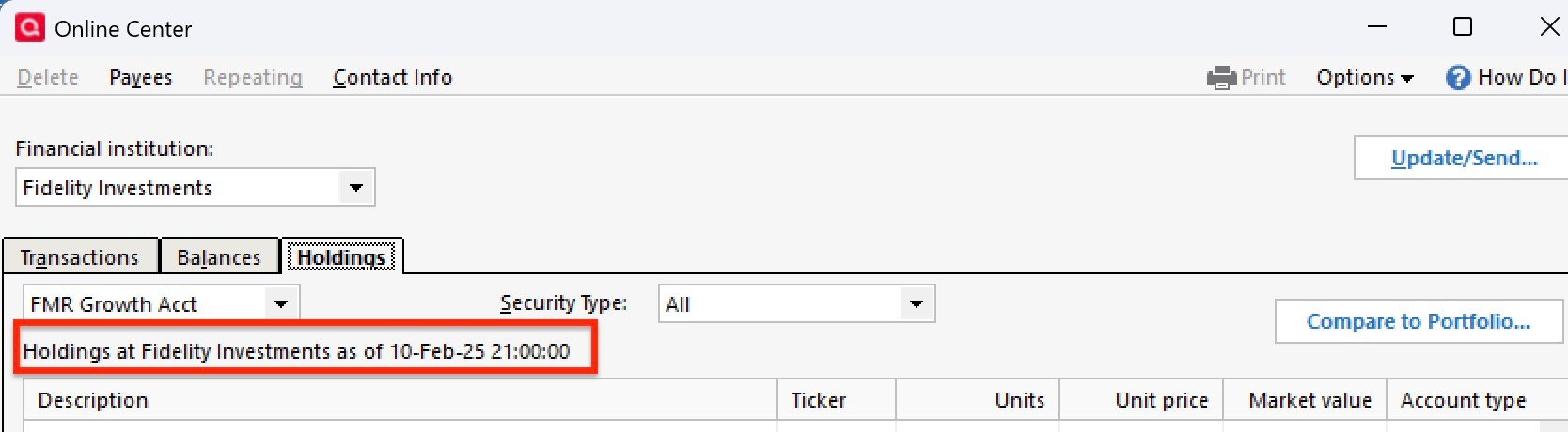
It's as if it is pulling the comparison data from February, not today. It's also interesting that it is showing a date of 09-October for what you think would be the data as of today - so I believe something is wrong now with this comparison tool.
I have reported this via the Report a Problem tool within Quicken Windows. I appreciate any help and or guidance to possibly correct this issue. Thank you.
Comments
-
Here are some further pictures of the security mismatch issues - it appears Online Center is comparing everything within any account to a date of 10-Feb-2025, rather than today's date of 02-Nov.
 0
0 -
Hello @gjscaven,
Thank you for sharing your experience. To help troubleshoot this issue, please provide more information. Which holding(s) are throwing security mismatch errors?
Do you see that same 10 Feb date regardless of which Fidelity account you look at, or is it limited to just the one in the screenshot (FMR Growth Acct)? Have you navigated to Tools>Account List, selected Show hidden accounts (if the option is visible) and checked for any possible duplicate accounts?
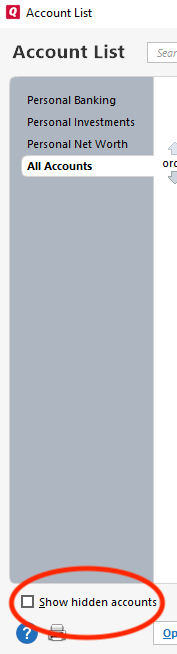
That older date makes me wonder if you have an older account that's still connected by Direct Connect, but not updating.
I look forward to your reply!
Quicken Kristina
Make sure to sign up for the email digest to see a round up of your top posts.
0 -
Hello @Quicken Kristina - I was seeing that 10-Feb date on some accounts, and 5-Aug dates on other accounts. That was yesterday morning - I then updated, and all of the accounts then showed a 10-Mar date, and the ones with 5-Aug were still 5-Aug. I decided to reset all accounts once again, and that appeared to correct the issue. I have yet to update today - but should I have any further issues - I'll reach back out here for additional guidance. Thanks for your help.
0 -
Thank you for the update,
I'm glad to hear that resetting the accounts may have corrected the issue.
Please reach back out if the issue returns!
Quicken Kristina
Make sure to sign up for the email digest to see a round up of your top posts.
0


Categories
- All Categories
- 46 Product Ideas
- 34 Announcements
- 248 Alerts, Online Banking & Known Product Issues
- 22 Product Alerts
- 513 Welcome to the Community!
- 679 Before you Buy
- 1.4K Product Ideas
- 55.4K Quicken Classic for Windows
- 16.8K Quicken Classic for Mac
- 1K Quicken Mobile
- 829 Quicken on the Web
- 123 Quicken LifeHub