Business vs personal register headings (Q Mac)

Answers
-
Hello @Patrick Day,
Thank you for sharing your experience.
Are you saying that you are now seeing your personal checking account showing up under the Business heading in the list of accounts?
If so, you can change this by doing the following:
- Select the account from the list on the left.
- Click on the Settings gear in the bottom right corner of the register.
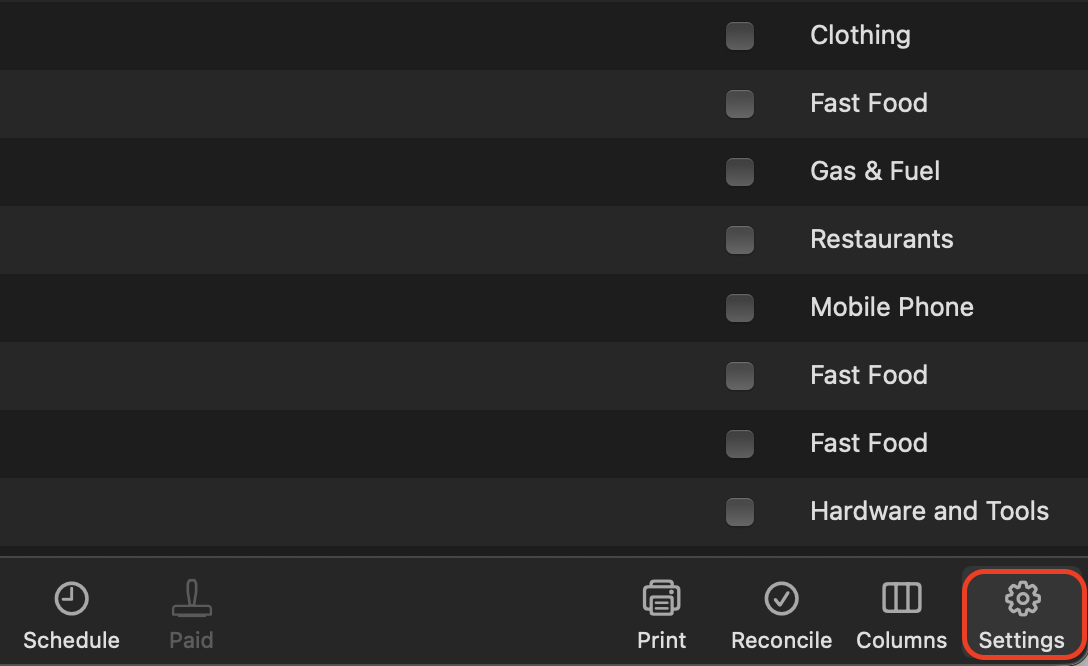
- You should now be in the Account Settings window, under the Details tab.
- Change the Primary Use to Personal.
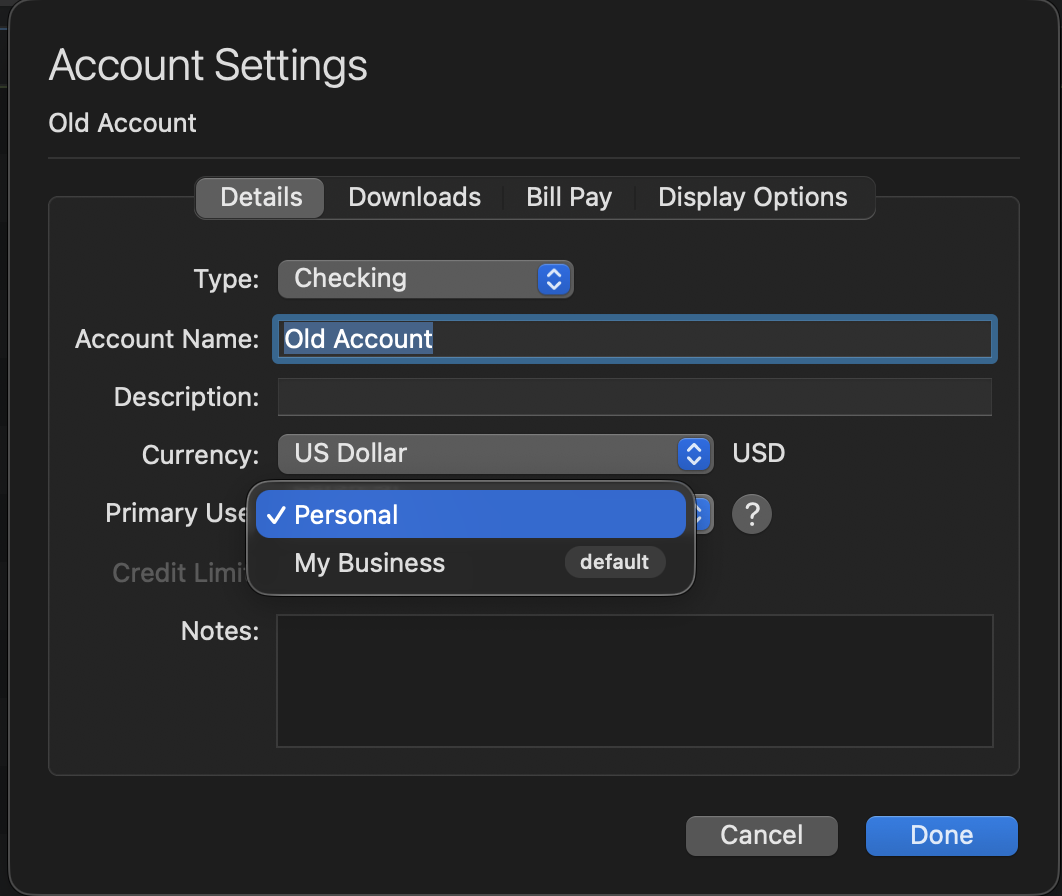
Let me know if this resolves the issue.
Quicken Alyssa
Make sure to sign up for the email digest to see a round up of your top posts.
0 -
@Patrick Day I think you're saying that your checking account register is showing the added business columns of Business, Client and Billable — as that correct?

If so, you can simply click on the Columns button in the bottom toolbar…

…(or from the menu: View > Columns) and uncheck those business columns for registers where it is not applicable for you.
Some people have a checking (or credit card) account they use for both personal and business purposes, so Quicken defaults to showing the business columns when a subscription is set to the Business & Personal level. If you don't need/want the business columns in some of your accounts, you can adjust each register individually to not show them. Although it's a minor annoyance, it should be a one-time activity to configure each of your registers for your needs, and then you won't have to mess with it again.
[EDIT: Apologies, I missed that the original poster has a Quicken Deluxe Subscription, not Business and Personal. It appears this was a temporary glitch, as Deluxe users should not have the business columns visible.]
Quicken Mac Subscription • Quicken user since 19931 -
@jacobs Unfortunately, with only a Deluxe subscription @Patrick Day won't be able to turn those columns off via the UI since the option to display them won't be available in the Columns list without a Business & Personal subscription. If I remember correctly a few other folks have had the same problem, I don't recall if there was a solution. I believe the column selection is stored in the Quicken data file itself and not in any application preferences file, so it's not something easily fixed.
FWIW, I myself have had the Business, Client, and Billable columns reappear in registers a few times, but since I have a Business & Personal subscription it was easily fixed.
0 -
I take that back, there is the "Reset to Default" option at the bottom of the Columns list. @Patrick Day, try using that & see if the business columns go away.
0 -
Well, I appreciate the suggestions. I re-opened the checking account register and the headings have changed back to Personal. Thanks for your help.
0 -
@Jon Your suggestion:
I take that back, there is the "Reset to Default" option at the bottom of the Columns list. @Patrick Day, try using that & see if the business columns go away.
= It does not go away after pressing "Reset to Default".
Note that these columns are appearing in the Banking → "Checking" combined registers. They are not showing the the "Checking" accounts.@Patrick Day Your suggestion:
re-opened the checking account register and the headings have changed back to Personal.
= This does nothing as all the accounts in the checking were already coded as "Personal".WHY IS THIS OCCURRING -
Is there no system testing to see the affects of software changes?
And WHY would you Automatically ADD columns? Isn't that a new feature and up to the user to add these into their own registers?
And if you had TESTED the system changes you should have tested ADD and DELETE those columns, which you didn't do.Why are most of the comments in the community CLOSED regarding the added columns of BUSINESS AND BILLABLE AND CLIENT? Most of the CLOSED support tickets DO NOT HAVE A RESOLUTION, just a CLOSED STATUS?
I expect more from this software. Why am I constantly disappointed?
0


