US MAC Subscription Renewal Question

How do i know if I have bought a new subscription?
I just bought a new 2026 Quicken (black friday), and I didn't know I already have auto-renewal on Dec 18, 2025.
Can I stop autopay for this year only? And continue with autopay for more years?
Thanks, Ileana
Comments
-
You can turn autopay off in your Quicken.com account. But there's no way to say "skip this year, but continue autopay in future years." You could simply turn off autopay for now, and sometime after you apply your subscription purchase to extend your subscription for a year, you could turn it back on.
But I'd suggest that there is no pressing need to keep autopay turned on; it will always renew at the highest (list) price. If you're certain you'll never want to purchase a retail copy of Quicken which might be available for a discount, and you want the convenience of autopay, then I guess you could turn it on and forget about it. But it's not difficult to have autopay off and log into your Quicken account to pay for a renewal each year.
Caveat to what I wrote above: this assumes that the new copy of Quicken you purchased on sale is not a copy which states it is for new customers only. If not, the activation code you received will add one year to your current subscription as soon as you enter it. But if it is a "new customers" version, you'd have to create a separate, new Quicken ID using a different email address, and then migrate your existing Quicken data file(s) to this new Quicken ID; then next year, if you want to continue with the original Quicken ID, you'd need to move your data files back to the original Quicken ID. This isn't particularly difficult to do, but it just adds some extra steps.
Quicken Mac Subscription • Quicken user since 19930 -
Hello @ileana1g,
Thank you for posing this question.
You can log in to see what subscriptions you have here. I am able to see that you have Quicken Classic Deluxe, which expires 12/18/25. Auto-renew is turned off for your Quicken Classic Deluxe subscription.
You also purchased Quicken Simplifi today. This one has auto-renew turned on. You can change that if you log in using the link I provided.
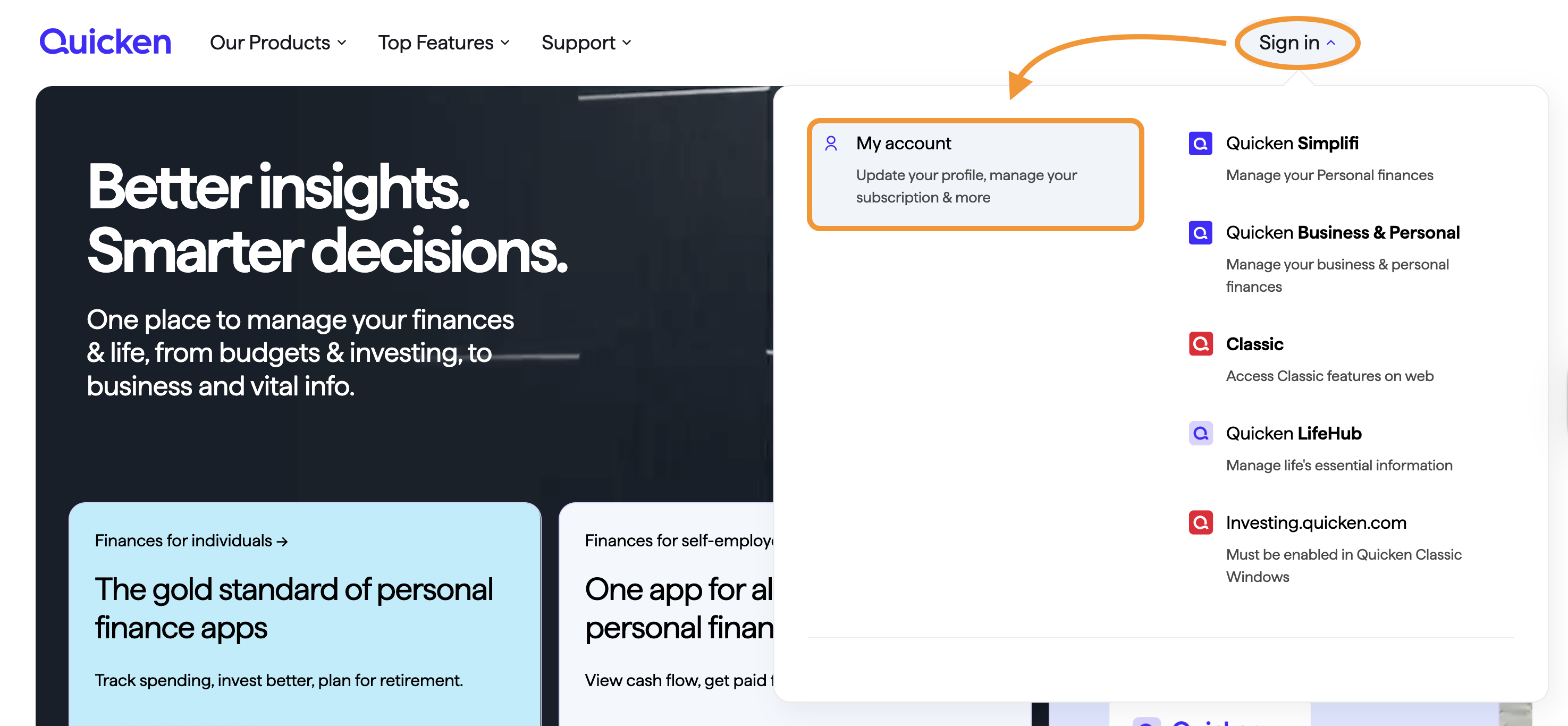
If you need a refund or assistance with turning the auto-renewal off, you will need to contact Quicken Support directly, as we cannot assist with that from the Community.
Hope this helps!
Quicken Alyssa
Make sure to sign up for the email digest to see a round up of your top posts.
0 -
HI ALYSSA, THANKS FOR answering me.
I DIDN'T KNOW I BOUGHT simplify.
All I want to continue with Quicken, as I have for many years.I see that last year I bought Quicken for Mac for $ 23. I would like to do the same, but I purchased SIMPLIFY on Black Friday. I don't think I want SIMPLIFY.
CAN YOU HELP?
THANKS, ILEANA
0 -
Thank you for following up.
Unfortunately, we do not handle purchases or refunds from the Community, so I personally would not be able to assist you with this.
However, Quicken Support can definitely help you out! Please reach out to them and let us know how it goes. Phone support is available from 5:00 am PT to 5:00 pm PT, Monday through Friday. Chat support is available as well, 5:00 am PT to 5:00 pm PT, 7 days a week, excluding major holidays.
I apologize that I could not be of more assistance!
Quicken Alyssa
Make sure to sign up for the email digest to see a round up of your top posts.
0

