Quicken's Budget is a glorified expense report.... (Q Mac)

Using Quicken Classic Personal & Business for Mac.
When creating a Budget, I'm entering total annual $$ amount for 9 different categories (that were voted on and approved) and getting a pre-determined Grand Total. That number then divides by 12 months and everything is good up to this point. But when my expenses for a particular month are more or less than the assigned monthly $$ amount, it adjusts the total ANNUAL BUDGETED number automatically. Since expenses are rarely the same for every month, i.e, electric bill, it should even out by the end of the fiscal year and be close to the approved annual dollar amount. But since the TOTAL annual number keeps changing throughout the year, how do I know, by looking at the Budget, how my expenses are comparing to my TOTAL APPROVED ANNUAL BUDGET. I don't. And when I've asked Quicken about this several times, I'm told that's how Quicken's budget works. This is not a budget, it's a glorified expense report. AM I MISSING SOMETHING!! HELP!!! 😠
Answers
-
Hello @parwady,
Thank you for reaching out. To clarify, what process are you following when your total budgeted amount is changing?
The actuals should update in your budget automatically when the transactions download (or are manually entered) into the appropriate account registers.

If you edit your budget, then that impacts the budgeted amounts and can cause the annual amount to be recalculated.
I look forward to your reply!
Quicken Kristina
Make sure to sign up for the email digest to see a round up of your top posts.
0 -
Hi, @parwady
Yes, the budget could indeed be viewed as a glorified expense report for the various categories you have selected. The only difference is that, for your set goals for each category, the budget will show if you are below/above that goal. But, the goals will not change based on spending. The budget does not auto-update like that.
From your post, I suspect you understand the goal part. What I think might be tripping you up is how you are having Quicken display data. You might be seeing amounts remaining, etc. Let's help get you familiar with the options so this makes more sense:
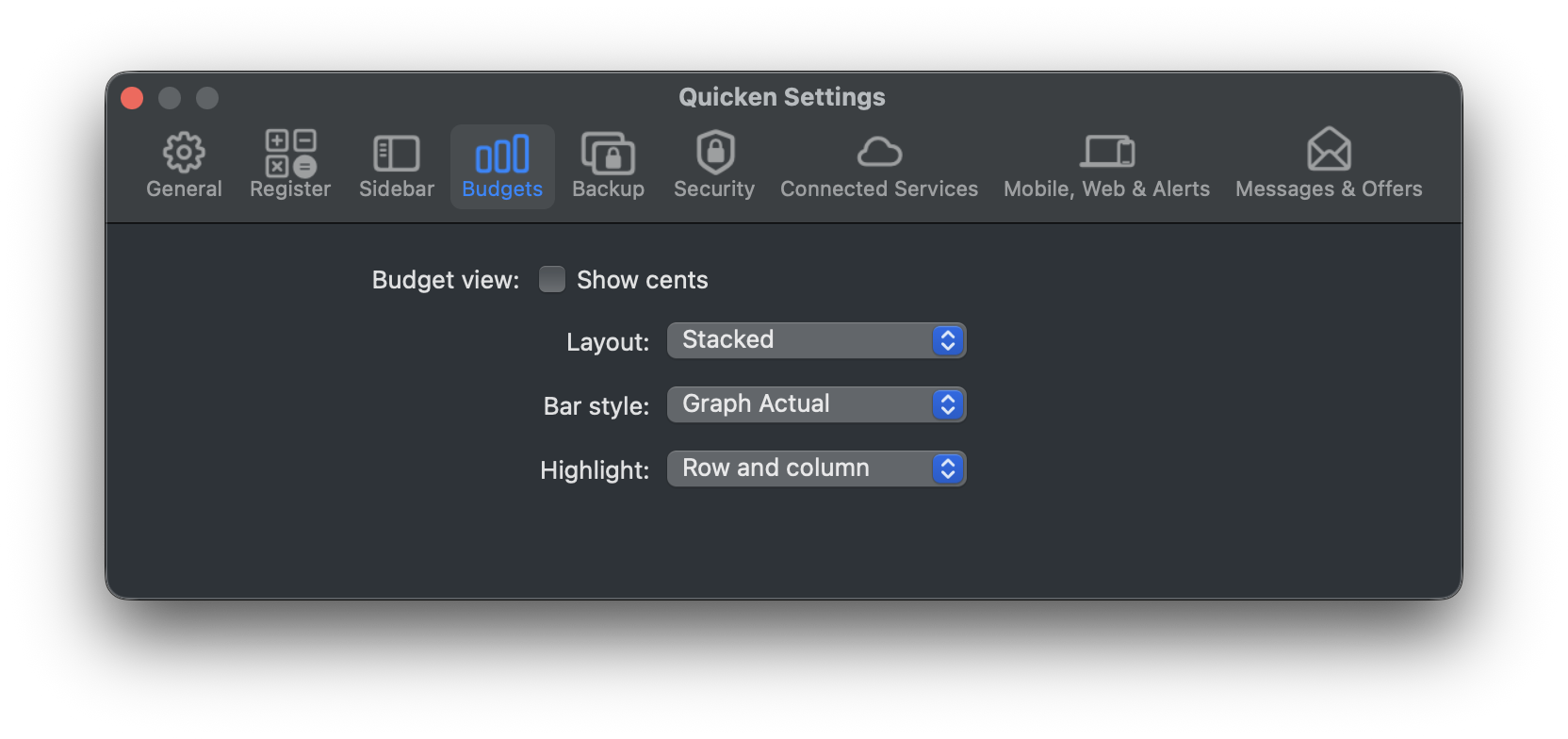
First, locate the Settings button at the upper right of the display so you can explore how your budget is displayed. You should see this, and explore the options to see the different ones to see what you like best. Graph Actual might make more sense for each month:
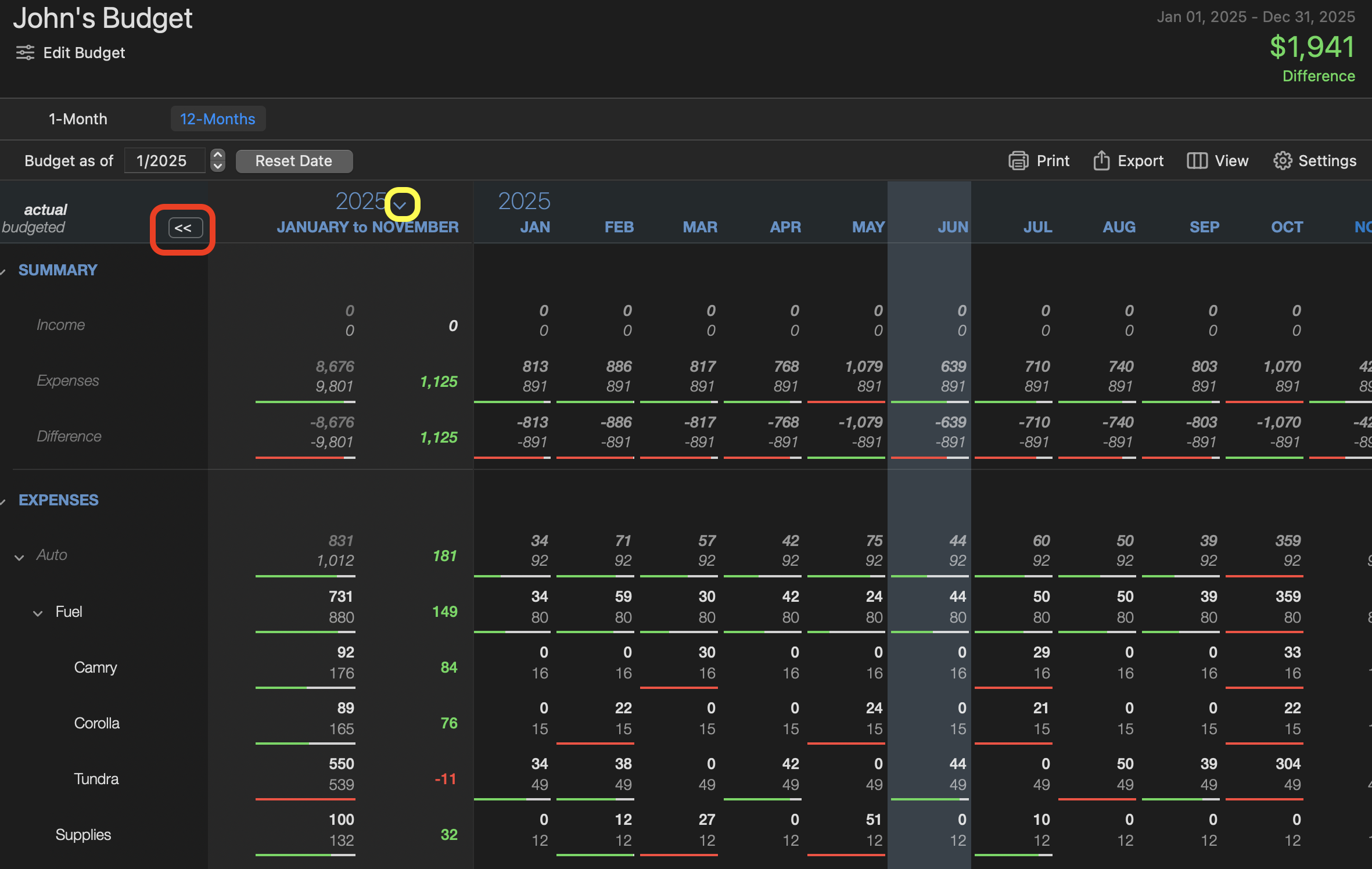
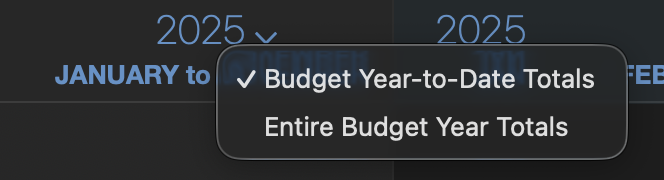
Now, let's move to the actual budget view.. Note two icons: what I highlight in red toggles the YTD columns, and the yellow dropdown allows you to switch between YTD and total year actuals:
(I have always kept a very simple budget tracking expense categories I control. I annualize/12 myself to let the total work out over the year. Too hard to predict my gas bill each month!)
Now, if your actual budget goals are changing , something else is amiss. But, nobody else is reporting this issues.
I hope this gets you pointed in the right direction.
0


Categories
- All Categories
- 19 Product Ideas
- 34 Announcements
- 246 Alerts, Online Banking & Known Product Issues
- 19 Product Alerts
- 517 Welcome to the Community!
- 682 Before you Buy
- 1.5K Product Ideas
- 55.7K Quicken Classic for Windows
- 16.8K Quicken Classic for Mac
- 1K Quicken Mobile
- 834 Quicken on the Web
- 127 Quicken LifeHub