Windows running installation, quicken.msi not found?

My Quicken Classic worked fine yesterday. This morning I tried to launch and Windows runs some configuration and then comes back and says: The feature you are trying to use is on a network resource that is unavailable. Click OK to try again, or enter an alternate path to a folder containing the installation package 'Quicken.msi' in the box below.
I did a search on my pc for this file, but nothing comes up. Not sure what to do. I also rebooted and that did nothing. I have Quicken Classic and it's the latest version. Since I can't get into Quicken, I don't know what the version number is, but I just did an update the other day.
Comments
-
Hello @mistele9,
Thank you for sharing your experience. I am happy to help!
One thing we can try is uninstalling Quicken and then reinstalling. If needed, check out this Support Article for steps to uninstall.
To reinstall your software, you can go to Quicken.com and sign in to the My Account section.
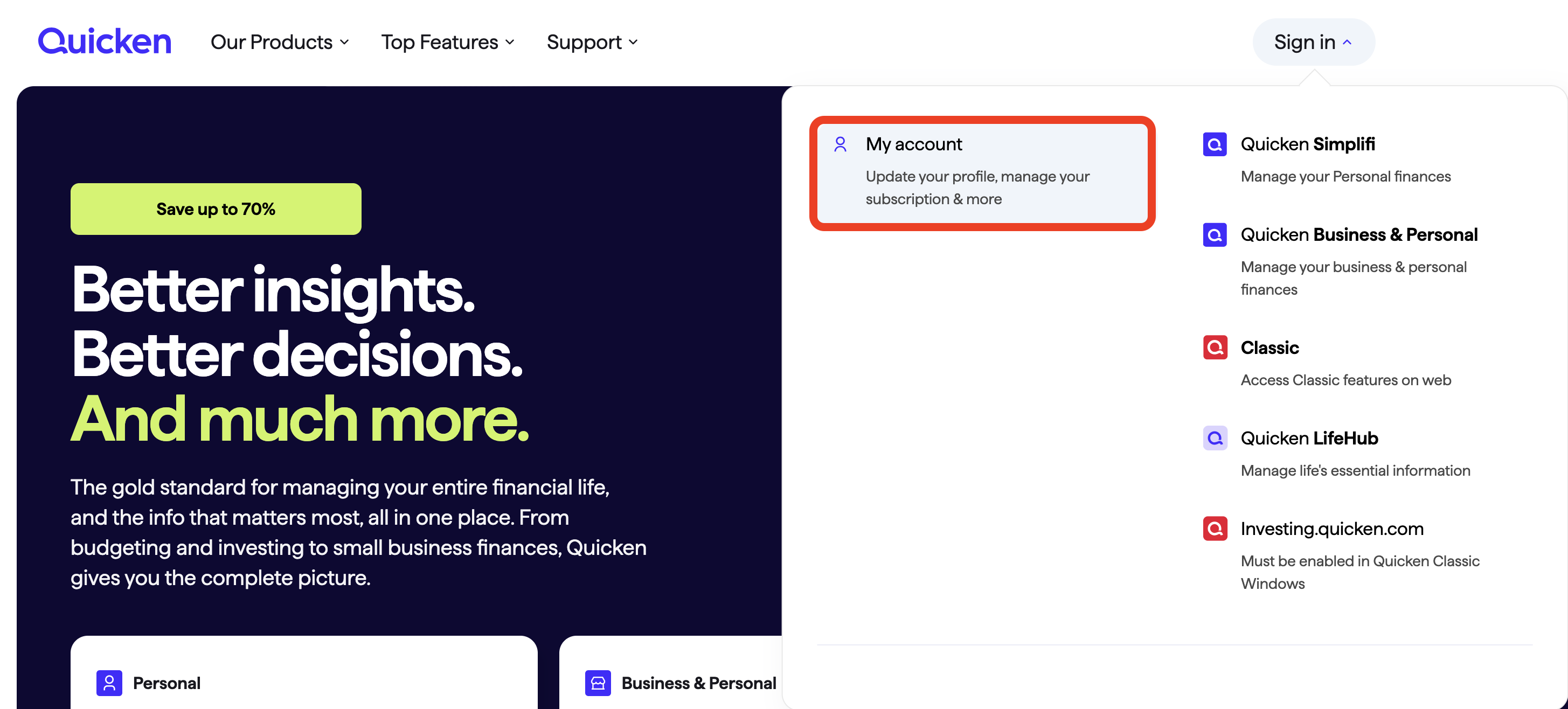
Once signed in, you can select the Quicken for Windows download.
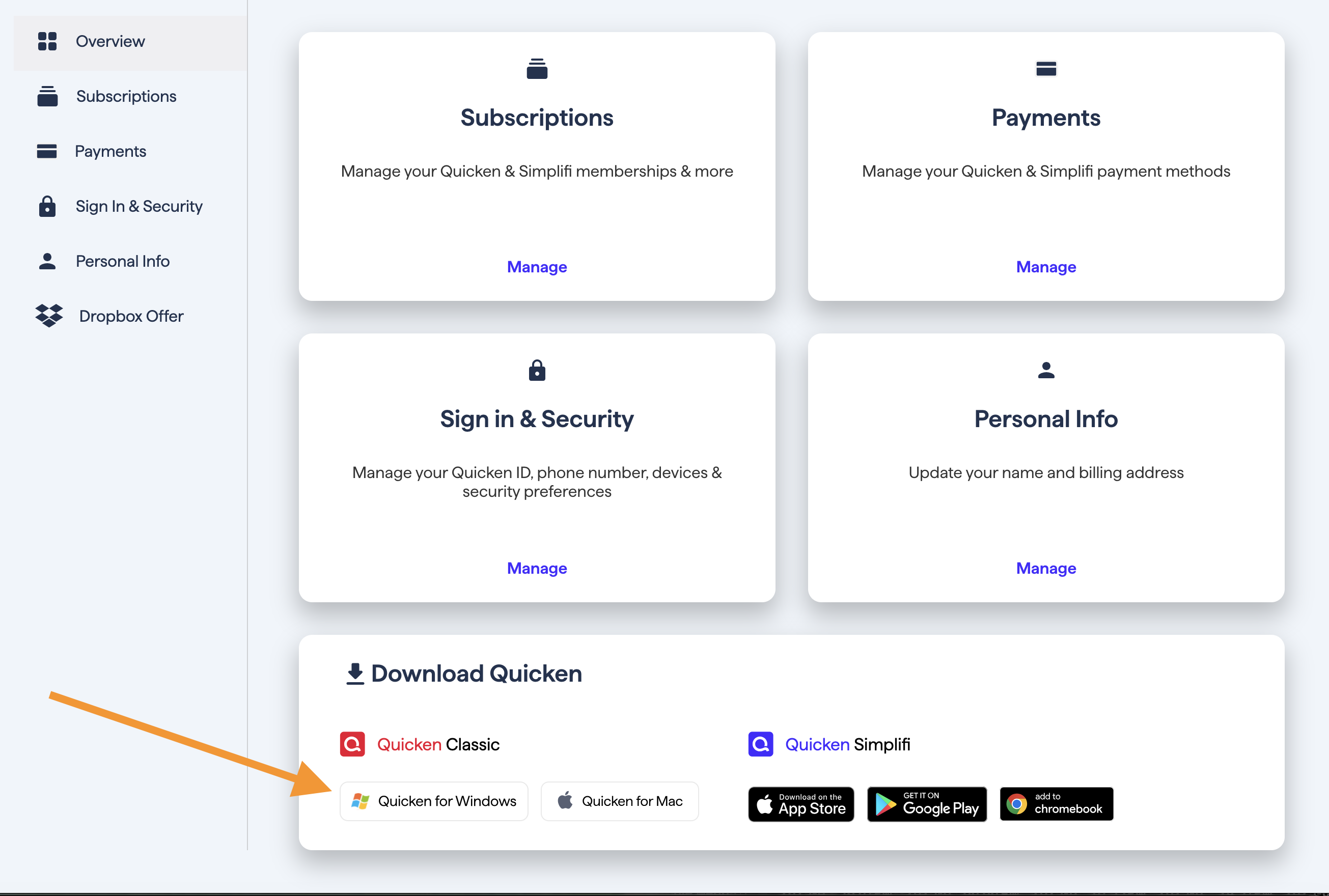
Go through the installation prompts, and see if you can now get into your Quicken software without issue.
Let me know how it goes!
Quicken Alyssa
Make sure to sign up for the email digest to see a round up of your top posts.
0 -
Do you have a link with instructions for uninstalling Quicken on Windows? This link is Mac and I searched but couldn't find the Windows instructions.
0 -
After opening the link, just above "Overview", the Mac symbol is highlighted in red. Click the Windows symbol to the left and that will bring up the Windows uninstall instructions.
2 -

I uninstalled and then downloaded quicken. I doubled clicked on the file I downloaded and this is the error I received.
0 -
Should I delete the Quicken folder that is in the "Program Files (x86)" folder?
0 -
yes
Adding- If you still have issues installing, read this post describing how to delete folders the normal uninstall leaves behind.
0 -
I did I live chat and got it working again. Thanks for your help.
1 -
Thank you for continuing to follow up and ultimately letting us know you got the issue resolved.
If you need more help, don't hesitate to reach back out.
Thank you for providing helpful tips and insights. Much appreciated!
Thanks again!
Quicken Alyssa
Make sure to sign up for the email digest to see a round up of your top posts.
0


Categories
- All Categories
- 6 Product Ideas
- 34 Announcements
- 250 Alerts, Online Banking & Known Product Issues
- 19 Product Alerts
- 265 Welcome to the Community!
- 301 Before you Buy
- 1.5K Product Ideas
- 55.8K Quicken Classic for Windows
- 16.9K Quicken Classic for Mac
- 1K Quicken Mobile
- 834 Quicken on the Web
- 129 Quicken LifeHub