Why am I suddenly unable to download QFX data from Bank of America?

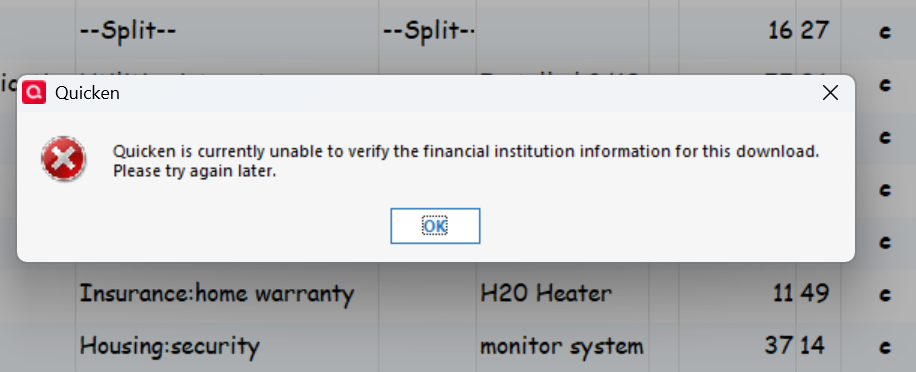
I have the correct sign in information. I am unaware of any institution changes. HELP.
Answers
-
BofA has discontinued support of Web Connect (manually downloading/importing of QFX files). So Quicken can no longer import QFX files from BofA.:
If you want to be able to be able to download your data into Quicken you can set up an Express Web Connect+ connection for downloading via One Step Update.
Quicken Classic Premier (US) Subscription: R66.12 on Windows 11 Home
0 -
See this announcement:
9/30/25 Bank of America - Web Connect Discontinued — Quicken
The only way to download from BofA is Express Web Connect+
You need to set that up inside Quicken
From other threads:
You need to you use Ctrl+A in Quicken to start the process of adding/connecting to you BofA account(s). It will get to a point where it brings up BofA’s website where you login and authorize the connection. After that Quicken will go on and you should link you online accounts to your Quicken account(s). From there on you get you transactions by using One Step Update.
0 -
Two other options for manual downloading that I can think of:
- If BofE supports downloading of transactions in CSV files, you could try downloading that way and then importing them into Quicken. Quicken now supports importing of CSV files. Inside Quicken go to Help>Quicken Help>search for Import transactions from .CSV file.
- Or you can try using a 3rd party file conversion program. ImportQIF is one such program that was specifically designed for use with Quicken and it's free. It can be used to convert CSV, Excel, OFX and QFX files into a QIF file format that Quicken can then import. You can read up on it and download it from . (It's safe with no adware nor pups. It was designed by a long time Quicken user and very active participant in this Community forum. There are many other Quicken users who use it, including some of the other Superusers, and say that it works well.)
Quicken Classic Premier (US) Subscription: R66.12 on Windows 11 Home
0


Categories
- All Categories
- 52 Product Ideas
- 34 Announcements
- 247 Alerts, Online Banking & Known Product Issues
- 20 Product Alerts
- 514 Welcome to the Community!
- 680 Before you Buy
- 1.5K Product Ideas
- 55.5K Quicken Classic for Windows
- 16.8K Quicken Classic for Mac
- 1K Quicken Mobile
- 832 Quicken on the Web
- 126 Quicken LifeHub