BofA Not Downloading

What happened? BofA is not downloading in Windows since Nov 27. Help! What to do?
Comments
-
Hello @azhikerman@,
Thanks for reaching out!
Upon reviewing your account internally, it looks like you are currently connected via Bank of America-All Other States. However, this instance no longer appears in our financial institution list.
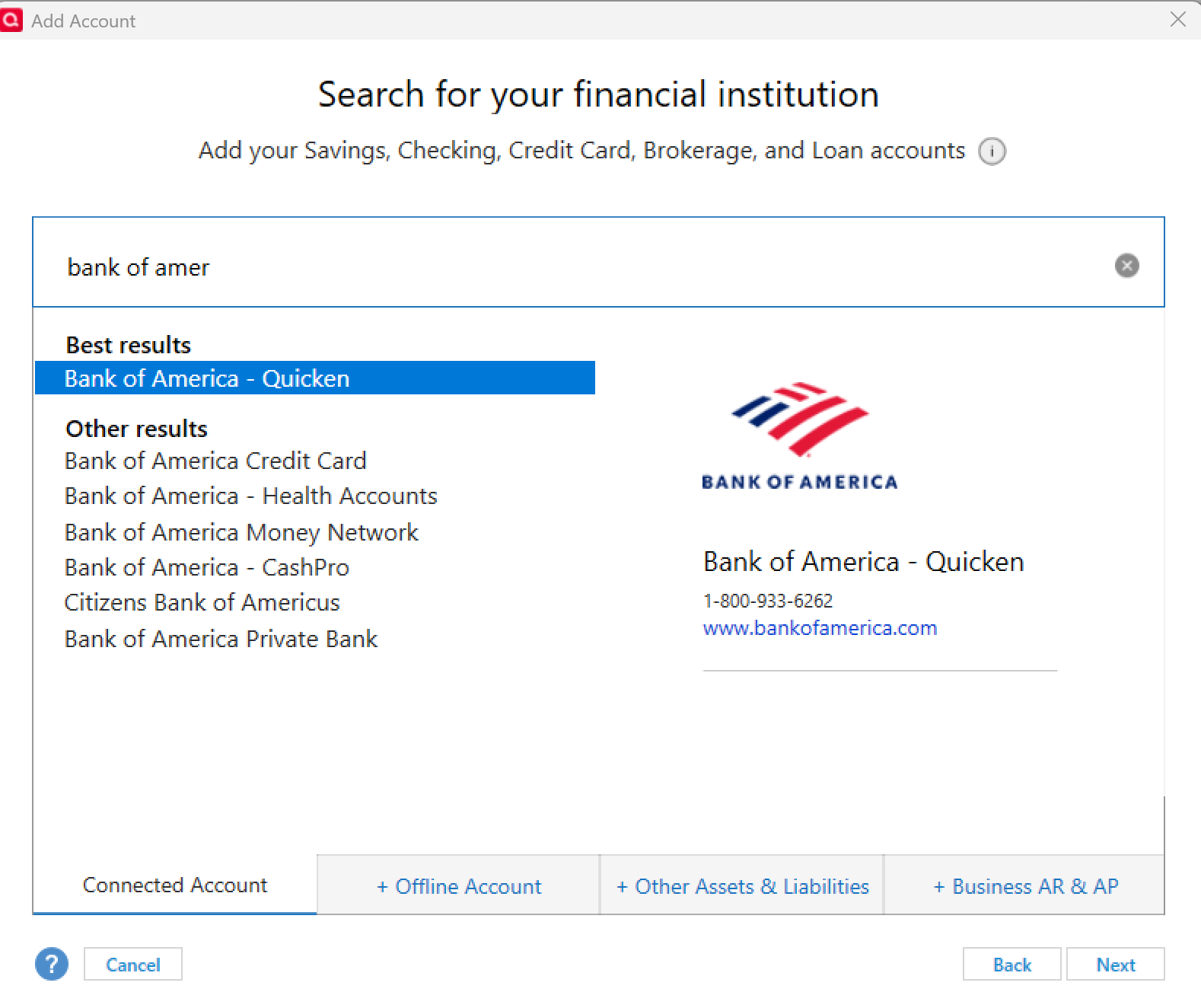
So to start with, I suggest that you try deactivating and reactivating your Bank of America accounts by following the instructions provided in this support article. Except, upon reactivating, please connect to Bank of America - Quicken instead.
Let us know how it goes!
-Quicken Anja
Make sure to sign up for the email digest to see a round up of your top posts.1 -
Yikes! This scares me. I'm not a techie and I have close to 30 years of banking info on my Quicken. Hate to lose it.
0 -
@azhikerman@ I completely understand your concern! Switching the connection from Bank of America–All Other States to Bank of America–Quicken should not affect your data in Quicken.
However, if you want to be extra cautious, you can create a backup of your Quicken file before making the change—just as a “just in case” measure.
-Quicken Anja
Make sure to sign up for the email digest to see a round up of your top posts.0 -
Thanks, Anja. Your recommended solution to Bank of America - Quicken got transactions to download. However, the Bills & Income fails to populate with Statement's current amount due. And the linked Bills & Income Reminder (from Q top bar) only shows 'estimate amount for me" with drop down to select either Fixed Amount, Previous Payment, and Time of Year. The 'Pay Balance Due on Statement' field is absent. I might be missing something simple. Suggestions welcomed.
0
