Downloading Update

Answers
-
Hello @PiperFlyer,
Thank you for reporting the issue you are having.
To clarify, are you going to Help>Check for Updates, and then receive this error? Screenshots of what you are seeing may be helpful. If needed, please refer to this Community FAQ for instructions on how to attach a screenshot. Alternatively, you can also drag and drop screenshots to your response if you are not given the option to add attachments.
You may be able to work around this issue by uninstalling and reinstalling. If needed, here are the steps for uninstalling on Mac.
To reinstall your software, you can go to Quicken.com and sign in to the My Account section.
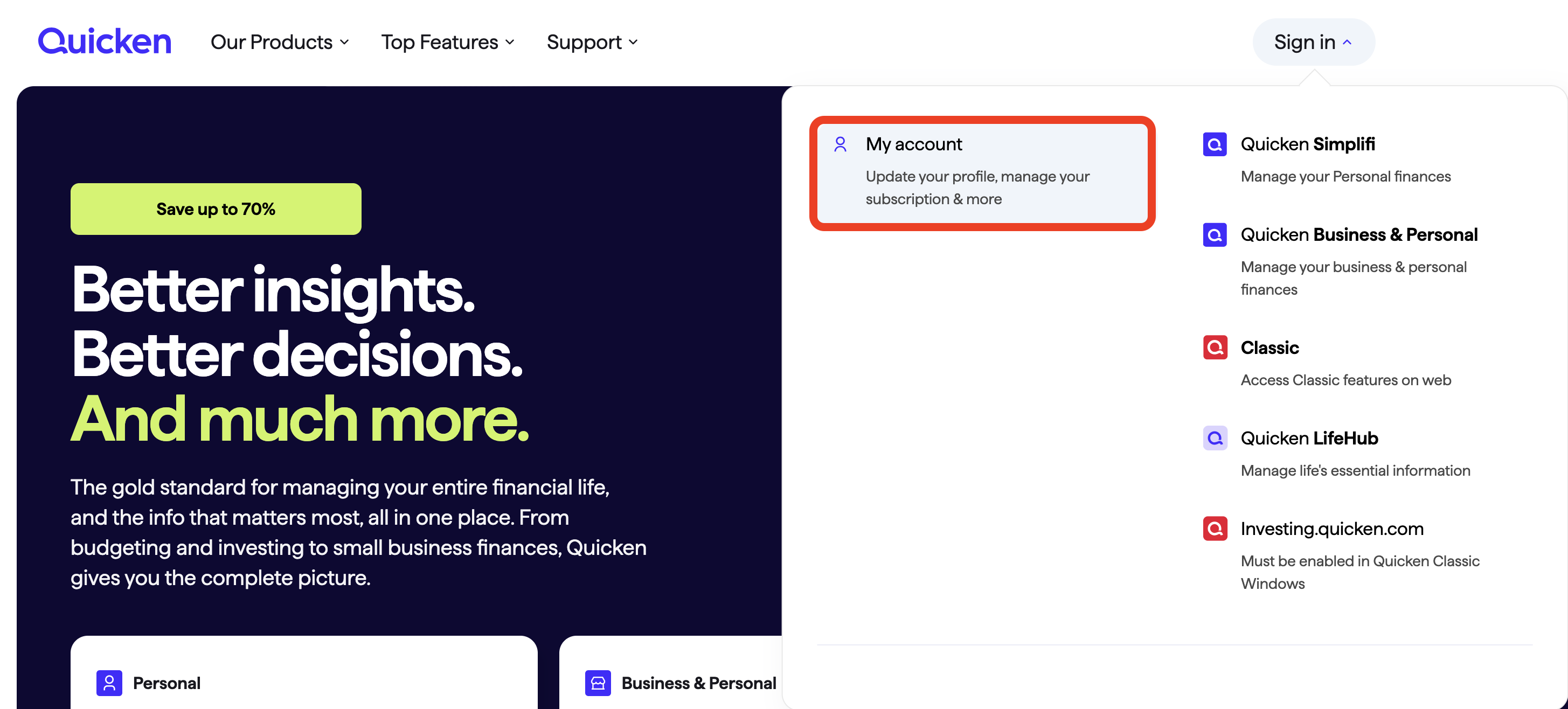
Once signed in, you can select the Quicken for Mac option.
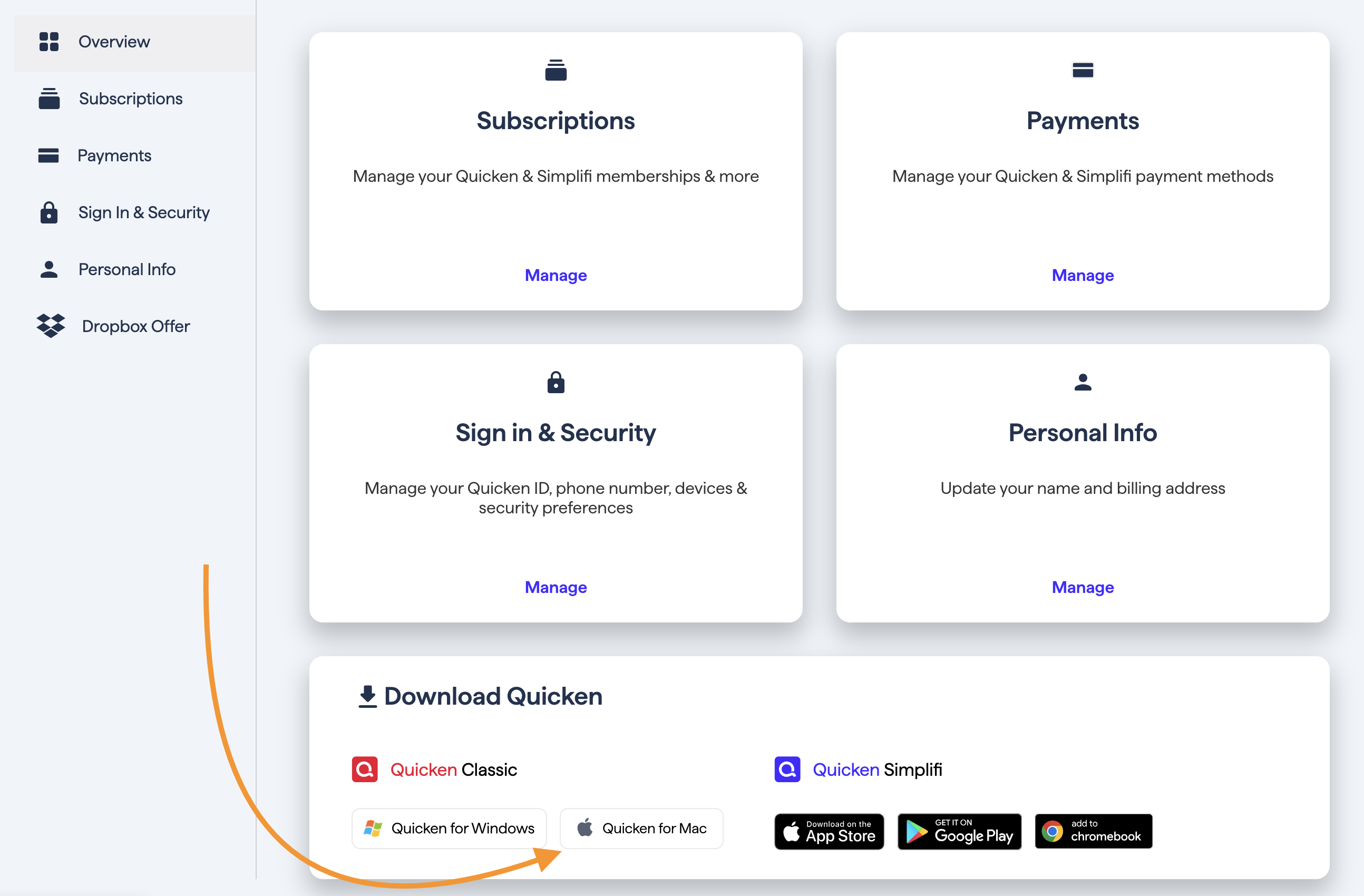
You would then go through the installation process.
Let me know how it goes.
Quicken Alyssa
Make sure to sign up for the email digest to see a round up of your top posts.
0 -
Just checking in, we haven't heard back from you in a while.
Do you still need assistance?
Thank you!
Quicken Alyssa
Make sure to sign up for the email digest to see a round up of your top posts.
0 -
Hello again,
Checking in once more before this thread is closed.
Let us know if you still need assistance.
Thank you!
Quicken Alyssa
Make sure to sign up for the email digest to see a round up of your top posts.
0 -
Hello,
Due to the lack of response, I went ahead and closed this post.
If you still require assistance, please feel free to start a new post.
Thank you!
Quicken Alyssa
Make sure to sign up for the email digest to see a round up of your top posts.
0
