Can't download from Chase

Anyone having trouble downloading from Chase? Starting yesterday I got a message that said
"Please wait while Windows Configures Quicken" followed by a message that said
"There are Quicken components currently open. Please close Quicken and try uninstalling again."
I contacted support and the response was there was a known problem with Chase but I don't see anyone discussing.
Is there a global problem with Chase or is it my system? Thanks
Answers
-
Is there a global problem with Chase or my system? Thanks.
0 -
I have the same issue with my bank, not chase. Plus I have the same issue with downloading CC transactions.
Very frustrating.
0 -
Hello @Anne Frazier & @mrkwmsn,
Thank you both for reporting this issue.
Are you experiencing this when trying to import QFX files into Quicken? If so, this is something other users have been seeing as well. You should be able to resolve this issue by uninstalling and reinstalling your Quicken software.
If needed, check out this Support Article for steps to uninstall.
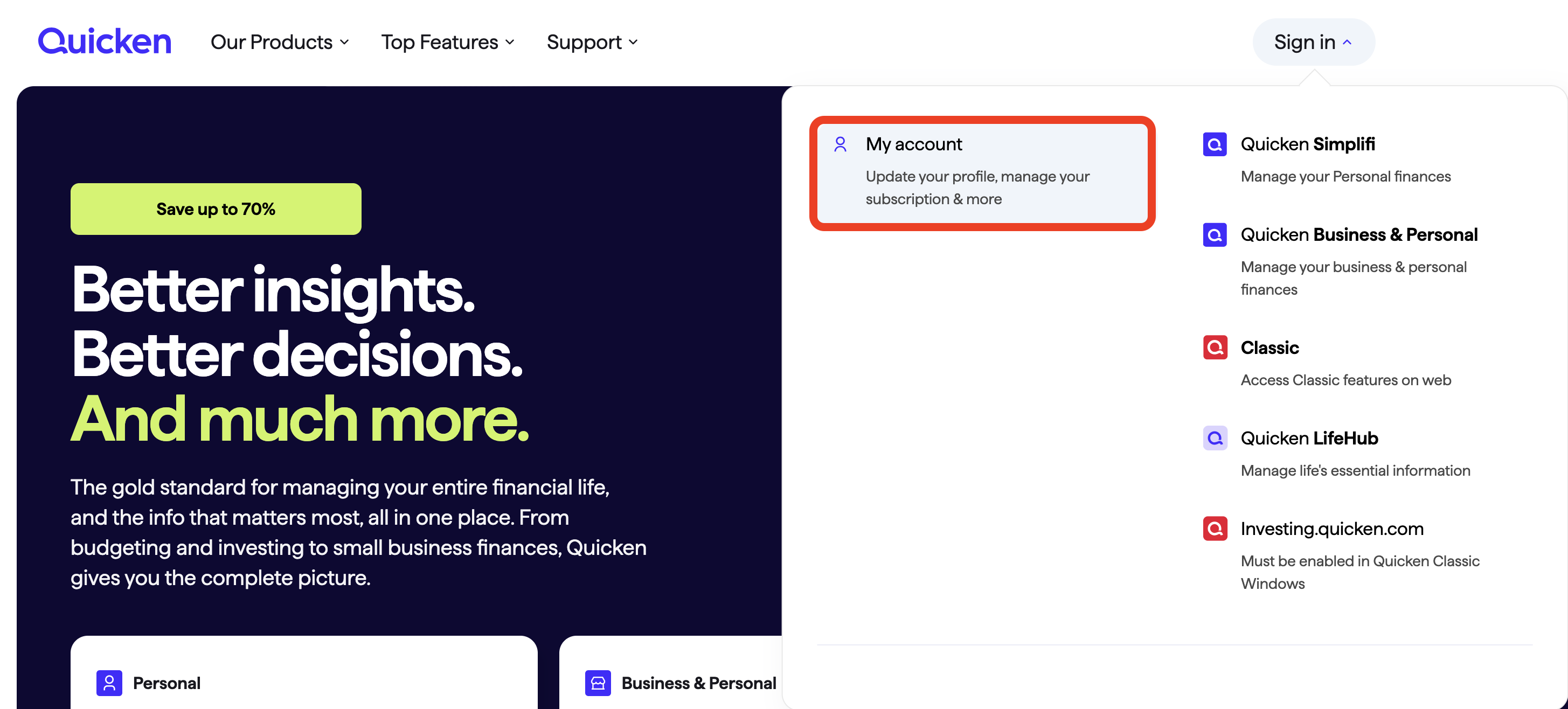
To reinstall your software, you can go to Quicken.com and sign in to the My Account section.
Once signed in, you can select the Quicken for Windows download.
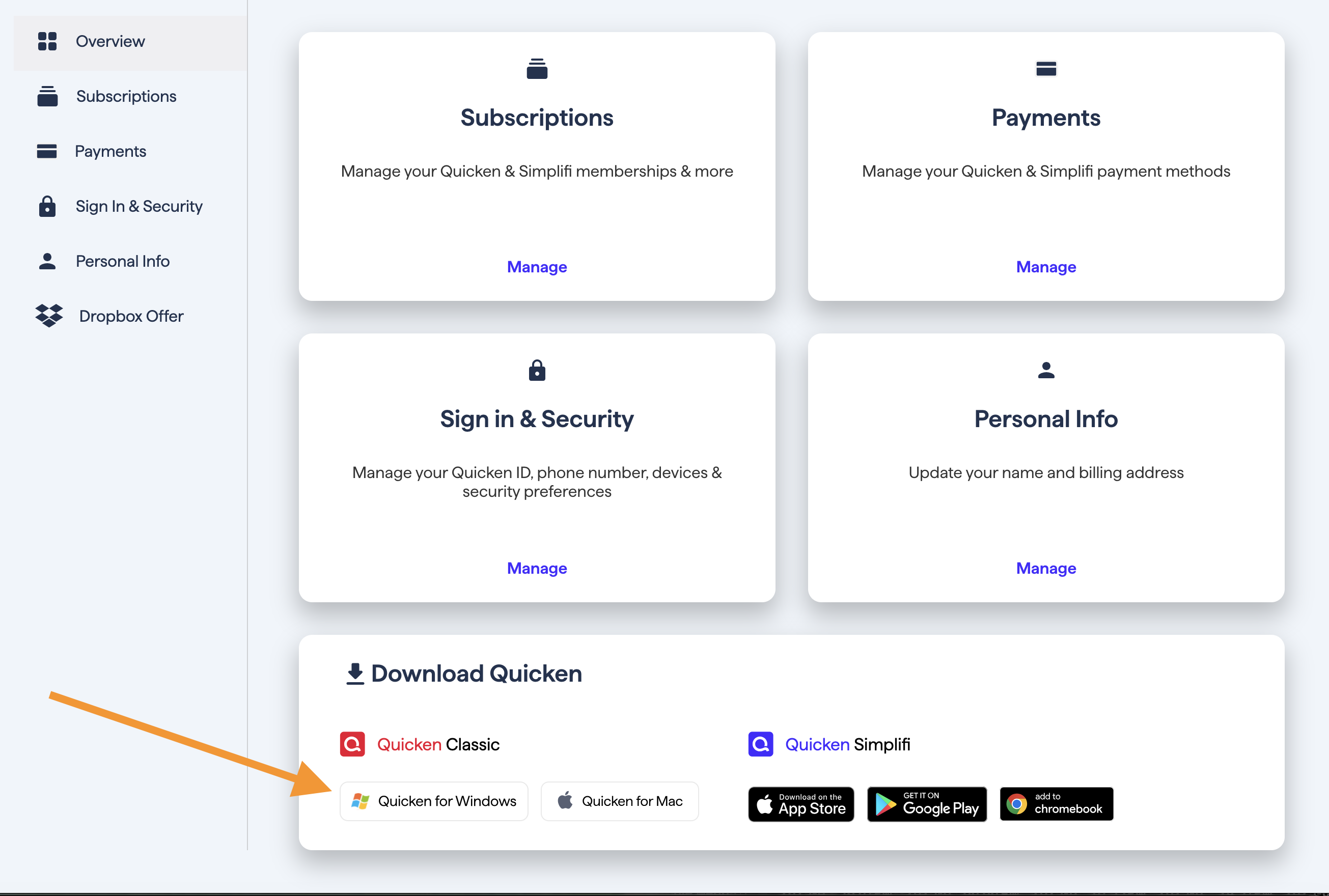
Go through the installation prompts, and once you are back in your file, try importing the file again.
This issue has been reported. If you would like to contribute to the investigation, please go to Help>Report a problem>Send to Quicken, from within your Quicken software, and send over your log files.

Let me know if you do send them over so I can add them to the ticket.
If this is not the issue you are having, please provide more information.
Thank you.
[CTP-15434]
Quicken Alyssa
Make sure to sign up for the email digest to see a round up of your top posts.
0 -
It is not just Chase and seems to have happened with the latest update. I have found that I can import the files by going to File→File Import→Web Connect (.QXF) File and selecting the files I want to download information from. I'll wait for the next update to see if that fixes the problem before I go through the effort of uninstalling and reinstalling.
0

Categories
- All Categories
- 56 Product Ideas
- 36 Announcements
- 223 Alerts, Online Banking & Known Product Issues
- 22 Product Alerts
- 701 Welcome to the Community!
- 671 Before you Buy
- 1.2K Product Ideas
- 53.7K Quicken Classic for Windows
- 16.3K Quicken Classic for Mac
- 1K Quicken Mobile
- 813 Quicken on the Web
- 111 Quicken LifeHub