Fidelity monthly share sales download with generic info

This discussion was created from comments split from:
Fidelity Transactions not downloading to Quicken Classic on Windows
.
Comments
-
While this account is syncing using OSU the monthly share sales for my monthly distribution is still being downloaded as generic withdrawals. I have to manually edit each transaction to enter the correct share sale information. Is this being worked on? This all worked perfectly for years prior to the change to EWC+.
Quicken Classic Premier (US): R66.28 on Windows 11 Pro
1 -
Hello @Mark Wagner,
Thank you for sharing your experience.
I thought I had seen this before, but I am unsure with the information I currently have available to me.
If you don't mind, can you provide a screenshot of what you are seeing? If needed, please refer to this Community FAQ for instructions on how to attach a screenshot. Alternatively, you can also drag and drop screenshots to your response if you are not given the option to add attachments.
Thank you.
Quicken Alyssa
Make sure to sign up for the email digest to see a round up of your top posts.
0 -
@Quicken Alyssa It only happens at the beginning of every month and once I fix all the transactions I have nothing to screenshot for you. If it happens again at the beginning of January I'll screenshot it for you before I fix the transactions. Basically what gets DLed is a individual transaction for each sale but instead of being a sale of shares it is DLed as individual generic withdrawals. The amounts are correct but their is no information as to the security that is being sold or the number of shares.
Quicken Classic Premier (US): R66.28 on Windows 11 Pro
0 -
Thank you for following up with additional information.
If that is the case, I think we need to look at how it is being sent over to Quicken from the bank. To do that, you can submit log files by going to Help>Report a problem>Send to Quicken.
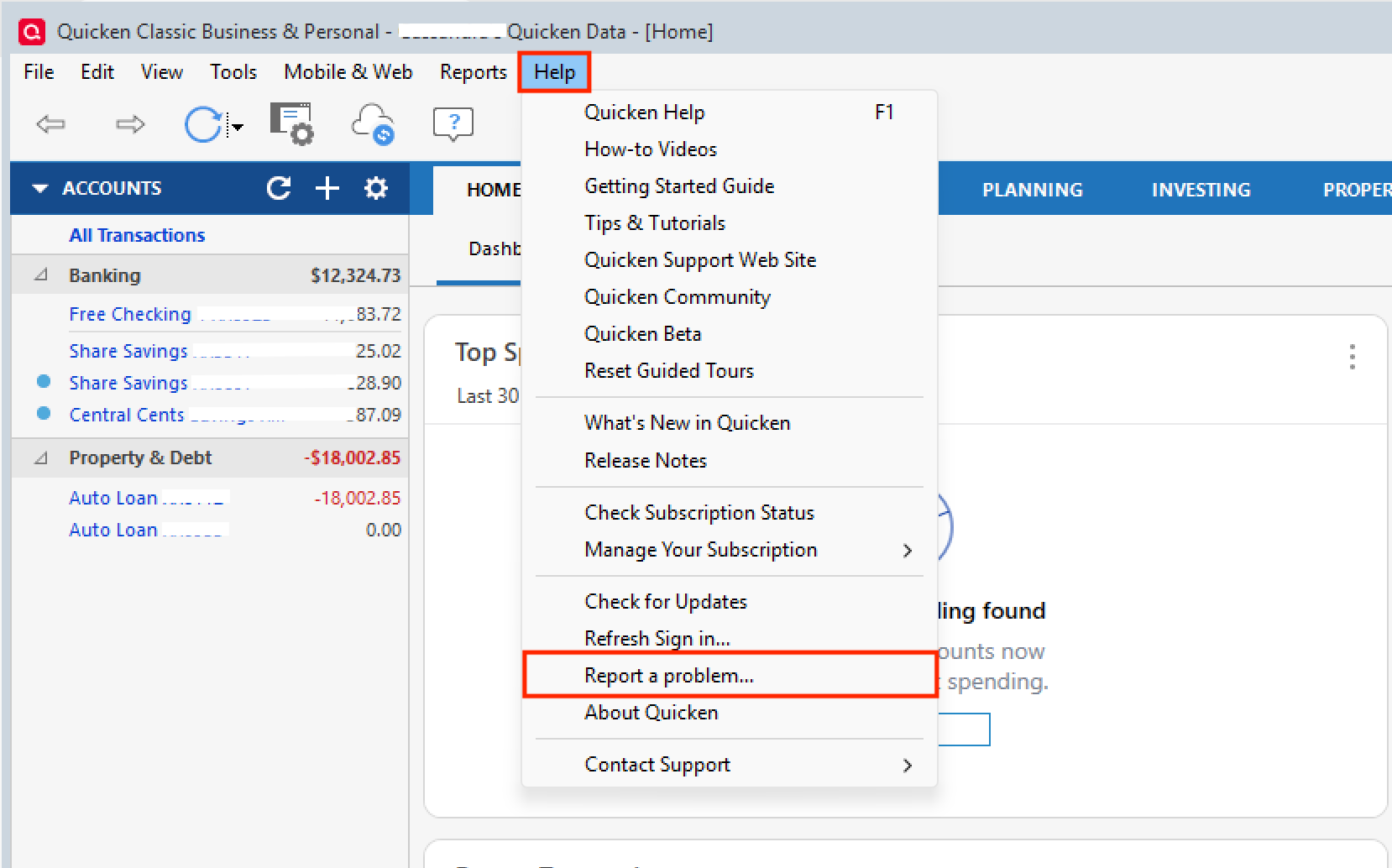
You will want to wait until they download incorrectly again before doing this. Once you have downloaded examples of what is happening and submitted logs, please contact Quicken Support directly so they can take a look at those to determine what is causing this issue. They will be able to process an escalation for you as well, if needed.
Thanks again!
Quicken Alyssa
Make sure to sign up for the email digest to see a round up of your top posts.
0 -
I see the same issue on my Fidelity International Brokerage account. Happens every time, Dividends, Purchases, Sales, Etc. @Quicken Alyssa , see examples below as well as my post https://community.quicken.com/discussion/comment/20522772#Comment_20522772


In all cases, the security data (Ticker, # shares, price, etc.) as well as the Action data is missing.
0 -
Hello @EDacho,
Thank you for adding to this discussion.
In an effort to avoid confusion and keep the Community organized, I will let you continue working with Quicken Kristina, as it looks like she has been in direct communication with you.
Thanks again!
Quicken Alyssa
Make sure to sign up for the email digest to see a round up of your top posts.
0 -
@Quicken Alyssa - I have tried to DM @Quicken Kristina because she suggested times for a support escalation call, but she has not responded to any of my DMs this week. Can you assist me via DM?
0 -
Yes, I can absolutely do that!
If she has not yet reached out, I will let her know!
Thank you!
Quicken Alyssa
Make sure to sign up for the email digest to see a round up of your top posts.
0 -
My monthly Fidelity 401K share sale transactions downloaded as individual generic withdrawals with no details instead of share sale details again this month. I uploaded a log and did a chat with Quicken support. They could not escalate to the appropriate team because it's Saturday. Can you get this escalated for me. Ticket ID - 12139113.
Quicken Classic Premier (US): R66.28 on Windows 11 Pro
0 -
I do see your recent interaction with support, and I apologize for the delayed response.
The easiest way to get the issue escalated is to call back during the week when the escalation team is available to continue the process you have already started with our support team.
The Quicken Support phone number can be found through this link here. Phone support is available from 5:00 am PT to 5:00 pm PT, Monday through Friday.
Let us know how it goes!
Quicken Alyssa
Make sure to sign up for the email digest to see a round up of your top posts.
0 -
Thanks for the response but I just don't have time to spend yet again on the phone with support. Since their is already a support ticket ID # which has all the information (their is literally nothing more I can provide). I don't really understand why this issue can't be investigated without me hanging on the phone. It's an issue with the data being sent over by Fidelity so it should be something that can be investigated by the Quicken support team.
Quicken Classic Premier (US): R66.28 on Windows 11 Pro
0 -
I have sent you a direct message. Please navigate to the inbox in the top right-hand corner of the Community page and check your inbox.

Thank you.
Quicken Alyssa
Make sure to sign up for the email digest to see a round up of your top posts.
0