I am web connected to my Bank of America account but Quicken is not downloading the transactions

Best Answers
-
Are you seeing a
successful connectionin Quicken, but no transactions are downloading?
Yes
0 -
Where is your Quicken data file stored? Is it on your
local hard drive (C: Drive)On my local hard drive D:
0
Answers
-
Hello @diagdad,
Thanks for reaching out! I wanted to clarify a few things based on what we’re seeing internally. From our side, your Bank of America account connection appears to be successful, and we’re not seeing any errors.
To help us understand what’s happening on your end, can you clarify the following:
- Are you seeing a successful connection in Quicken, but no transactions are downloading? Or do you receive any error messages when attempting a One Step Update? What exactly happens when you try to update?
- Where is your Quicken data file stored? Is it on your local hard drive (C: Drive) or a cloud-based/external drive (e.g., OneDrive, DropBox, USB, etc.)?
- Have you attempted any troubleshooting steps so far? If so, what did you try?
- When did this issue first start occurring?
- Were there any significant changes to your system or software before the issue began, such as updates, new installations, or other changes?
Answering these questions will help us pinpoint what’s going on and guide you on the best next steps.
Thank you!
-Quicken Anja
Make sure to sign up for the email digest to see a round up of your top posts.0 -
Are you seeing a
successful connectionin Quicken, but no transactions are downloading?
Yes
0 -
Where is your Quicken data file stored? Is it on your
local hard drive (C: Drive)On my local hard drive D:
0 -
Have you attempted any
troubleshooting steps sofar?Don't know where to start
0 -
- When did this issue
first start occurring?
This is the first time trying to connect to my account to Bank of America
0 - When did this issue
-
Were there any significant
changes to your system or softwarebefore the issue began, such as updates, new installations, or other changes
Just normal Microsoft Windows 11 updates.
0 -
Bank of America discontinued support for the "Web Connect" method a few months ago unfortunately. See this post:
- Q Win Deluxe user since 2010, US Subscription
- I don't use Cloud Sync, Mobile & Web, Bill Pay0 -
@diagdad Thank you for providing those details—it’s very helpful! Also, thank you @BK for sharing that information regarding Bank of America and Web Connect. Just to clarify, the information BK shared applies to QFX/Web Connect specifically.
Looking internally, it appears your Bank of America account is connected via Express Web Connect+, but to confirm, could you please check the following:
- Go to Tools > Account List > Edit for your Bank of America account, then open the Online Services tab. Can you confirm which connection method is shown there?
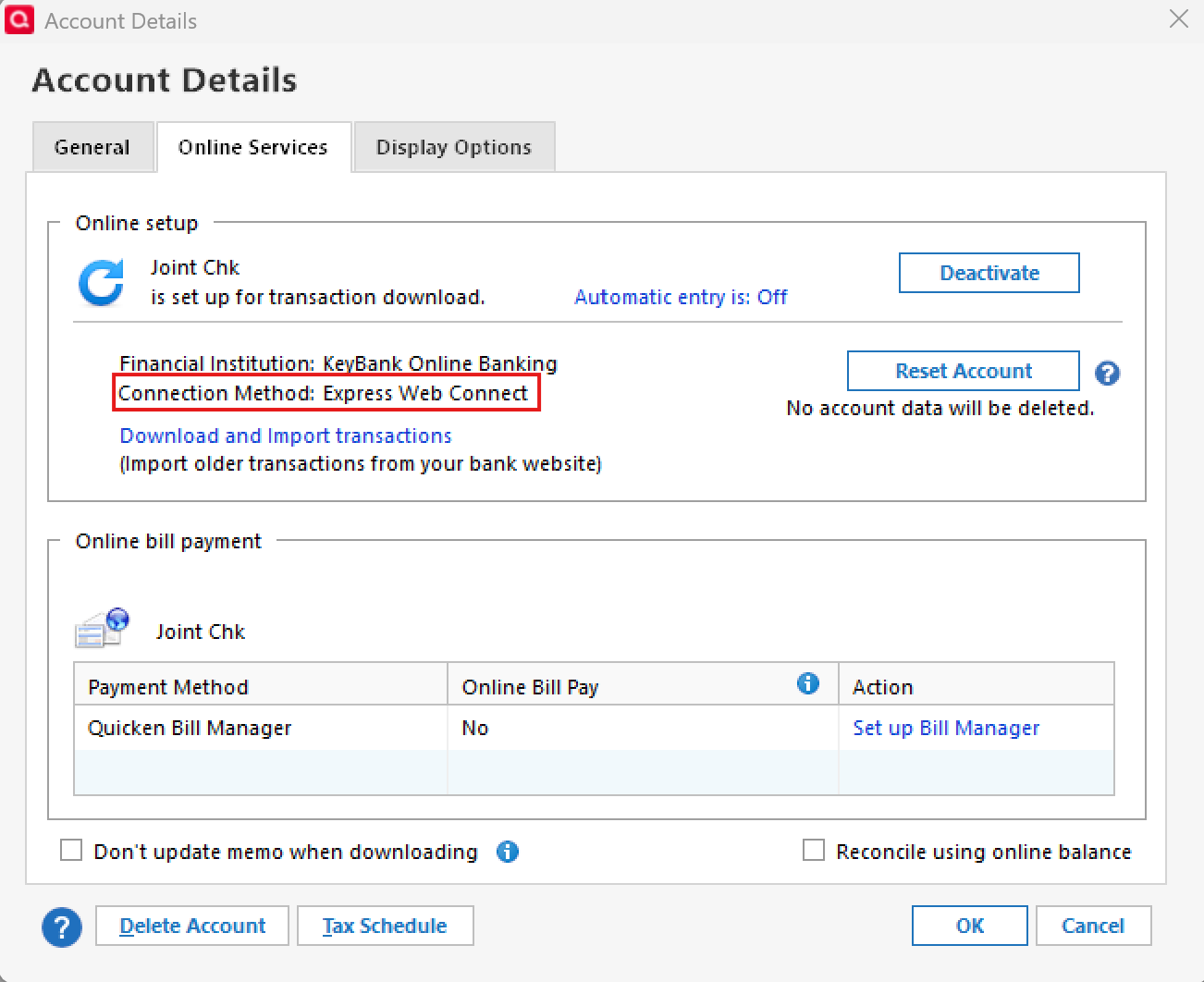
- Since you mentioned this is your first time connecting, was this account previously set up as a manual account, or did you just add it to Quicken for the first time today?
Thank you!
-Quicken Anja
Make sure to sign up for the email digest to see a round up of your top posts.0 - Go to Tools > Account List > Edit for your Bank of America account, then open the Online Services tab. Can you confirm which connection method is shown there?
-
Hello again,
We haven't heard back from you in a while. Do you still need assistance?
Thank you!
-Quicken Anja
Make sure to sign up for the email digest to see a round up of your top posts.0 -
Hello again,
Checking in once more before this thread is closed.
Let us know if you still need assistance.Thank you!
-Quicken Anja
Make sure to sign up for the email digest to see a round up of your top posts.0 -
Hello again,
Due to the lack of response, I went ahead and closed this post.
If you still require assistance, please feel free to start a new post.
Thank you!
-Quicken Anja
Make sure to sign up for the email digest to see a round up of your top posts.0

