Switch accounts from Direct Connect to Express Web Connect

Comments
-
My brokerage and credit card acct's use Express web connect to download transactions. My bank acct's use too. I had to change passwords, now those acct's are setup with Direct connect and no transactions are downloaded. It's not the bank that is not trying to send items, it's Quicken not accepting them. How do I change Direct connect to Express web connect?
0 -
Hello @Jim0846,
Thank you for reaching out! To change from Direct Connect (DC) to Express Web Connect (EWC), first, backup your Quicken file. Then, deactivate the accounts you want to switch to the other connection method. Once the accounts are disconnected, navigate to Tools>Add Account and search for the financial institution you wish to connect to. Click to highlight the financial institution, then, if you see the option, click on the blue Advanced Options link.
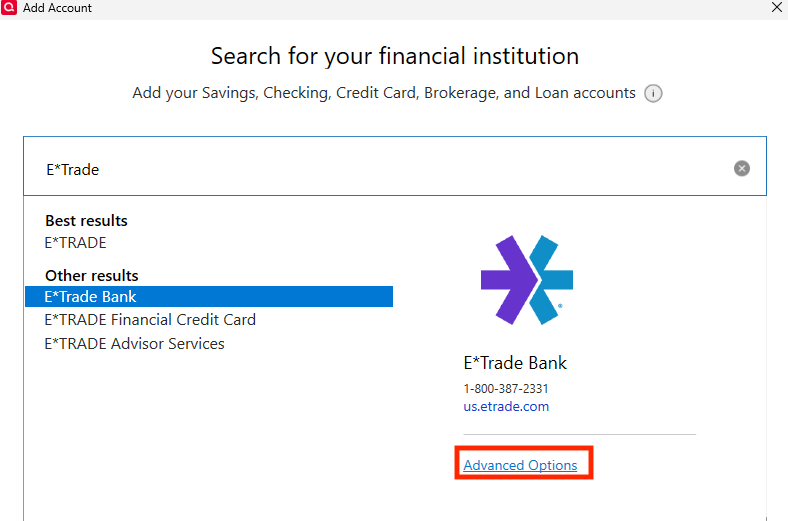
It will show you an information screen. On the next screen, it will show you the available options for that financial institution.
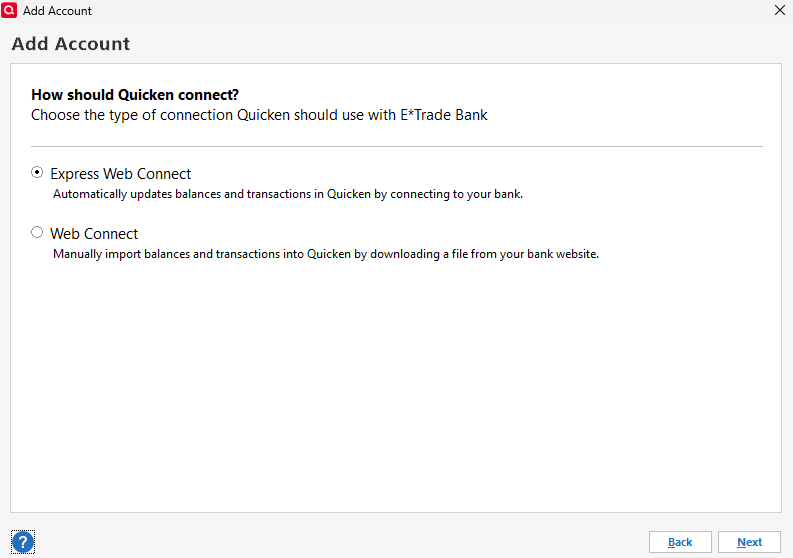
Make sure EWC is selected (if the option exists for your financial institution), then follow the prompts. When you get to the add/link screen, make sure to carefully link the accounts to the correct nickname in Quicken.
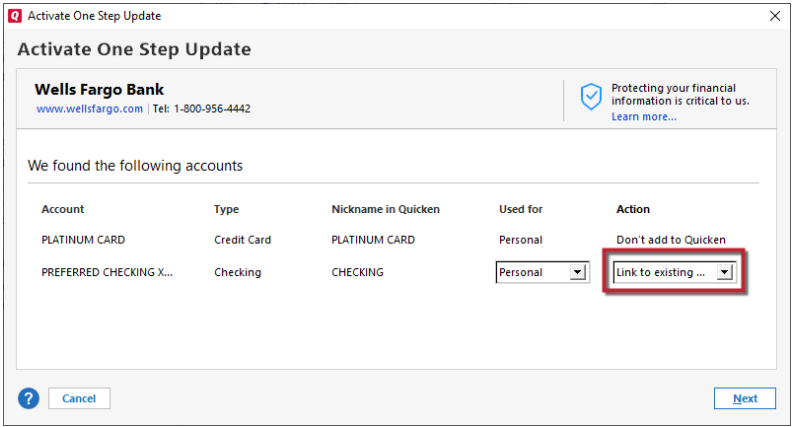
If the accounts you wish to switch from DC to EWC are with multiple financial institutions, you will need to repeat this process for each financial institution.
Please let me know how it goes!
Quicken Kristina
Make sure to sign up for the email digest to see a round up of your top posts.
0 -
Quicken Kristina
Make sure to sign up for the email digest to see a round up of your top posts.
0

