New year - I want to start with a fresh Quicken file

I've been using Quicken for about ten years and generally love it. But I'm sure it is not set up correctly. It gets confused (or I do) when transferring money between accounts, for example. Some categories are in two places (Grocery and groceries). I know I made those errors and have been carrying them for several years. I was creative. But now I want to use the software the way it is intended.
What's the best way to start a fresh file? I can archive the old info and just start with an empty file. I want to bring in balances as of January 1, 2026. I'd rather not enter all the account info. Several credit accounts, savings, checking, etc. I've never tracked my paycheck correctly. I've never used Quicken to track a loan. Now is the time!
Any suggestions for First Steps?
[Edited-Readability]
Best Answer
-
As to why the transfers are created pointing back the the same account is probably due to a Memorized Payee.
Check those from the Tools menu.
-splasher using Q continuously since 1996
- Subscription Quicken - Win11 and QW2013 - Win11
-Questions? Check out the Quicken Windows FAQ list0

Answers
-
Hello @jcbax,
Thank you for sharing your experience and posing this question.
Normally, I would suggest copying your current file for a new fiscal year. However, doing that would carry over your reminders, memorized payees, transaction groups, and categories, which would defeat what you are trying to accomplish with a fresh start on those things.
So in your case, I would suggest first creating a new data file, adding in all of your accounts, and then copying the new file after the new year, if you want the file to start on that date.
- Choose File menu > New Quicken File.

2. Select New Quicken File.

3. Click OK.
4. In the File name field, enter the name of the new file, then click Save.
- Don't use any of these characters: * ? < > | " : \ / (asterisk, question mark, left and right angle bracket, pipe, straight quotation marks, colon, BACKSLASH, FORWARD SLASH). Also, don't add the .qdf extension; Quicken does that for you.
5. Sign in with your Quicken ID. If you are prompted to create a Quicken ID but already have one, click Sign In under the Create Account prompt.
6. Select if you want to use Mobile.
7. Click Add Account to start adding accounts to the new file.To add accounts:
- At the top of the Account Bar, click the + (plus sign) button.
- Type in the name of your financial institution.
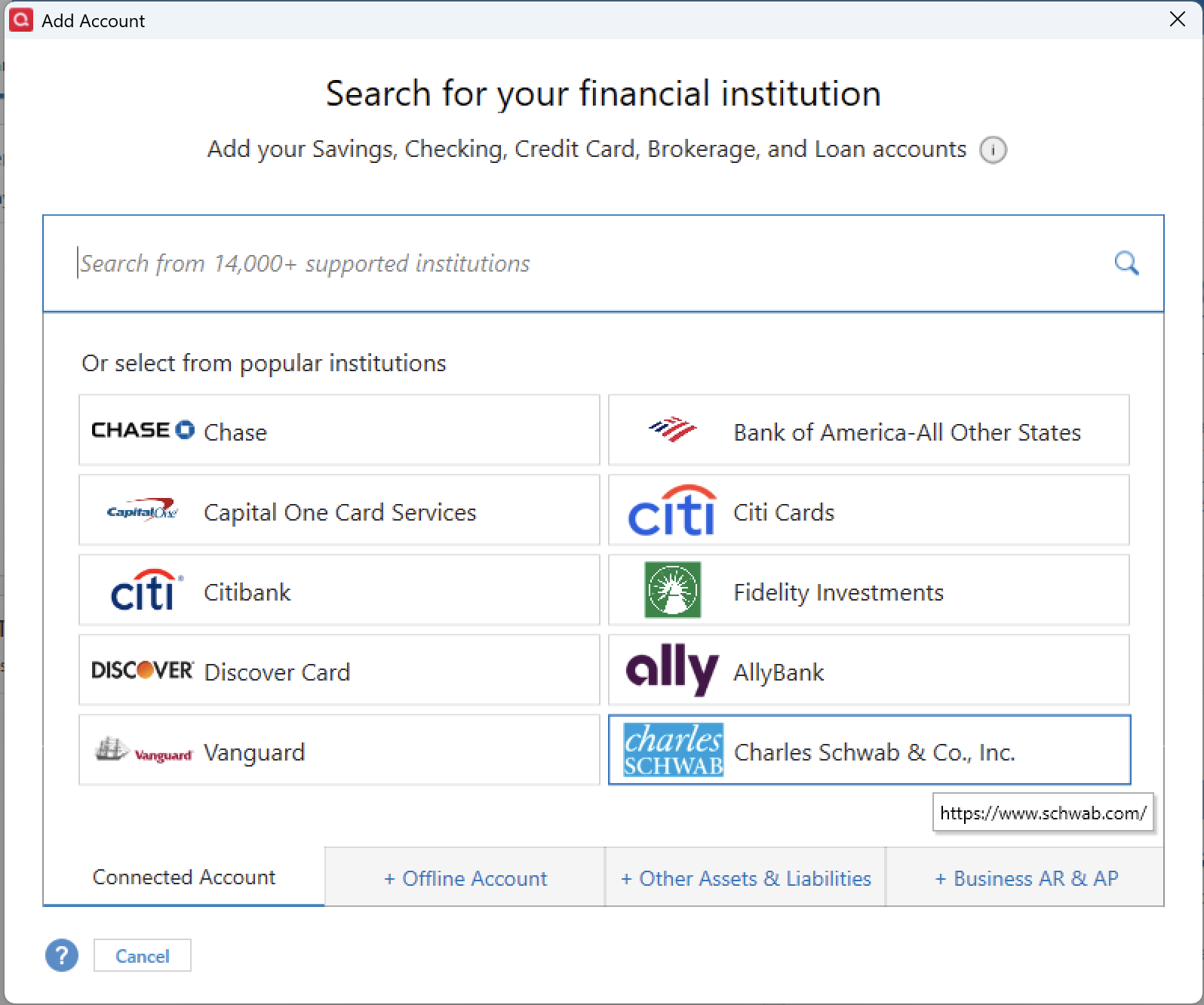
- Select your financial institution from the results list and click Next.
- Follow the on-screen instructions.
- Go to File > Copy or Backup File.
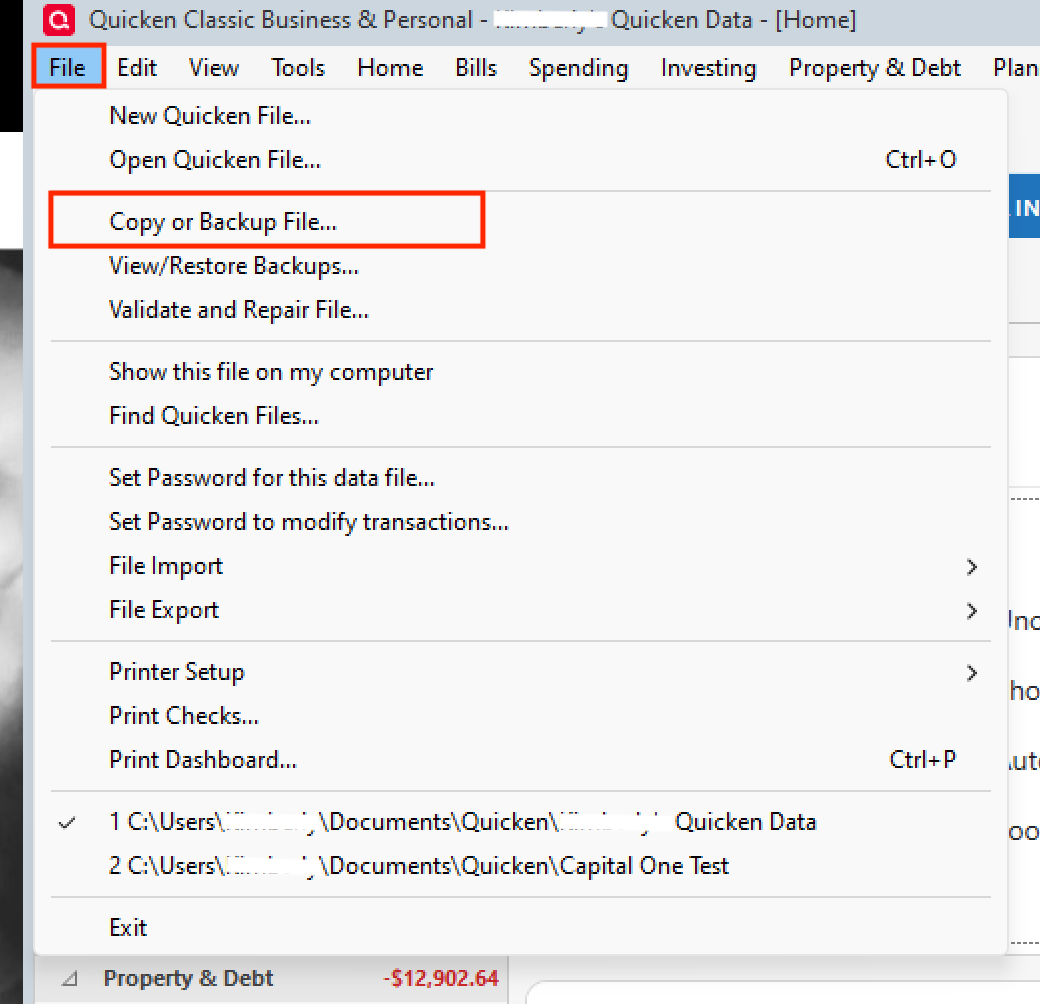
- In the Backup or Copy File window, under Advanced Options, select Create a copy or template.
- Click Next.
- Set the Include transactions From and To dates to control which transactions are included.
- Choose a name and location for the copied file.
- Save the file and choose New copy when asked which file you would like to open.
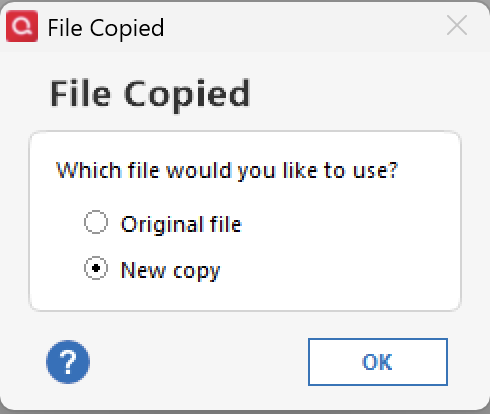
Note: Once you are in the new file, you will need to reconnect all of your accounts.
I hope this helps you accomplish what you want. If you have questions or need any help with it along the way, let us know!
Thank you!
Quicken Alyssa
Make sure to sign up for the email digest to see a round up of your top posts.
0 -
I wouldn't start a new file, cleanup the one you have - SLOWLY. No need to rush it.
With the categories, you can merge & delete your cats with similar names working from the Category List on the Tools menu. Doing the merge/delete, changes all of the occurances of the "old" to "replacement" category in all the transactions that have the "old" category.
Transfers between accounts are easy. If you want to transfer from Savings → Checking (those being the accounts names), you enter one transaction in either account and the category is the other account's name in square brackets, i.e. [Checking] if entering the transaction in the Savings account. Q will create the mating transaction in the other account ( Checking in my example) with a category of Savings.
My data file goes back to 1996 and I am routinely going back to find where I bought/donated to something. It is a diary of my purchasing life and the last thing I would want to do is search in multiple data files to find that information.
NOTE: Just be sure to make a backup before you do any cleanup sessions so that if something does go wrong, you can easily restore your data file.
-splasher using Q continuously since 1996
- Subscription Quicken - Win11 and QW2013 - Win11
-Questions? Check out the Quicken Windows FAQ list3 -
Thank you both for those detailed answers. I have time to set up a new file now and expect to be busy next year so will probably take that road and follow Allysha's step by step guide- thanks for that. I haven't decided for sure yet, as it seems like a lot of work but then my personal accounting should be easier in the future.
1 -
Thank you for following up.
If you need help with the process once you do decide to tackle it, let us know!
Thanks for offering alternatives!
Thank you both!
Quicken Alyssa
Make sure to sign up for the email digest to see a round up of your top posts.
0 -
Financial Spring Cleaning
There is nothing quite like the feeling of a "slimmed down" Quicken file. 🧹While I would have preferred to keep my original file intact, starting fresh has some serious perks. Clearing out those old, unused securities and stale categories makes the interface feel snappy again. It’s also the perfect time to rethink your category structure—the level of detail I needed five years ago isn't necessarily what I need today.
Sometimes, the "unintended benefits" of a clean slate are worth the effort!
Quicken user since DOS Version 2; Running Premier (US) on Windows 11 Pro.
2 -
Hello @InkPen,
Thank you for chiming in!
I couldn't agree more. While starting a new file/starting over isn't the ideal solution for everyone, it really does have so many benefits. Sometimes making the choice to go this route is the hardest part. But there's nothing better than a clean slate.
And a good thing about Quicken is that you don't lose the original file when you move to a new one. You can always stay in the "old file" as long as you need to while you build the new one. You can keep the old file for historical purposes and easily view it at any time.
Thanks again!
Quicken Alyssa
Make sure to sign up for the email digest to see a round up of your top posts.
0 -
Today I started a new file and am only adding my current accounts. The old stuff can stay in the old file.
I was kind of a pain, as I had to look up passwords and wait while Quicken loaded two years of transactions for each account. I see that the transactions of transfers between my accounts came in catagorized as coming to and from itself. I don't understand that but have decided that correcting all that is not worth it. I'll just get it right from here on.
I've already found some new categories and I think Quicken will do some of my work if I just let the system decide them as they come in. Like coffee shop - to me dining is dining but I guess the extra detail won't hurt. I will try really hard to use the categories that are already in there- how can I be smarter than the developers and the whole user community? I used to redesign user procedures for new computer systems and this is the same idea.
Now I just have to get my reminders in and keep up with the daily transactions.
So happy New Year to me and to you! Thanks for the advice.
jcbax
1 -
Thank you for following up to let us know how it is going.
If you need more help, don't hesitate to reach back out!
Happy New Year!
Quicken Alyssa
Make sure to sign up for the email digest to see a round up of your top posts.
0 -
I am noticing that all transactions are taking a long time to complete a save, or to search. I had to reconstruct my file in 2020, so I only have about 6 years of data in the current file. Is the accumulation of data what is slowing everything down? I would like to start fresh, thanks for this information.
0 -
helpful
0 -
Thank you both for adding to this discussion.
Let us know if you need assistance.
Accumulation of data could slow down your file. If you would like to start a completely new file, you can see the steps on how to do this in this Support Article.
Creating a new file
1. Choose File menu > New Quicken File.
2. Select New Quicken File.
3. Click OK.
4. In the File name field, enter the name of the new file, then click Save.
Don't use any of these characters: * ? < > | " : \ / (asterisk, question mark, left and right angle bracket, pipe, straight quotation marks, colon, BACKSLASH, FORWARD SLASH). Also, don't add the .qdf extension; Quicken does that for you.
5. Sign in with your Quicken ID. If you are prompted to create a Quicken ID but already have one, click Sign In under the Create Account prompt.

6. Select if you want to use Mobile & Web.
7. Click Add Account to start adding accounts to the new file.
Hope this helps!
Quicken Alyssa
Make sure to sign up for the email digest to see a round up of your top posts.
0 -
Just checking in as we haven't heard back from you in a while.
Do you still need assistance?
Thank you!
Quicken Alyssa
Make sure to sign up for the email digest to see a round up of your top posts.
0 -
Thanks for checking in. I think I've got everything set. I still don't understand why a transfer between accounts defaults to itself, but I can edit those. I'm pretty happy that I started over. It only takes me a few minutes each day to update and manage my accounts.
Thanks for the help!
1 -
Thank you for following up!
So glad to hear that you are happy with where you are currently. If you need more help, don't hesitate to reach back out!
Thanks again!
Quicken Alyssa
Make sure to sign up for the email digest to see a round up of your top posts.
0 -
As to why the transfers are created pointing back the the same account is probably due to a Memorized Payee.
Check those from the Tools menu.
-splasher using Q continuously since 1996
- Subscription Quicken - Win11 and QW2013 - Win11
-Questions? Check out the Quicken Windows FAQ list0 -
Yes! I had a bunch of memorized payees when I went to look at that. I deleted a bunch and now should be "clean" going forward. I know I can add them if needed, meanwhile I kept just the ones I know I'll use. I had never looked at that before.
Thanks so much!
1 -
I think I'm in the same situation. My categories are way too defined so I have to enter quite a bit to get the information added. I.e., Insurance: Health Insurance. Insurance: Auto Insurance. I don't need to have the "Insurance" category, just "Health Insurance" and "Auto Insurance." Or do I? And under Auto, I have fuel, insurance, repairs, maintenance." Is there a faster key stroke way to get this information entered without me typing "Auto" first?
My accountant got me set up many years ago, but I have fewer bank accounts and fewer expenses.
Recommendations are appreciated.
0 -
You can "undefine" your categories by merging them. As an example, merge the Auto:Insurance into Auto Insurance under the Insurance category.
I've got all of my insurance under a parent category of Insurance with Auto, Health, Life, etc under it. I then have tags for the different autos, so that I can pull a report for all transactions with a Tag for a specific auto.
The Auto category covers the physical things about the car such as fuel, oil changes, tires, misc (bulbs, wipers, etc) and they all get the appropriate Tag so that I can differentiate the costs for each vehicle.
Starting over is such a loss of history. My data file goes back to 1996 and is a diary of where/how I have spent money. Doing a cleanup and reorganization of your data SLOWLY isn't that tough, but can be quite a burden if you try to do it all at once.
-splasher using Q continuously since 1996
- Subscription Quicken - Win11 and QW2013 - Win11
-Questions? Check out the Quicken Windows FAQ list2

