Scheduled Updates Not Running

I'm a long-time user of Quicken Classic for Windows. Windows 11, latest Q version. I have always had my scheduled updates scheduled to download data at 4PM weekdays. Has always worked until recently, it's just not running as scheduled. I've checked and all the accounts are still checked off to run, I enter the vault password when rebooting, but still does not run on schedule. Manual works fine. I've rebooted the computer many times, no change. The computer sleeps but Q has always woken it up in the past to run this. I've made no changes to the system. Seems to have started happening after a recent Q update?
Answers
-
Try re-activating them. As sometimes happens with Q updates, prior settings get "un-set".
Q user since February, 1990. DOS Version 4
Now running Quicken Windows Subscription, Business & Personal
Retired "Certified Information Systems Auditor" & Bank Audit VP0 -
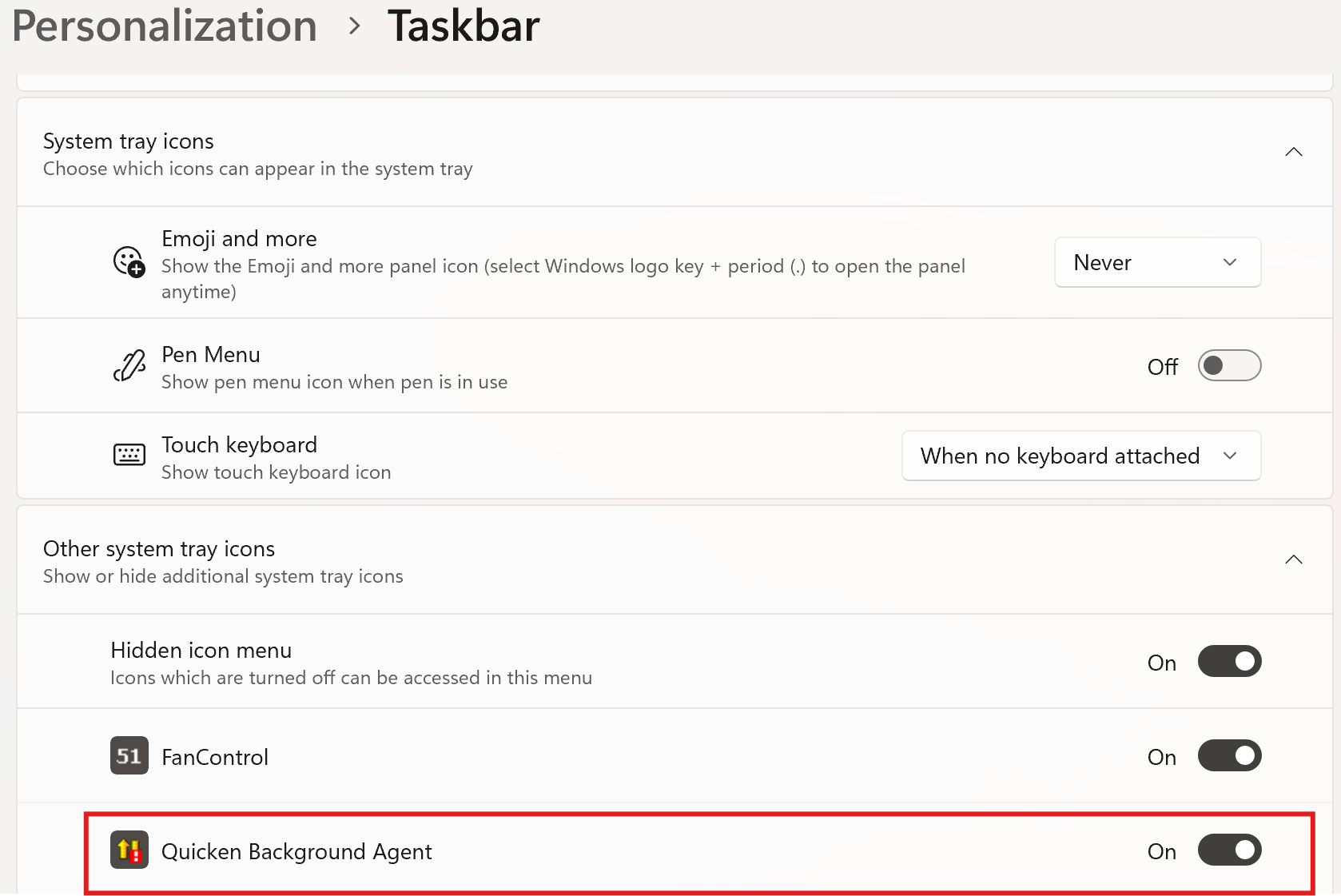
Windows updates can also play with task settings. Go into Windows settings and make certain Quickens agent is turned on.
 0
0 -
I have reactivated them, even changing the scheduled time, many times. That did nothing. The background agent in the other system tray icons menu described above was turned off so I turned that on. Of note, there were two of them in that menu, one with the red exclamation point like shown above and another without it. Please explain to me - as I understand it, that only controls whether or not the icon is shown in the tray, not whether or not it runs. The background agent is present in the startup programs and I am always asked for my quicken password right after a startup.
0 -
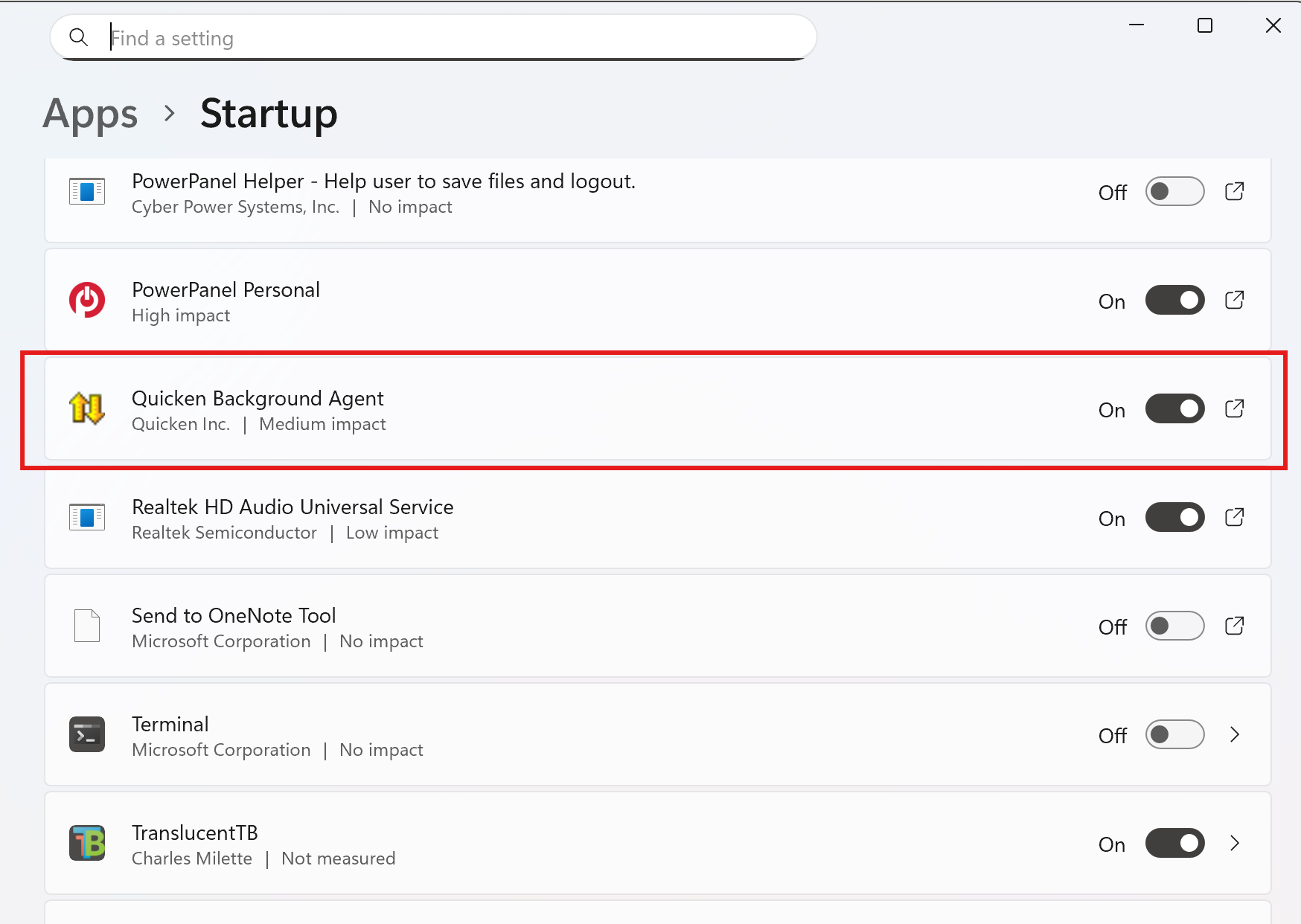
That was a senior moment for sure. I do like to have the taskbar icon always visible as shown above. What I meant to highlight is to check that the background agent is active in the startup section as illustrated below.
 0
0 -
No problem - as I mentioned previously, it is present in startup and I'm always asked for my vault password right after startup.
0 -
What happens if you do not have Quicken wake the computer but run on schedule? I would test if it is a wake issue that may not be related to Quicken. I cannot tell you how many wake issue rabbit holes I've been down with Windows!
0 -
That's a good thought. I'll set a time when my computer is awake but quicken is closed and see what happens.
0 -
I set my power plan to not sleep at all (plugged in laptop). It ran. So, it's probably a wake issue. In the past, Quicken always woke the computer to run the schedule. I've been through all the wake settings - wakeup timers, etc - but doesn't change anything. I've even gone through task scheduler and tried to either set new wake-up tasks or set the Quicken scheduler to run right after another task wakes the computer, but no joy. Also, when Quicken didn't run on schedule in the past, as soon as I woke the computer, I'd see it start running. It doesn't do that anymore either.
0 -
I think the problem is somehow with it not waking the computer to run. Does anyone know if there is a Quicken process in task scheduler that causes it to wake the computer and run on a schedule? I've been through all the entries in my task scheduler and I see nothing related to Quicken. Thanks.
0 -
I would love to see a Quicken tech person here to help. I tried talking with one on the phone and it less than helpful. I knew more about the program and interface than she did. What I'd like to try, if available, is using task scheduler to start the download process directly. Does anyone know if there is an executable that starts that process? I've looked through he Quicken directory and don't see one. bagent.exe has to be running, which it is, but it does not actually start the download process. Thanks.
0 -
This is a user forum. Only users here. For hands on tech support, you would need to contact Quicken Tech Support.
0


Categories
- All Categories
- 6 Product Ideas
- 34 Announcements
- 248 Alerts, Online Banking & Known Product Issues
- 19 Product Alerts
- 265 Welcome to the Community!
- 301 Before you Buy
- 1.5K Product Ideas
- 55.8K Quicken Classic for Windows
- 16.9K Quicken Classic for Mac
- 1K Quicken Mobile
- 834 Quicken on the Web
- 129 Quicken LifeHub