Costco Citi card - downloading transactions

I have not been able to download transactions (Costco CitiBank card) since november I do not get any error notifications. I have been going to the Citibank website and exporting to Quicken. I've reset the account, lets me sign in, finds the account, etc. But nothing.
[Edited-Readability]
Comments
-
Hello @goodswak,
Thank you for sharing your experience.
After reviewing your connections internally, I do not see any errors. Are you using the Costco Anywhere Visa Card by Citi instance in Quicken?
- If not, please try connecting to this instead.
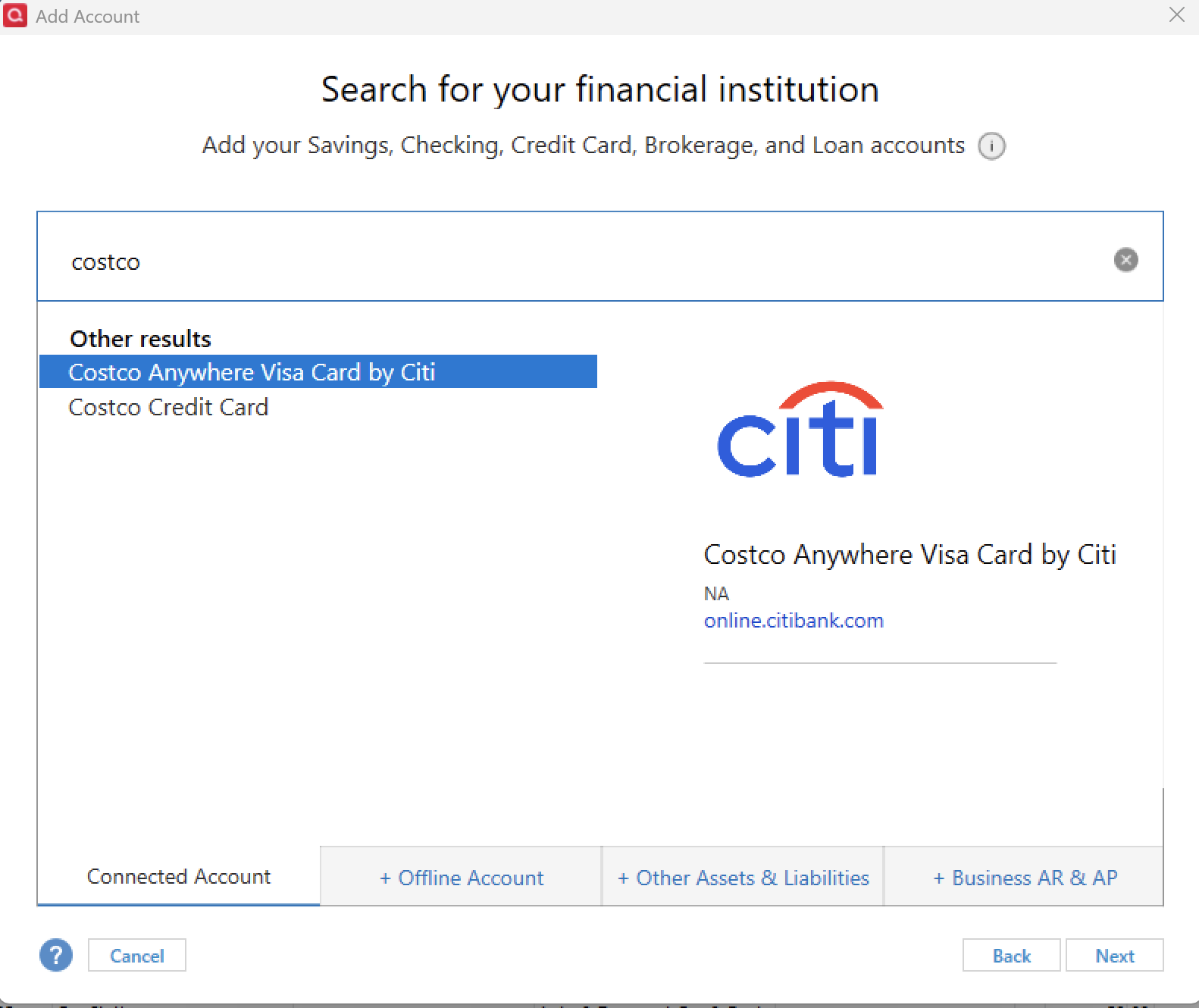
When you are adding the account, it takes you through an authorization process. Make sure you aren't unchecking any other accounts you have connected with the Citibank instance, as doing so will cause them to become disconnected.
Once you are redirected back to Quicken, if any other Citibank accounts are listed to add to Quicken, be sure you select LINK to existing if the accounts are already in Quicken.
Let us know how it goes!
Quicken Alyssa
Make sure to sign up for the email digest to see a round up of your top posts.
0 -
Thank you. I am using this citibank account. I have tried to reset numerous times, everything connects it notes the correct account, but I don't get the option to link, it notes do not link to existing. I have been exporting from citibank since November.
0 -
Thank you for following up!
When you see "Don't add to Quicken" that is usually because Quicken thinks the account is already connected.
Please try the following steps to see if it resolves the issue:
- Create a backup of your Quicken file first.
- Deactivate all Citi accounts in Quicken.
- Select the Tools menu and select Account List....
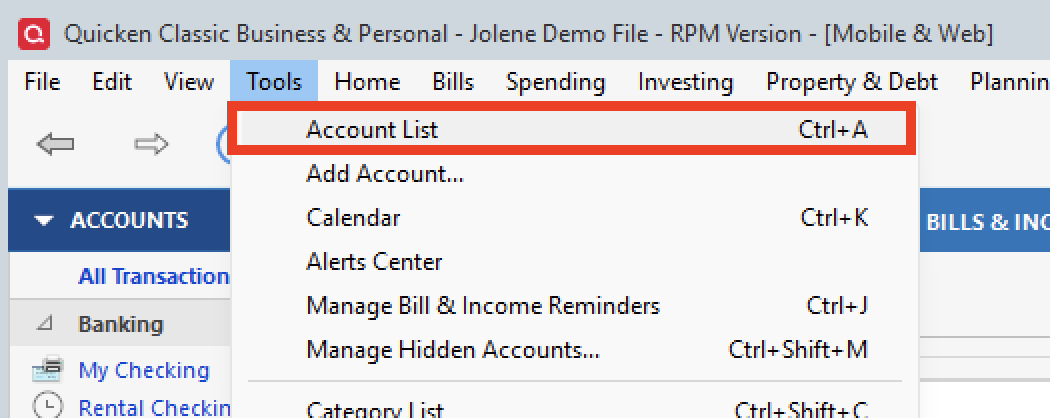
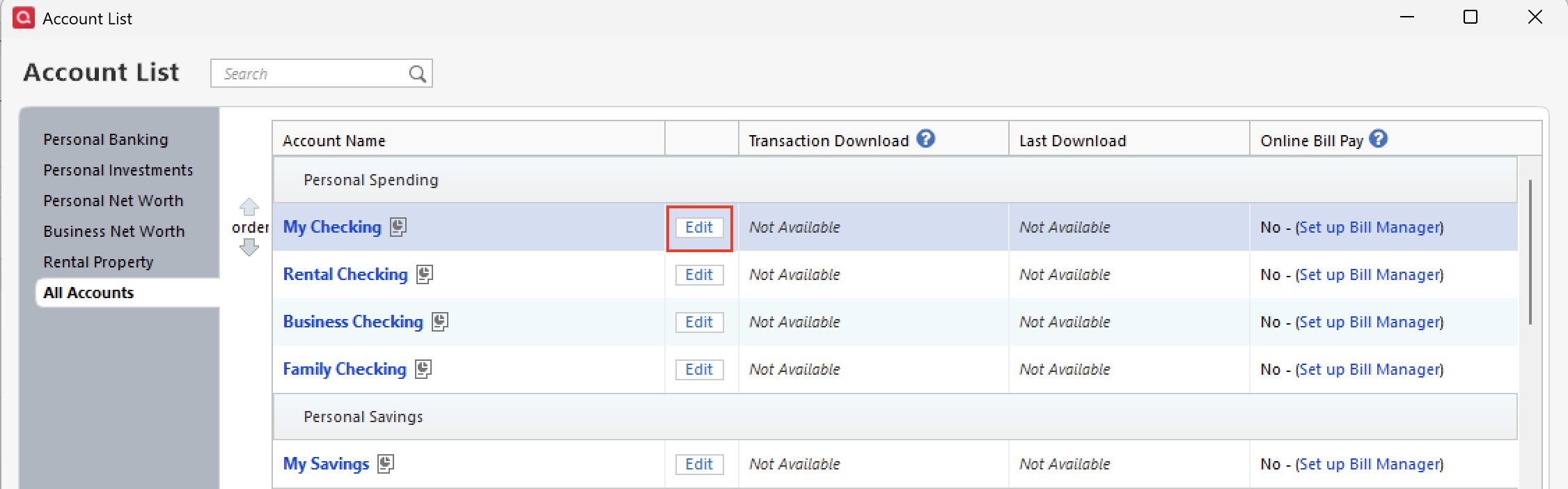
- In the Account List, select the account you want to deactivate, and then click Edit.
- In the Account Details window, click the Online Services tab.
- Click Deactivate next to the service you want to disable.

- Click Yes to the message confirming if you want to disable this service. Note: If you do not receive this message, additional information is available below.
- Click OK to the confirmation message.
- If you have an investment account that is linked to a cash account, you need to deactivate the online services from the investment account, which will automatically deactivate the linked cash account.
- Important: If you are deactivating/reactivating an account to fix an issue, you'll need to deactivate all the accounts with the affected financial institution that you have activated in Quicken (including hidden ones). Once they're all deactivated, then you can follow the steps to reactivate.
- Select the Tools menu and select Account List....
- Revoke Quicken’s third-party access from the Citi website.
- Reactivate the accounts in Quicken.
- Go to Tools > Add Account.

- Select the bank for the deactivated account(s). If prompted, select the connection method.
- Enter your credentials and click Connect.
- When the list of located accounts appears, choose LINK next to each account you want to reactivate.
- Click Next, then Done on the last prompt.
- Go to Tools > Add Account.
Let us know how it goes!
Quicken Alyssa
Make sure to sign up for the email digest to see a round up of your top posts.
0 -
Thank you. this worked….strange how all of a sudden it stops working.
Have a great day
1 -
Thank you for following up to let us know the suggested steps resolved the issue.
If you need more help, don't hesitate to reach back out.
Thank you!
Quicken Alyssa
Make sure to sign up for the email digest to see a round up of your top posts.
0
