I need to delink four bank accounts that were linked by my mistake

My accounting is totally skewed when at the end of September 2025 I needed to add one more bank account and I inadvertently linked my manual entries with Quicken link to the bank. I need to know how to reverse this because I want to continue with manual entries. I use version classic 8.3.3 Mac Book Pro OS 26.1
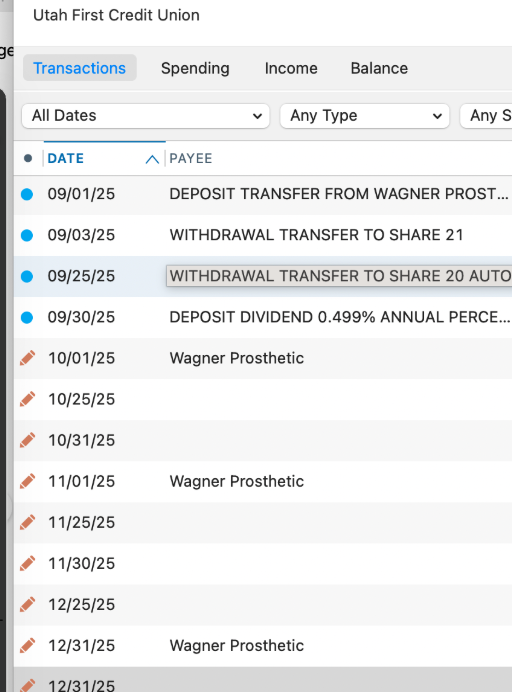
[Edited - Removed partial account numbers]
Answers
-
Hello @Marinette,
Thank you for reaching out! To deactivate the accounts you accidentally connected, backup your Quicken file, then deactivate them by following these steps:
- Select the account to open its register.
- Click the Settings gear icon in the lower right corner of the register.
- Click the Downloads tab.
- Click the Disconnect Account button.
- Click Done.
If any incorrect transactions downloaded into the accounts, I recommend that you delete them.
Alternatively, if you have a lot of incorrect transactions and it would be a lot of work to manually delete them all, you can also restore a backup from before the accounts were accidentally linked.
I hope this helps!
Quicken Kristina
Make sure to sign up for the email digest to see a round up of your top posts.
0
