Quicken connection issues (not updating then duplicates)

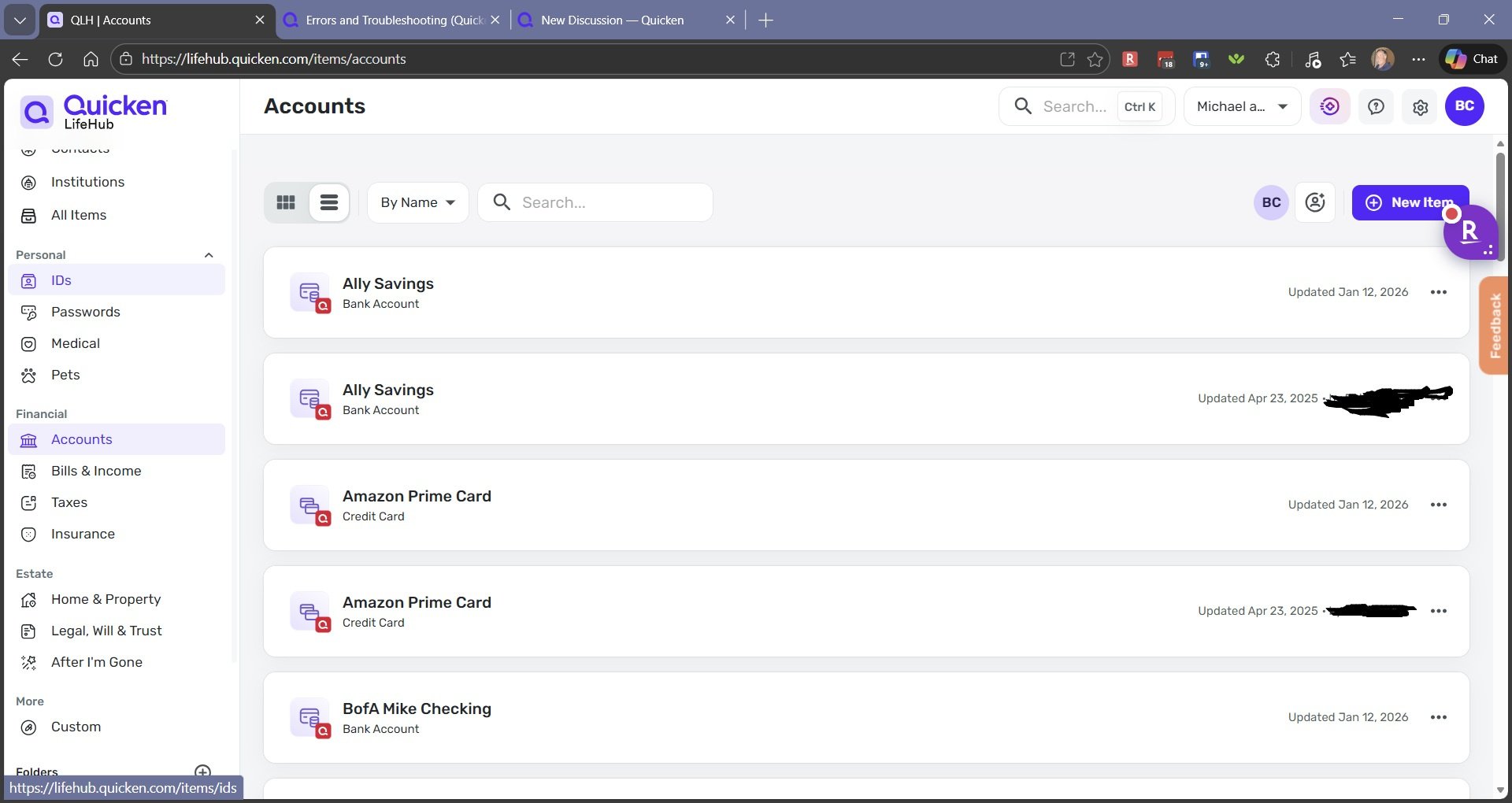
I just happened to notice today that all my accounts that are from Quicken connection said they haven't updated for months.
I disconnected Quicken with no problems BUT the institutions, accounts and bills did NOT go away so I could reload on reconnecting Quicken. I did disconnect and delete all but it didn't delete.
Now I have old info and duplicate accounts and bills even though Quicken is not even connected?
I haven't tried deleting them one at a time BUT I am assuming that would get rid of them. Shouldn't the disconnecting Quicken clear all accounts, institutions, and Bills and Income?
(It is a lot of work getting all setup so don't want to get stuck creating a new household etc.. from scratch)
Comments
-
Hello @miklk,
Thank you for posing this question.
When disconnecting Quicken from Quicken LifeHub, you are presented with two options. If you select, Disconnect & delete all, then yes, everything linked from Quicken should be deleted. Whereas if you had selected Disconnect & keep all items, the previously linked information would remain.

I tried it in mine just to test for a possible bug. When I select Disconnect & delete all, everything is removed, so I am not experiencing any issue with the functionality.
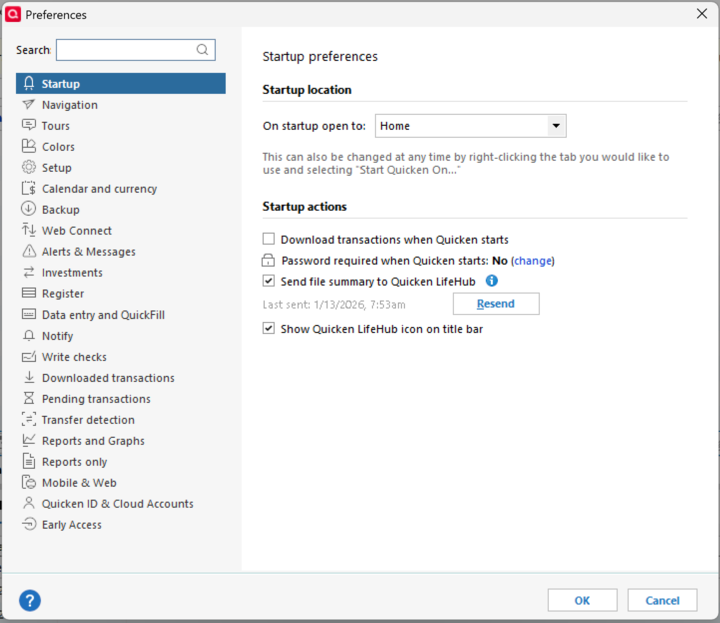
If you still have duplicate entries, you should delete them manually. In the future, if your accounts are not updating, you can try resending the information to Quicken LifeHub from Quicken before having to delete everything.
You can do this from Edit>Preferences>Startup>Resend.
Hope this helps!
Quicken Alyssa
Make sure to sign up for the email digest to see a round up of your top posts.
0 -
I did the disconnect and delete all. I am in the process of removing all accounts, bills, Institutions, etc.. one at a time. (a real pain)
After I get it all deleted, I will attempt a new test to see again but this time, it definately did NOT delete the associated info.
1 -
It does NOT work properly for me.
I had to delete each FI, Bill, and account individually after disconnecting and deleting Quicken to get it all cleared out.
If I re-connect Quicken, at least now it is not creating duplicates as it originally did BUT it definitely does NOT delete all the connected items if I disconnect and delete Quicken as all the FI, Bills and accounts remain even when Quicken is not connected. Expected behavior would be to show No Info on those tabs that came from Quicken after disconnected
0 -
Thank you for following up with the additional information.
Interesting that yours is behaving differently from mine. Sorry to hear that the process did not go as expected.
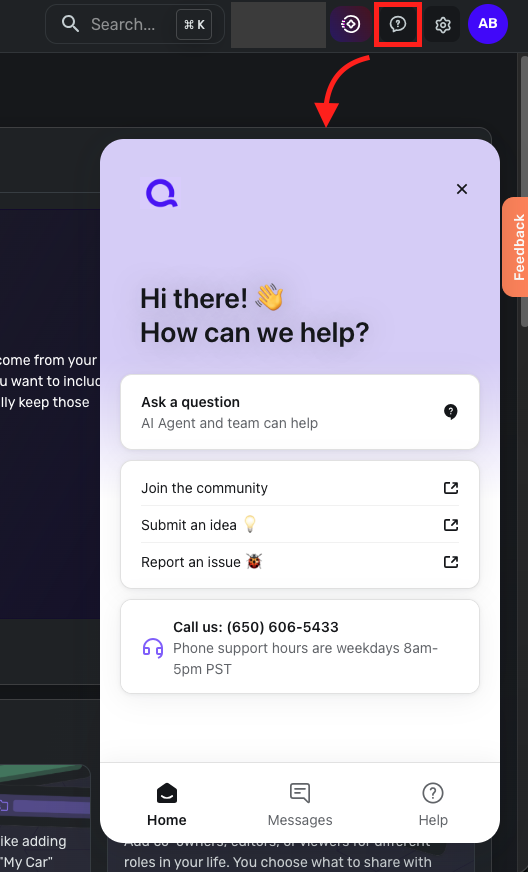
Please contact Quicken LifeHub Support for assistance on this issue. They can investigate further and escalate if needed. You can locate this support option by opening Quicken LifeHub and clicking on the chat bubble icon with a question mark in it, in the top right.
Thanks again!
Quicken Alyssa
Make sure to sign up for the email digest to see a round up of your top posts.
0 -
Just got back from out of town.
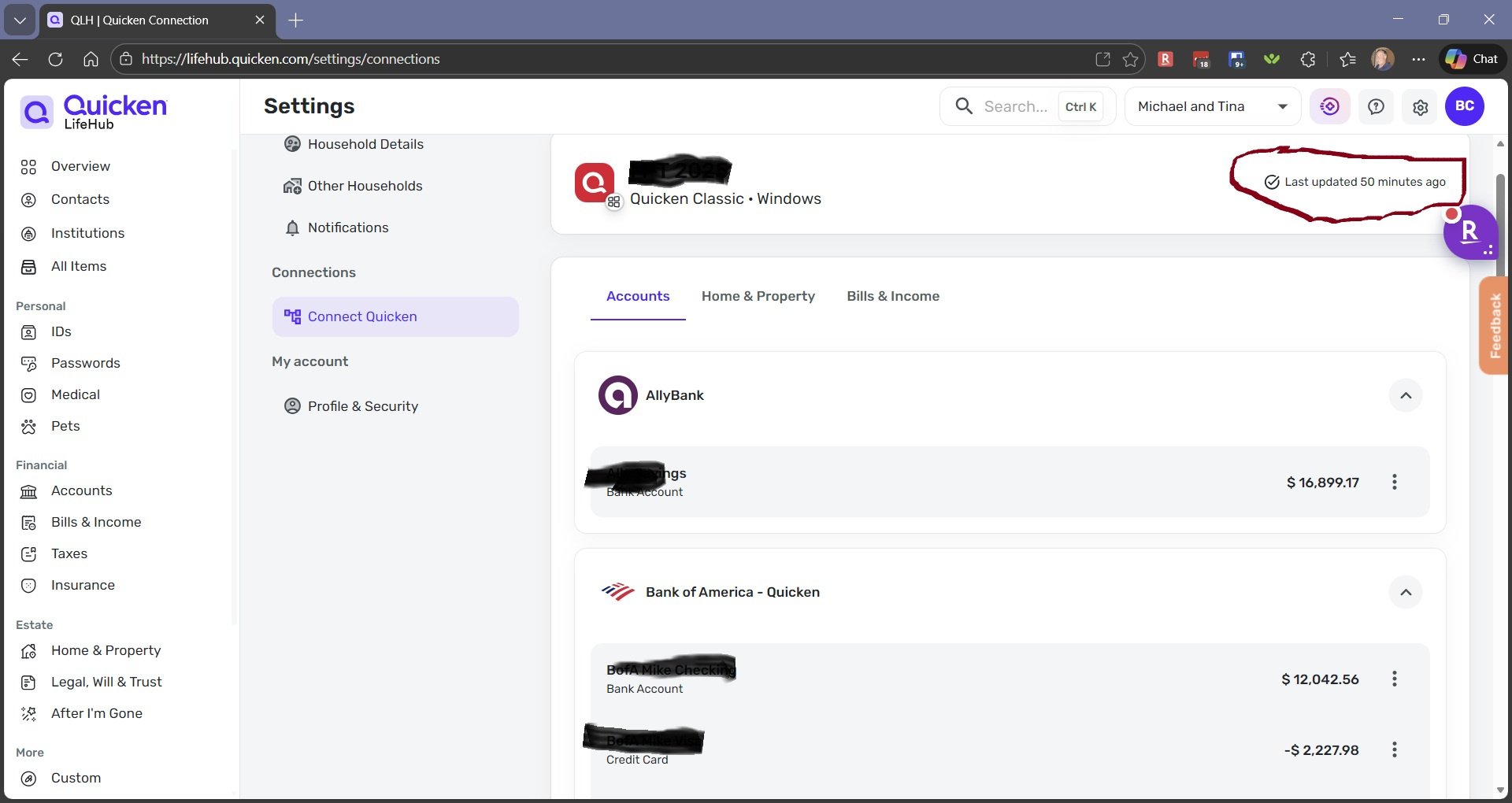
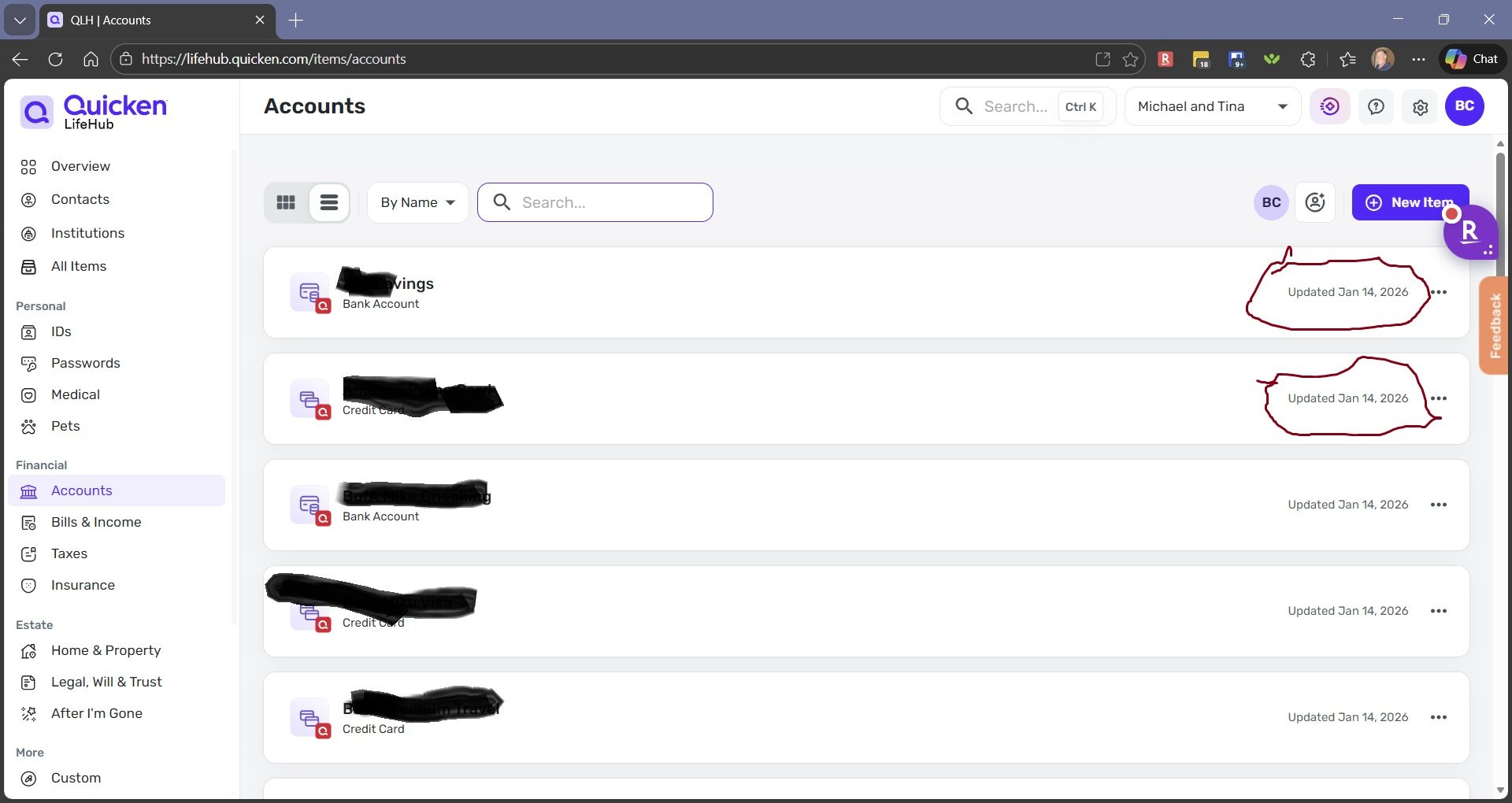
I managed to get it all re-setup BUT NOW the accounts page does NOT update however the overview page shows Quicken is sending updates daily as expected. (Todays date is 1/25 so didn't update on accounts page since setup)
See pics
 0
0 -
3 Hours with support got nowhere.
Escalated and calling back tomorrow to see if any other ideas. (Tried new files, copy files, etc..)
When this 1st came out in testing I had an import/Disconnect problem that needed to be fixed on the Lifehub end; I am starting to think whatever they did to fix that problem may have done something to my userID account that is preventing it to update the Accounts and Bills Tab in LifeHub
Well after many hours, I have found where the problem is and it seems to still be a bug.
I have 2 Households setup. The original household works correctly.
I have been using a second household for testing and the 2nd household is where it is NOT working as described in prior messages. Overview tab is correct and Bills and accounts never updates, In addition, if I disconnect Quicken, the not updating accounts and bills do not get removed so need to be deleted 1 at a time.
All of these bugs are ONLY when using second household feature.
(I'll update after escalation call)
0 -
Final update:
Since I found that the 2nd Household "Feature" was the problem, tech support never followed up on it. They thought that option of a completely different Household no longer exists. Looks like that may just be an unfinished idea left over from early versions. I did NOT pursue the issue further to see if a bug with 2nd Household or an old feature hanging around that should be removed. They can figure that out.
IF the feature to have a second Household exists, it did NOT work properly for me. (I need to completely move all info into original household to re-setup the entire thing).0 -
Thank you for following up.
I have sent you a direct message. Please navigate to the inbox in the top right-hand corner of the Community page and check your inbox.

Thank you!
Quicken Alyssa
Make sure to sign up for the email digest to see a round up of your top posts.
0 -
I sent message, Thanks
1 -
Escalated support deleted the 2nd Household that wasn't updating BUT now my one and only household does NOT receive Quicken updates other than the initial transfer when Connecting Quicken. (Even the resend in Quicken preferences does not get to LifeHub)
This has been a pattern; I spend a lot of time setting it up and then something goes wrong and I need to start over again.
0 -
I "think" I got it working again.
It looks like support moved everything over from my old non-working household to the new household.
There was duplicate versions of all my Quicken cloud files. I picked a different version of the exact same file with a later created date and now it seems to be updating.
(No way to clear out all the duplicates as available choices (Can't clean them out in Quicken since they are not really there so they aren't listed in Quicken to delete) but doesn't really matter).
0 -
Thank you for following up with your progress along the way.
I am glad you have gotten it squared away. If you need more help, you know where to find us!
Thanks again!
Quicken Alyssa
Make sure to sign up for the email digest to see a round up of your top posts.
0
