Loan Reminder posts incorrect interest

I have an auto loan that I've been tracking for 2 years. In the Bill Reminder, each month I've had to adjust the interest that Quicken calculates to match what the bank charges. (not unexpected) But recently I've noticed an anomaly to which I'd like an explanation.
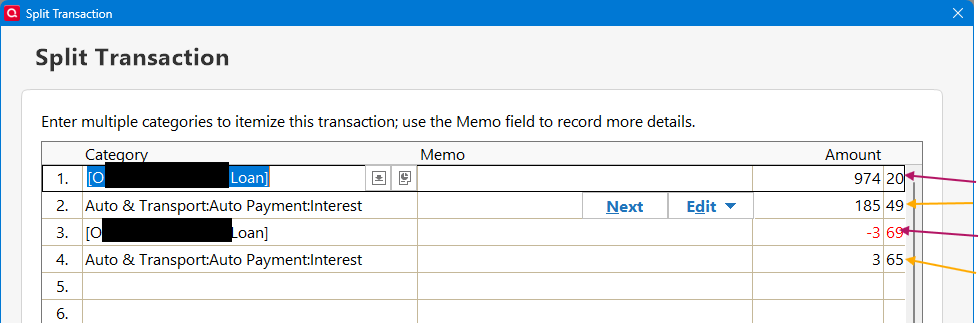
The Reminder for Jan has a split for principle and interest:
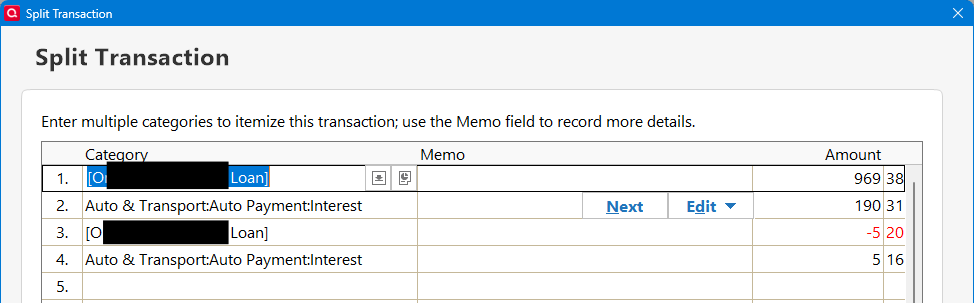
Why does Quicken add the second Principle and Interest lines to the split? How does it calculate the values in those splits?
I then edit the added split lines of the Reminder to make the Principle and Interest match the bank's payment (Q doesn't allow me to change the first two split lines):
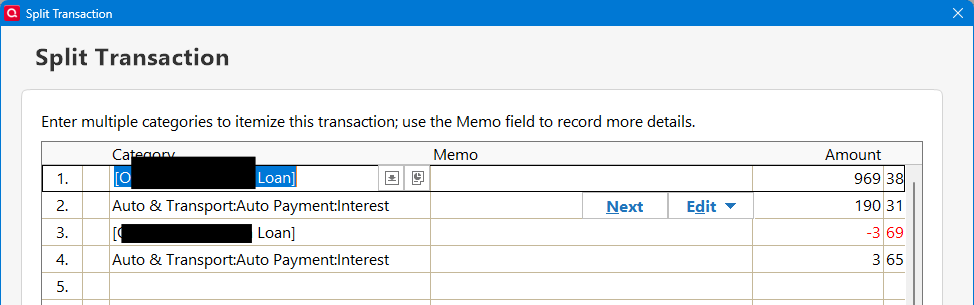
After I Enter the payment into the registers, the Loan Payment schedule show the following payment:

Notice the interest in incorrect. It doesn't include the line 4 of the interest. But it DOES add the line 3 to the principle.
Now that I've accepted the Reminder into the registers, I can go back and edit all lines of the split to match the correct values. And the interest in the loan payment schedule is adjusted to the correct amount.
I've been doing loans for years and have never had this issue. Is this new? Am I having a senior moment? 😏
Answers
-
Unlike a mortgage loan (which is almost always "monthly interest") an auto loan is almost always "daily interest", where the interest you owe for this month is partially dependent upon how many days it has been since your last payment.
So, for example, January 15th to February 15th is a different number of days that Feb 15 to March 15. Do the interest calculation is different.
This is why Q, which easily calculates the interest on a mortgage, can't accurately calculate the interest on an auto loan. It can guess … but the guess will be a bit off.
re: your specific question, I think that you need to take a look at your Memorized Transaction … because I believe that you created to add'l lines in the past. I've NEVER seen Q add a "fully populated" split line.
Q user since February, 1990. DOS Version 4
Now running Quicken Windows Subscription, Business & Personal
Retired "Certified Information Systems Auditor" & Bank Audit VP0 -
yes, your comments about an auto loan are right on. I understand that Q has trouble calculating the P & I when the payment is made.
The Bill Reminder was created when I first added the loan in Quicken.
It has always had the four split lines, two for principal, two for interest. I just restored a backup from before the 1st loan payment of the loan and the Bill Reminder for the 1st payment had 4 split lines, 2 P, 2 I, and lines 3 and 4 are $0.00 as expected:
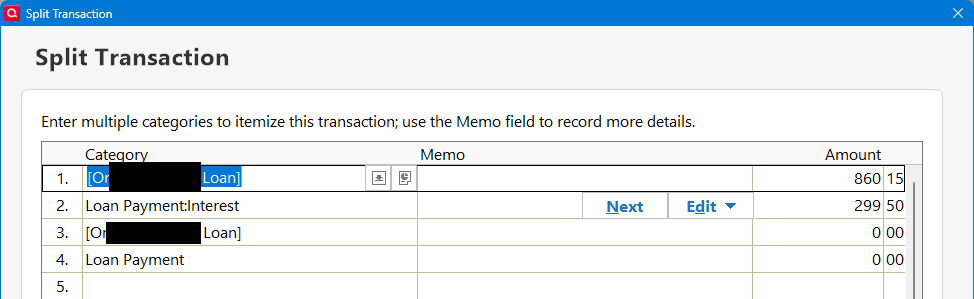
I edit the 3rd and 4th lines to adjust the P & I to reflect the bank’s amounts. My issue is Q is not adding the two interest lines when creating the total payment transaction. The 3rd & 4th line should be filled with $0.00 until I enter the correction. Those corrections should be added to the total P & I in the final payment recorded in the loan.
0 -
Also note, the next scheduled payment and the Bill reminder:
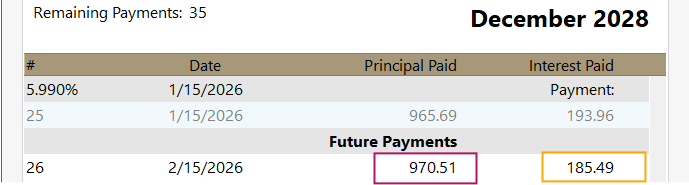
The Principle adds correctly, but the interest is only the value in line 2.
0
