Need to subtotal income by customer

Hi I have Quicken for Win 10 Enterprise.
All of my income I received, I used the Income Category in the register. I specified the customer name under Payee. I am trying to run a YTD report for 2025. I specified to only select category 'Income'. The report does list all of my income transactions sorted by Payee. With one grand total. Is it possible to have a subtotal for each customer?
Comments
-
Hello @entrack,
Thanks for reaching out!
You can try this: go to Reports > Banking > Transaction, then click the gear icon to customize the report.
- In the Display tab, set Subtotal By to Payee.
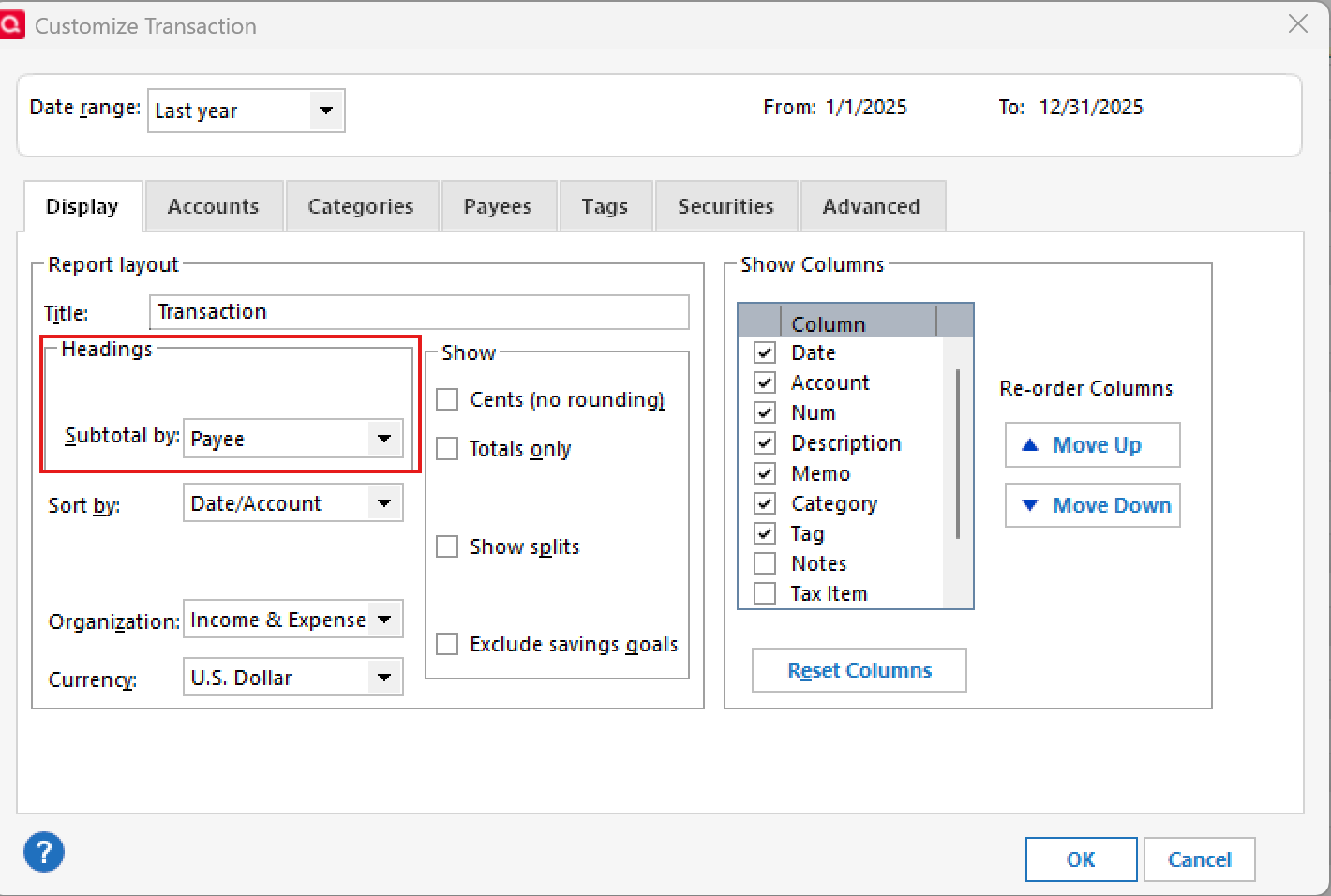
- Then go to the Categories tab and select your Income category.
This should give you a subtotal for each customer. Let me know if this produces the report you’re looking for, or if you’re looking for something different.
Hope this helps!
-Quicken Anja
Make sure to sign up for the email digest to see a round up of your top posts.0 - In the Display tab, set Subtotal By to Payee.
-
Hi Anja.
Thank you. I selected Subtotal by Payee. I left sorted/by as 'Description'. Clicked OK, but it did not subtotal. Just listed each transaction sorted by payee.
0 -
Hi Anja
I got it to work. For some reason I needed to change 'Subtotal by' to 'Account' instead of 'Payee'. Works great now. Thanks for your help.
0 -
@entrack Awesome, I’m glad you got it working! I appreciate you sharing what worked. That’ll likely help others who run into the same thing.
Thanks for the update!
-Quicken Anja
Make sure to sign up for the email digest to see a round up of your top posts.0
