Classic version on Windows 11 sync issue

For the last three days, I cannot sync to the cloud from my Quicken Classic on Windows 11. The message says internal error, please try again. Anyone out there with a similar issue? Version R65.29
[Edited-Readability]
Comments
-
Hello @tmsquite98,
Thank you for reporting the issues you are having.
Usually, cloud sync issues can be resolved by resetting the Quicken cloud.
To do this:
- Click the Mobile & Web tab.
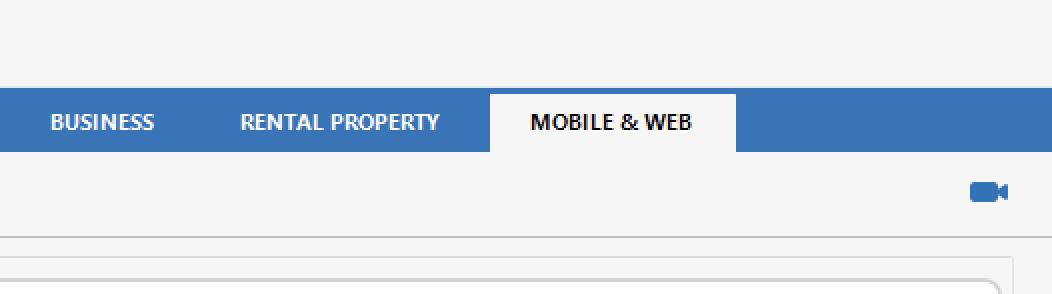
- Click edit profile. The Preferences dialog displays.
- If prompted, enter your password. Depending on how you've set things up, this may either be your Password Vault password or your Quicken ID password.
- In the left pane, select Mobile & Web.
- In the right pane, under Quicken Mobile & Web, click Reset your cloud data.
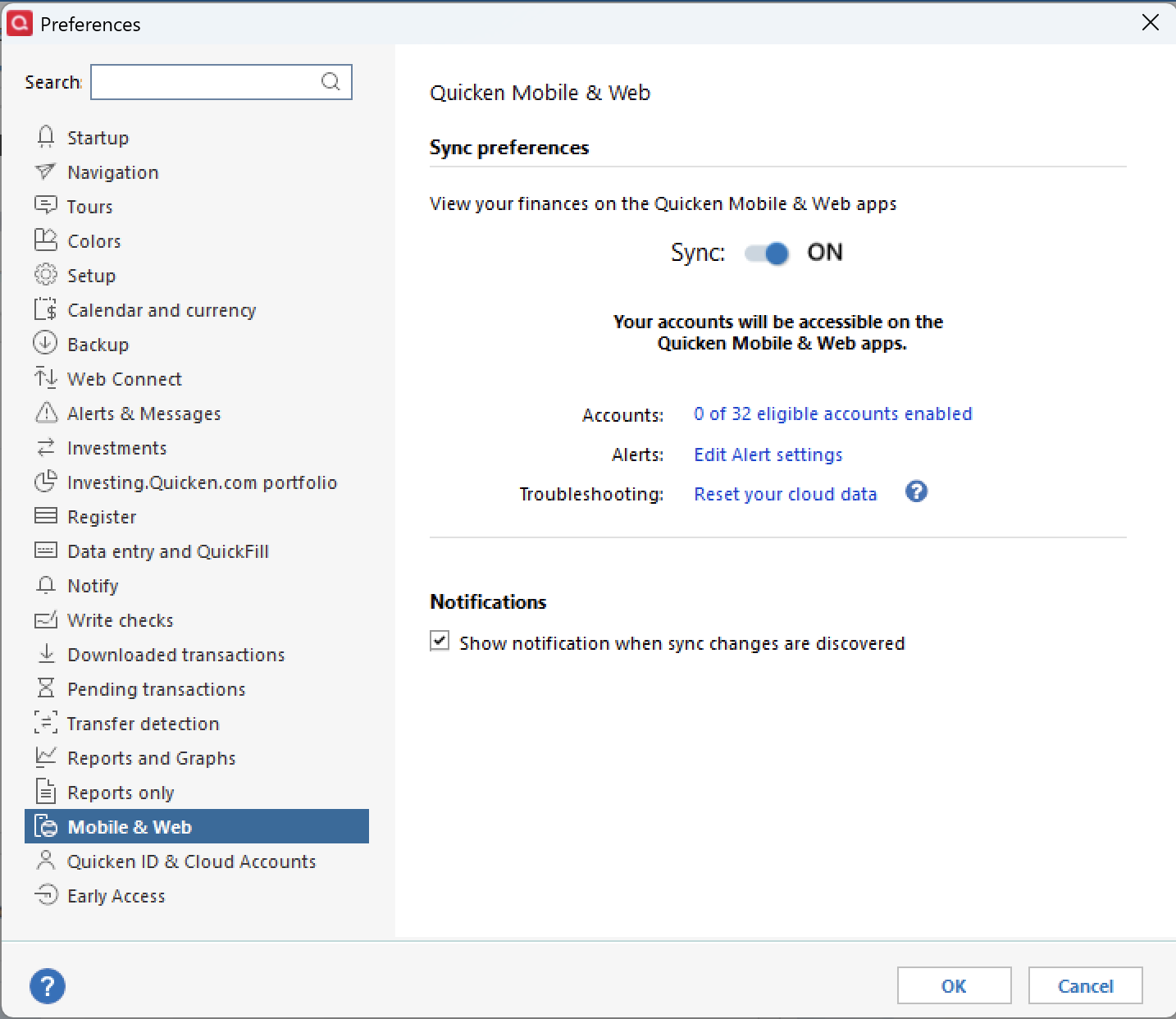
- In the Reset Your Cloud Data dialog, type yes, and then click Reset to confirm the reset.
Let us know if this resolves the issue!
Quicken Alyssa
Make sure to sign up for the email digest to see a round up of your top posts.
0 - Click the Mobile & Web tab.
-
Yes. The instructions you provided resolved my issue. Thank you so much.
1 -
Thank you for following up to let us know the recommended steps that resolved the issue!
If you need more help, don't hesitate to reach back out.
Thanks again!
Quicken Alyssa
Make sure to sign up for the email digest to see a round up of your top posts.
0
