pnc direct connect downloads data but no 'send check' option exists
My Direct Connect downloads data, but I cannot send a check through Quicken at PNC using Direct Connect. This has been going on for 3 months.
Quicken says its a PNC issue; PNC says its Quicken, but neither gives an estimate of when it can be resolved. Does anyone have a suggestion, or can you suggest a different bank which does truly support Direct Connect w/ Quicken?
[Edited - Readability]
Comments
-
Hello @berndogsouthdrive,
Thank you for letting us know you're seeing this issue. To help troubleshoot, I checked our internal tools, and I suspect the reason you're encountering this issue is, while you are using the PNC Bank - Direct Connect connection option, it looks like your accounts are connected using Express Web Connect.
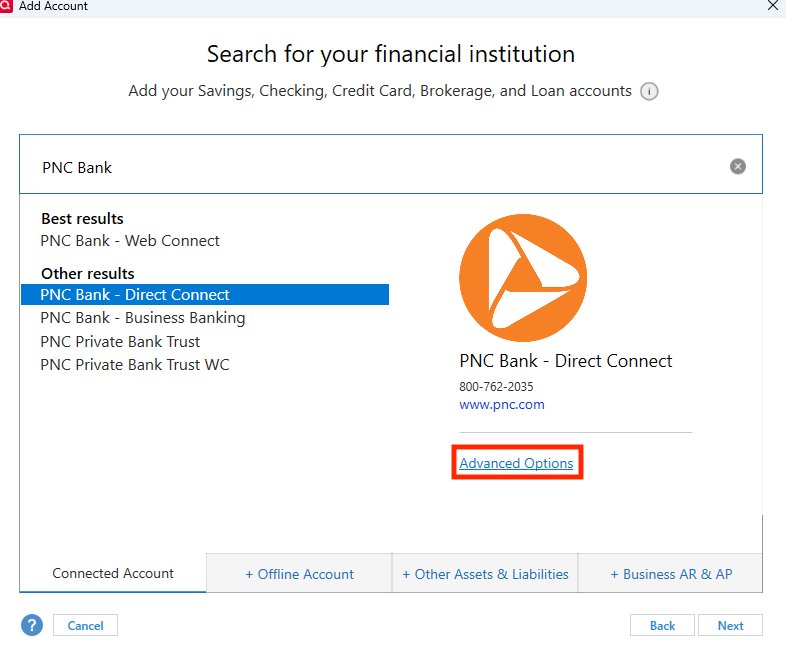
To correct this, first, backup your Quicken file. Then, deactivate the problem accounts. Once all the problem accounts are deactivated, navigate to Tools>Add Account, and search for PNC Bank. Click on PNC Bank - Direct Connect to select it, then click on Advanced Options.
Review the information screen that comes up, then click continue.
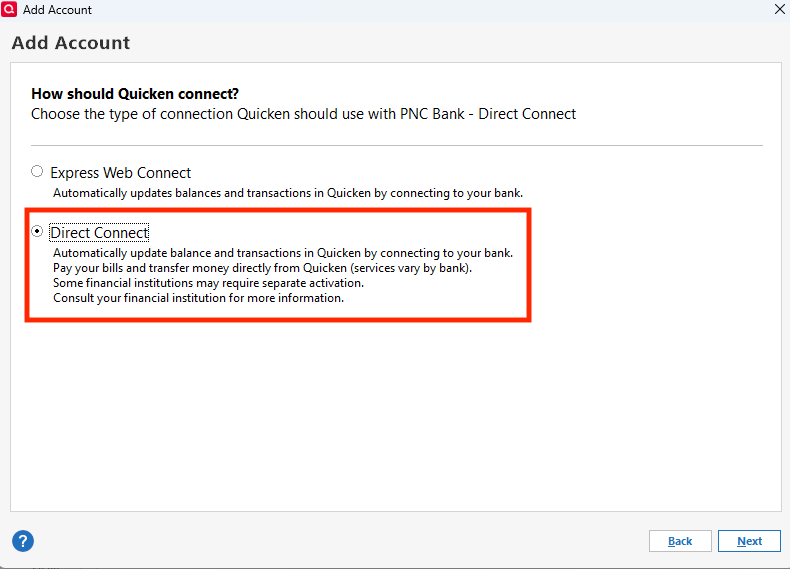
On the next screen, make sure to select Direct Connect, then click Next and follow the prompts.
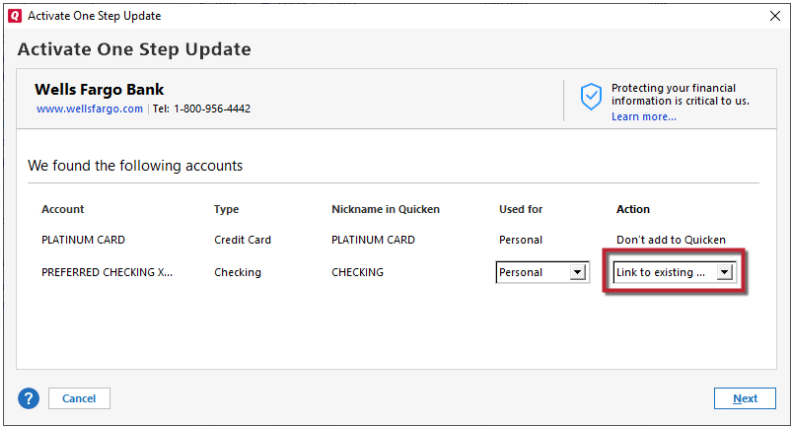
When you get to the add/link screen, make sure to carefully link your accounts to the correct existing accounts in Quicken.
Once connected via Direct Connect, the option to use bank bill pay should reappear.
I hope this helps!
Quicken Kristina
Make sure to sign up for the email digest to see a round up of your top posts.
0
Categories
- All Categories
- 49 Product Ideas
- 35 Announcements
- 221 Alerts, Online Banking & Known Product Issues
- 18 Product Alerts
- 504 Welcome to the Community!
- 673 Before you Buy
- 1.4K Product Ideas
- 54.8K Quicken Classic for Windows
- 16.6K Quicken Classic for Mac
- 1K Quicken Mobile
- 824 Quicken on the Web
- 120 Quicken LifeHub