Income reminder with Net Pay and multiple account splits shows Net Pay in primary account

I have been trying to get my income reminder to post the correct deposits of my net pay. No matter how I enter, it always post my net pay into the primary account, but the split shows the correct amount. How do I get the actual deposit to post correctly?
Comments
-
Hello @Hovdawg,
Thank you for letting us know you're seeing this issue. To help troubleshoot, please provide more information.
- When did you first notice this issue?
- Is Sync on or off?
- You can check this by navigating to Edit>Preferences>Mobile & Web
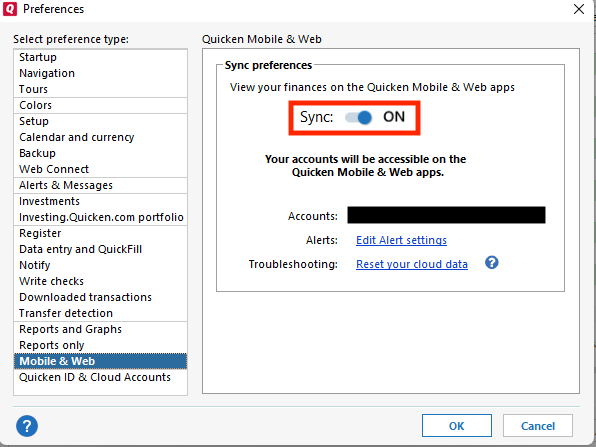
- You can check this by navigating to Edit>Preferences>Mobile & Web
- What is happening in the split that is not reflecting properly in your primary account?
- For example, should some of that net pay be getting transferred to other accounts?
- If possible, screenshots of what is happening (with any personal information redacted) would be helpful.
I look forward to your reply!
Quicken Kristina
Make sure to sign up for the email digest to see a round up of your top posts.
0 -
Hello.
This issue has just started because I was resetting for the new year. Sync is off and has been off since the new year due to another issue I had with Sync creating account balance errors that I needed to correct.
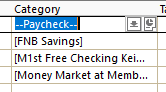
The split shows as below. The value in the Paycheck row is what my net deposit into my primary checking account is. The other reflect additional deposits. The amount that shows in my register is always the Net paycheck. When I reconcile it then shows the difference in the deposits to the other accounts. the other deposits reflect correctly in the accounts it's just the primary account. I have also left the primary account blank, same result. Below is how my splits are entered.
 0
0 -
Thank you for your reply,
If you haven't already done so, please trying making a backup of your file, then deleting and recreating the paycheck reminder.
Please let me know how it goes!
Quicken Kristina
Make sure to sign up for the email digest to see a round up of your top posts.
0
