Transaction attachments not working
Comments
-
Hello @JFML2019Family,
Thanks for chiming in and submitting the Problem Report! Your details and files have been added to the ticket.
Thank you!
(CTP-16051)-Quicken Anja
Make sure to sign up for the email digest to see a round up of your top posts.0 -
Many problems today - using local file backed up by Dropbox. My file is abot 4 GB, I scan or add copies of receipts to many transactions.
Today I could scan but the image would not attach to [h| transaction, files would also not be visible when added or draged and dropped.
Tried validate, it damaged the file as well as the backup and file backup restore did not work on the most current copy.
I was able to restore a copy from last week.
Many reboots, validate, super validate and backup restore tried,
Now using a "copy" of last week's file, still having problems.
Rolled back KB5074109, it seems to be ok now.
0 -
I am having same issue. I don't know how to uninstall a specific update. Please explain how
Quicken: Seems like every year you do a major update during tax season that costs me too much time. This year it is attachments. Suggest: Why don't you do these major updates after Q1?
0 -
I am also having this issue. There is no error message, the attachment just doesn't show up. Also the Online Quicken Backup fails every time I exit the Quicken Classic program.
0 -
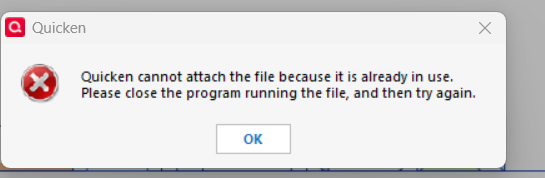
Hello - same issue I'm having although I'm using Google Drive and not OneDrive. Cannot attach pdf, dropped, or scanned files to billing transactions. Attachment process appears to function correctly with no errors, but the files are not there. When I try to attach a file to an Investing transaction, I receive the error shown below regardless of what file I attempt to attach.
I have completed all available Windows and Quicken updates and rebooted the program and the system several times.
@Quicken Anja Any updates for us on this issue? Do you need anything else? I submitted a Problem Report a few days ago. Thanks.
 0
0 -
Hello All,
Thank you to everyone who has taken the time to report this issue and submit Problem Reports—we really appreciate it. The logs and files you’ve provided have all been added to the open investigation.
At this time, this issue is still under active review by our teams. The ticket remains open and in progress, but we do not yet have an ETA for a resolution.
We understand how disruptive this is—especially for those who rely heavily on attachments—and we appreciate your patience while this is being worked on. We’ll be sure to share updates here as soon as more information becomes available.
Thank you all.
-Quicken Anja
Make sure to sign up for the email digest to see a round up of your top posts.1 -
I have the same issues with attachments. Some work, some don't. Very frustrating. I've reported the problem but no response yet. The problem started in the last ten day or so. Please fix this issue, I rely on this function
0 -
How do you create a sanitized data file?
0 -
Hello @kakits & @bjohnsonSC,
Thanks for checking in.
@kakits — Just to clarify expectations around Problem Reports: as noted at the top of the “Report a Problem” window, reports submitted through that tool do not receive direct responses. Instead, the logs and files collected are reviewed and attached to the existing investigation so our teams can use them during troubleshooting. While you won’t hear back individually, your submission absolutely helps move the investigation forward.
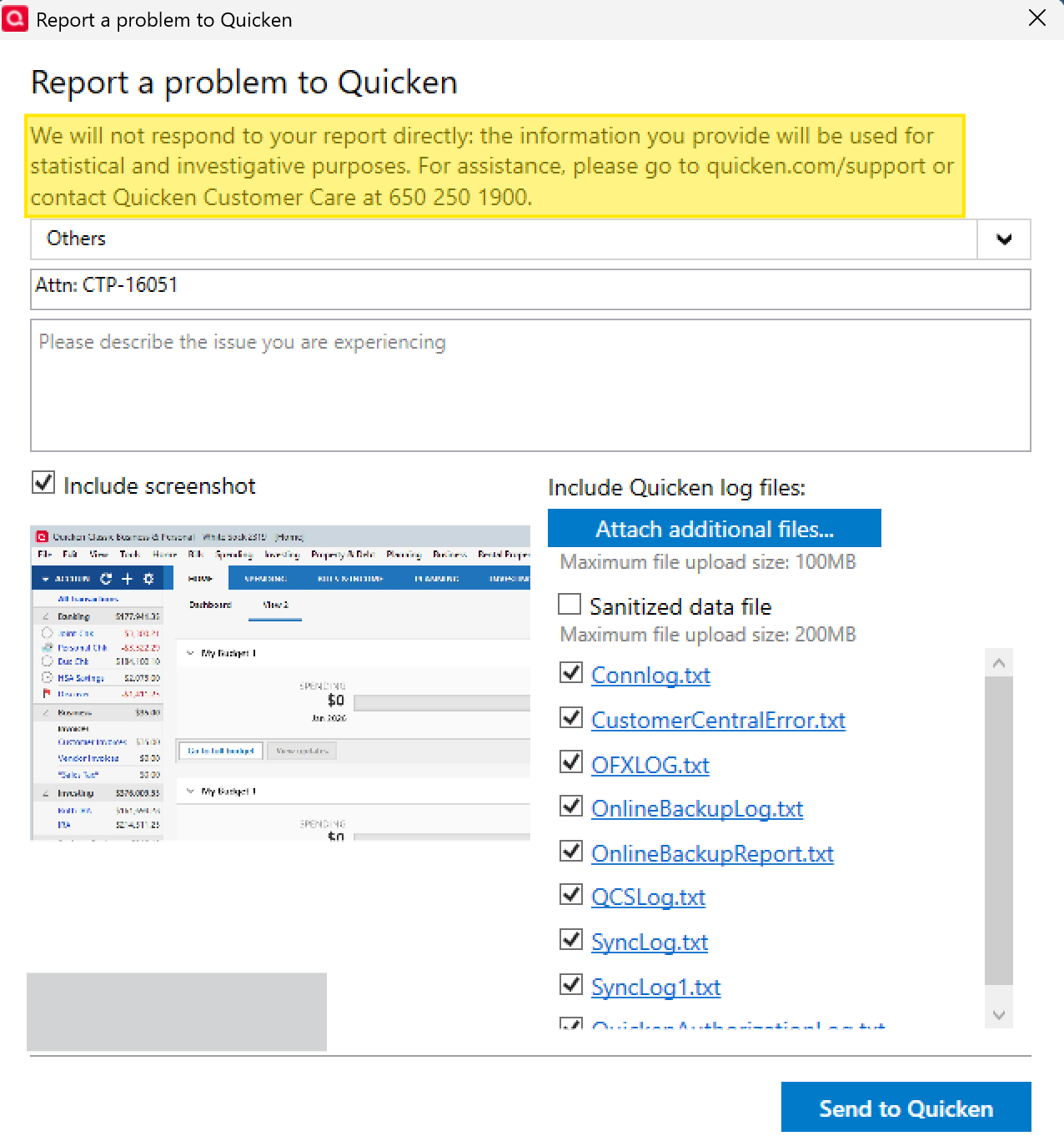
Thank you for submitting your files—we will get them attached to the ticket!
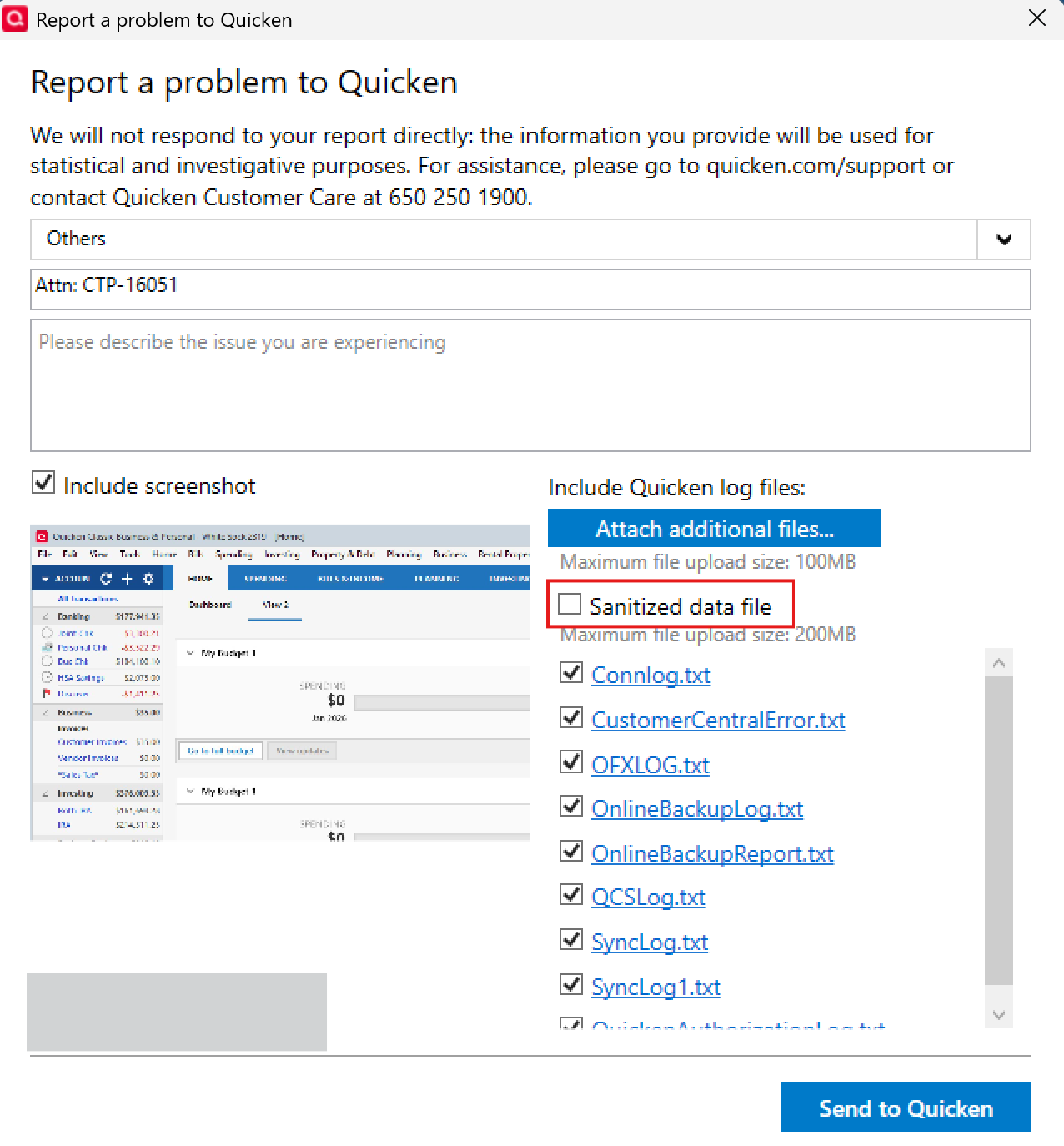
——@bjohnsonSC — To submit a sanitized data file, go to Help > Report a problem in Quicken. You’ll see a checkbox option to include a sanitized data file there. When selected, Quicken will automatically generate the sanitized file for you—no extra steps needed.
This issue is still under active investigation, and we’ll share updates here as soon as more information becomes available. Thank you all for your patience and for taking the time to report what you’re seeing.
(CTP-16051)-Quicken Anja
Make sure to sign up for the email digest to see a round up of your top posts.0 -
For those having problems with files on cloud-base storage such as OneDrive or DropBox, Microsoft just released patches for Windows 11 systems with KB5074109 installed that seems to address issues:
1 -
UDATE: I installed the patch as noted above and it resolved the issue for me. I am a Google Drive user and I have verified that I can now successfully attach files, scans, and clipboards. Hopefully this will be a fix for others as well.
Thanks for posting cyberphile - I am downloading the patch now and will report if there is any impact.
0 -
Hello @cyberphile & @richama1959,
Thank you both for sharing these updates—this is really helpful information.
We appreciate you calling this out and confirming your results after installing the patch.
That said, I’ll be sharing the information you’ve provided and adding it to the existing ticket (CTP‑16051) so our teams can review it as part of the ongoing investigation.
If others try this Windows update and see changes—positive or negative—please feel free to report back here. Those details can be useful as our teams continue reviewing the issue.
Thanks again for taking the time to share what worked for you.
-Quicken Anja
Make sure to sign up for the email digest to see a round up of your top posts.0 -
Hello again,
Thank you again to those who shared updates and results after installing recent Windows patches—we really appreciate you taking the time to report back.
Based on additional information from our teams, we are seeing widespread reports of Windows 11 Update KB5074109 causing applications to freeze or become unresponsive when accessing files stored in cloud-synced locations (such as OneDrive, Dropbox, Google Drive, etc.). These reports are not specific to Quicken and have been observed across multiple applications that rely on file access while a cloud sync process is active.
In this scenario, symptoms may include attachments appearing to save without errors but not displaying, scans failing to attach, or the application becoming unstable. This can occur when a desktop application and a cloud-sync service attempt to access or lock the same files at the same time.
At this time, Microsoft has not issued an official statement directly linking this update to file-locking conflicts with Quicken specifically. However, the behavior being reported aligns with what some users are experiencing here.
Important reminder:
Quicken does not support storing active data files on any cloud-based or network-synced drive. For best results, Quicken data files should always be stored locally on your computer, and cloud services should be used only for backups (automatic or manual) after Quicken has been closed.That said, if you are experiencing this attachment issue and your Quicken data file is stored locally—and has never been synced to a cloud-based drive location—please let us know. This distinction is important and can help our teams further narrow down the root cause.
This information has been added to the ongoing investigation (CTP-16051), which remains open. While recent Windows patches appear to help in some cases, not all users are affected in the same way or for the same reason, and the broader attachment issue is still under review.
If you try moving your active Quicken file to a local folder and notice a change—positive or negative—please let us know. Those details are very helpful as our teams continue investigating.
Thank you all for your patience and for continuing to share your findings!
-Quicken Anja
Make sure to sign up for the email digest to see a round up of your top posts.1 -
Hello - I just noticed that the Microsoft patch was updated on my computer the 27th. I am now able to see attachments scanned to my transactions. Additionally, i access my Quicken data files from my local drive. Thanks.
1 -
The latest Microsoft patch solved my original problem. I can now attach documents to my transactions. Now I will search Community for guidance on moving my active Quicken file to a local drive rather than OneDrive.
1 -
Today (1/29/26) I uninstalled MS update KB5074109 and now I'm able to add attachments to Quicken transactions. Quicken and MS need to work together to fix this problem.
0 -
Quicken and MS need to work together to fix this problem.
@Ok3wire , Microsoft acknowledged problems with Outlook, OneDrive, etc as a result of KB5074109 released on Jan 13. Warnings were issued and users were advised to uninstall it if they experienced issues. Microsoft broke things - again. Subsequently Microsoft fixed it by releasing KB5078127 on the 24th - which also in turn made the attachments work again in Quicken.
Quicken has always advised users to keep the Quicken file locally, not in the cloud such as OneDrive. Yet some users choose to ignore that recommendation. I encourage every one of us to learn from this and follow Quicken's recommendation to keep our Quicken files locally instead of the cloud, and of course back it up to the cloud.
- Q Win Deluxe user since 2010, US Subscription
- I don't use Cloud Sync, Mobile & Web, Bill Pay0 -
Hello @Sondra S, @GPetersCA, and @Ok3wire,
Thanks for reporting back—glad to hear attachments are working again after the Microsoft update changes.
@GPetersCA — If I recall correctly from earlier in the thread, your data file is already stored on your local hard drive, but your hard drive is synced with OneDrive. In which case, if you prefer not to disable OneDrive syncing for your entire computer, you can disable it for just that specific folder. While OneDrive setup is outside my area of expertise, I found a helpful YouTube video here that demonstrates how to do this.
We appreciate everyone taking the time to share their results.
-Quicken Anja
Make sure to sign up for the email digest to see a round up of your top posts.0 -
I would not be quick to say some users ignore the recommendation to not store the Quicken datafiles on OneDrive. Microsoft has gotten "sneeky" with Windows 11 and now configures the "Documents" folder (among others) to be on OneDrive by default. This is where Quicken and other applications place their files by default. So if the Quicken user is not sophisticated or is not paying attention, they will fall into this.
2 -
That is a fair statement. Thank you @cyberphile . I forget that I personally uninstalled OneDrive due to its "sneeky" approach as you so eloquently put it. Cheers.
- Q Win Deluxe user since 2010, US Subscription
- I don't use Cloud Sync, Mobile & Web, Bill Pay0 -
I use Dropbox and have for years - all of my files are stored locally. Quicken is only backed up after I exit the program. The file locks automatically and Dropbox will not try to access this file until the program is closed.
After the KB5074109 was installed by Update on patch Tuesday, on 1/22/2026 I opened Quicken and found the attachment function stopped working and ended up damaging my 4GB Quicken file (using R 65.29 Build 27.1.65.29) on Win 11 25H2. I use attachments frequently and have about 30 years of transactions on Quicken. Validate, Super Validate and Restore BU were not able to correct any of the current files - after running I received the same error message that the file was damaged and would not open and I should try Validate or Restore to access my data.
I was finally able to restore a week old backup and use it after I uninstalled KB5074109 (thanks to a comment on this forum).
Today, 1/29/2026, Microsoft automatically installed the KB5074109 again and I found that the attachment function was again broken. I only tried 1 attachment that failed, so I closed the program and uninstalled KB5074109. I restarted Quicken and the attachment function worked normally.
The KB5078127 (thanks for that suggestion) patch has not appeared on my update menu, I will try to download it from Microsoft and see if that will fix the problem update. At the moment, I have paused updates.
Any other suggestions would be appreciated!
UPDATE:
I went to Microsoft Catalog to get the KB5078127 (which actually replace a previous correction) and found it was superseded by KB5074105 which replaces the KB5074109, the next KB, and KB5078127. It is named a Preview Update… God news is that it seems to correct the problem.
0 -
Like others on this thread, I can no longer attach a PDF to a transaction. The problem began several weeks ago. PDF files have been located on a mapped NAS drive for years (L:\Finance-2026\Receipts-misc). Moving the PDF files to a local drive (D:\Finances-2026\receipts-misc; physically located in the desktop machine) results in only occasional success. I am not using OneDrive. Running Quicken R65.29, build 27.1.65.29 on WIn11 (ver 25H2, build 26200.7623. Thank you.
0 -
I'm having the same issue, even after pausing syncing. Thanks for this thread!
0 -
Has anyone found a fix to this problem? It's happening to me too. My Quicken file is on OneDrive and has been for years.
0 -
@Quicken Anja — Unfortunately no, I do not believe that my Quicken data files are stored locally. As best I can tell they are at OneDrive\This PC\Windows (C:)\Users\**my user name**\OneDrive\Documents\Quicken. The "This PC" and "Windows (C:)" parts of this path are confusing to me so I am not really sure and, as I said before, I am not really comfortable with how to change it. Attachments are now working again for me so I am reluctant to try anything that might mess it up.
0 -
The attachment function is still not working in my Windows version of Quicken Classic Premier. I am trying to attach a document from a local drive, but when I click on the paperclip to add a document, the transaction attachments window opens, but when I click add and highlight the file in my local drive to open and attach, nothing happens.
0 -
I have had the same problem with Drag and Drop not working to attach a file to a transaction in Quicken Classic Business & Personal on a PC. The file is a PDF stored on my PC desktop. I can attach the file using the "Add - Add file…" drop down button, but not with Drag and Drop. HOWEVER, I have discovered that this problem occurs only after each and every Quicken version update and I can resolve the problem each time if I close and then re-open Quicken. I have no clue why this should be a problem with version updates.
And yes, I have reported the problem via "Help - Report a problem" within Quicken.0 -
Same issue here with locally stored pdf file attachments not working. As a poor "work around" I have to open the pdf file, take a screenshot of it, then "attach from clipboard". Quicken Classic Deluxe, Version R66.23, Build 27.1.66.23, Windows 11 Home, Version 23H2, OS build: 22631.6199
0


