Current vs Average Category Report - total is incorrect

This report is broken. About half of the totals displayed do not match the totals if you click the category and drill down.
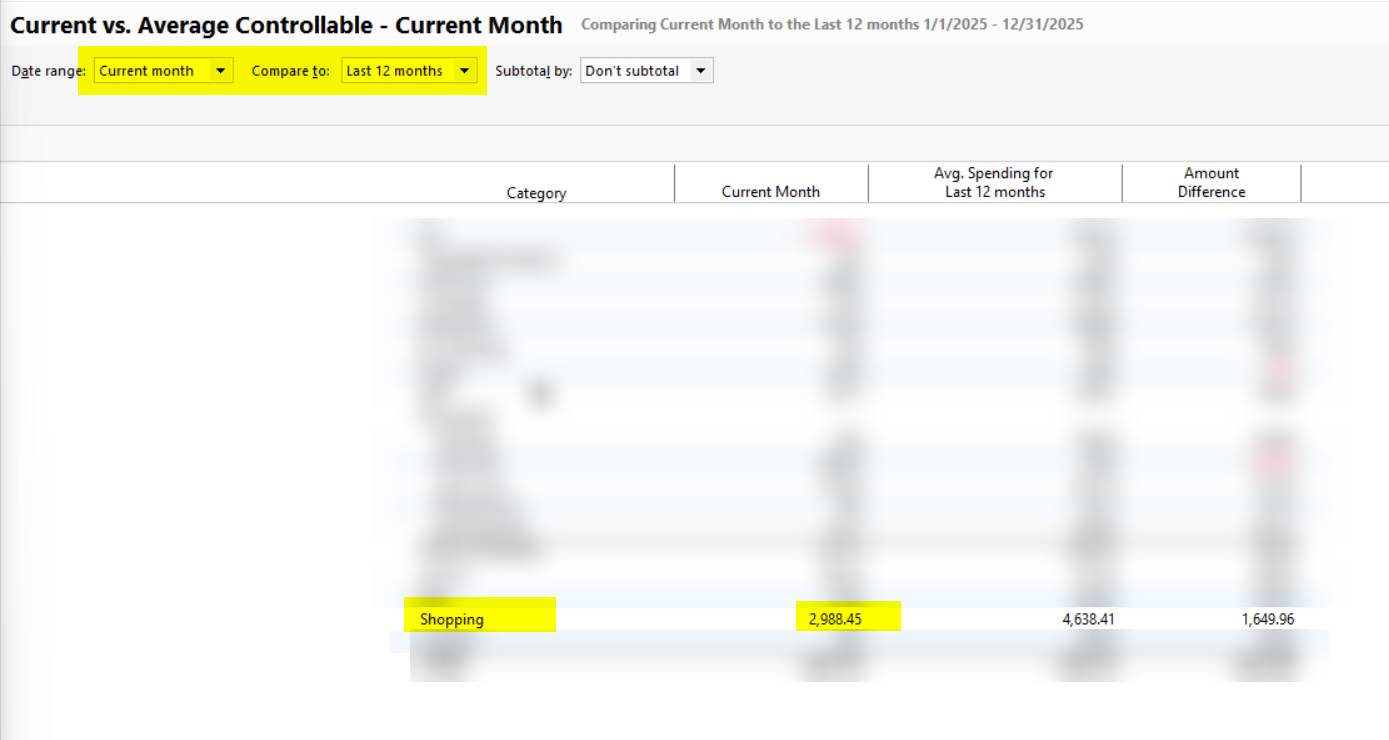
When I click on Shopping to drill down, the total for the current month is different:
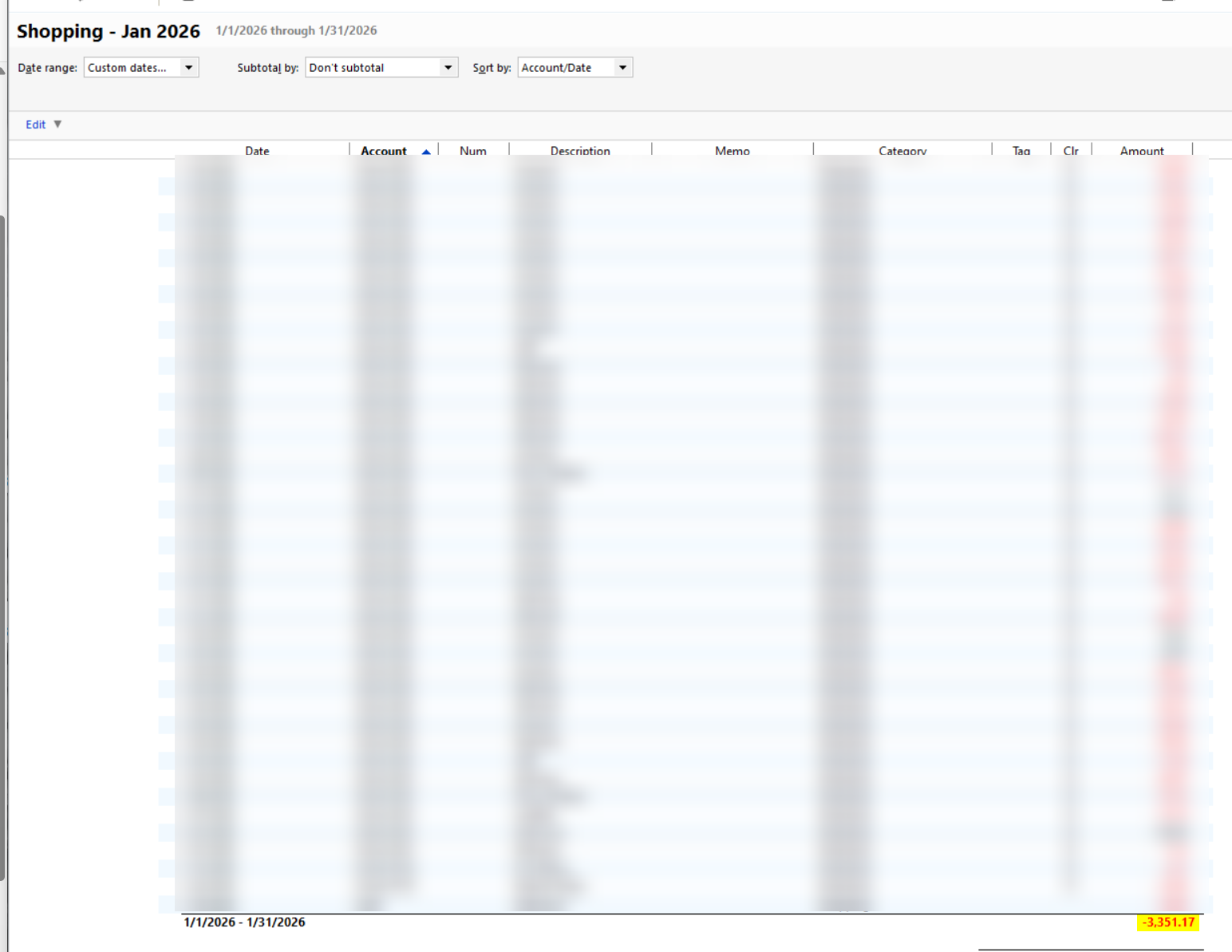
I've verified that this second number is correct the first one, in the average report, is incorrect. Almost all of the categories do the same thing, but a couple of them are correct (or close to it).
Comments
-
I ran this report and checked several Categories but I do not see any discrepancies in my data.
Is there any pattern to the Categories that don't match - they are used in split transactions, subcategories or there are credits along with the expenses or something?
QWin Premier subscription0 -
Whelp, I did not realize the category I was in. I do use H&B, so I guess that's fine. I have not determined a pattern, but I'll look more closely.
0 -
No problem, I have requested that a Moderator move this discussion to the Windows Reports category.
QWin Premier subscription0 -
@Keith Davis ,
are you reusing saved customized reports, created in a prior version / release of Quicken?
There have been occasional reports about saved reports not working correctly.Please try setting up a new report from scratch, from the Reports Menu or Reports & Graphs Center, and re-customize it to your needs. Does this newly customized report work any better?
1 -
I'm not sure. I'll try recreating it.
0 -
That seems to have fixed it. Thanks.
0

