Transactions downloading to wrong account

My wife and I both have retirement accounts with Fidelity. She has had her for a few years; mine is new, due to my employer switching 401k vendors.
I linked my new Fidelity account in Quicken and updated all of the transactions. After that, if I run the one step update, it's trying to add my 401k transactions to my wife's 457 Fidelity account.
If I have two logins (my login and my wife's) for the same financial institution how can I make sure the transactions download to the correct account in Quicken?
I've already tried to deactivate both accounts and re-activate, but it happened again.
[Edited - Readability]
Comments
-
Hello @andcbii,
Thank you for letting us know you're encountering this problem. The first thing I recommend is to verify that the accounts in Quicken are connected to the correct account on Fidelity's side. To do this, navigate to Tools>Account List. Click the Edit button next to the problem account. On the General tab, it should list the financial institution and account number (some show only partial account number).
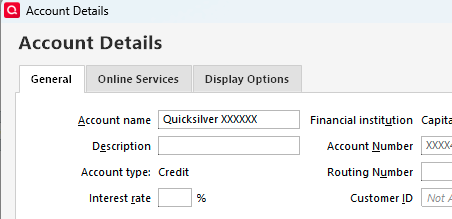
If it is seeing the wrong account information there, then backup your file, deactivate the problem account, then navigate to Tools>Add Account and follow the prompts. Make sure to carefully link the account to the correct nickname in Quicken.
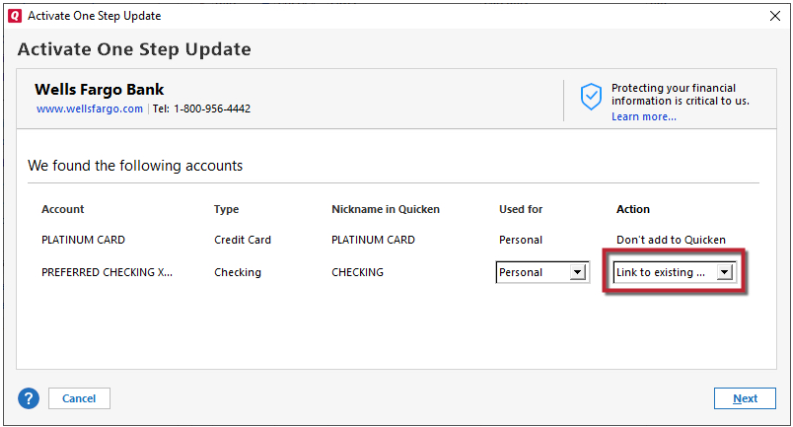
If it is seeing the correct account information, but is downloading from the wrong account, or if the issue persists after you've followed the steps above, then please contact Quicken Support directly, as they have access to tools we can't access on the Community and they're able to escalate the issue as needed. The Quicken Support phone number can be found through this link here. Phone support is available from 5:00 am PT to 5:00 pm PT, Monday through Friday.
I hope this helps!
Quicken Kristina
Make sure to sign up for the email digest to see a round up of your top posts.
0 -
I've re-linked them twice and down loading individually works. The one odd thing about my setup is the last 4 digits of the two accounts is the same.
0 -
Thank you for your reply,
the last 4 digits of the two accounts is the same.
That is likely the reason you're encountering this issue. For further assistance, I recommend that you contact Quicken Support directly as they have access to tools we can't access on the Community and they're able to escalate the issue as needed. The Quicken Support phone number can be found through this link here. Phone support is available from 5:00 am PT to 5:00 pm PT, Monday through Friday.
I apologize that I could not be of more assistance!
Quicken Kristina
Make sure to sign up for the email digest to see a round up of your top posts.
0
