Quicken Error - Syncing/Updating Accounts

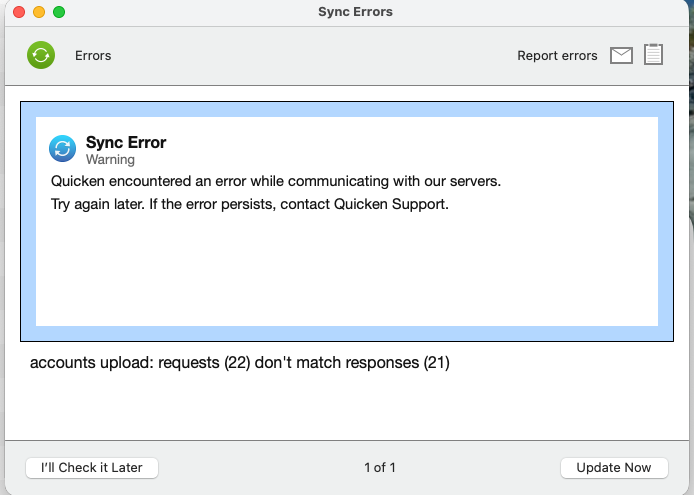
Getting a Sync Error when attempting to update my accounts. Are others seeing this?
Comments
-
Hello @codinghack,
Thank you for letting us know you're encountering this issue. Did this start after updating to version 8.4.2? If it did, then you're likely encountering the same issue reported in this discussion:
To troubleshoot the issue, please follow these steps:
- Click on "Quicken" in the top left corner
- Select "Settings"
- Go to "Mobile, Web & Alerts"
- Click on "Accounts"
- Take note of the accounts that are Sync'd.
- Click on the "none" button to uncheck all accounts
- Click on "Update" to check if the error persists
- If the error no longer appears, you can re-select the desired cloud sync accounts. You should no longer encounter this error after re-syncing
- If the error persists, leave all accounts unselected for Cloud Sync and check again after 24-48 hours.
- You can re-enable your desired accounts for sync after an update does not present the error.
Please let me know how it goes!
Quicken Kristina
Make sure to sign up for the email digest to see a round up of your top posts.
0 -
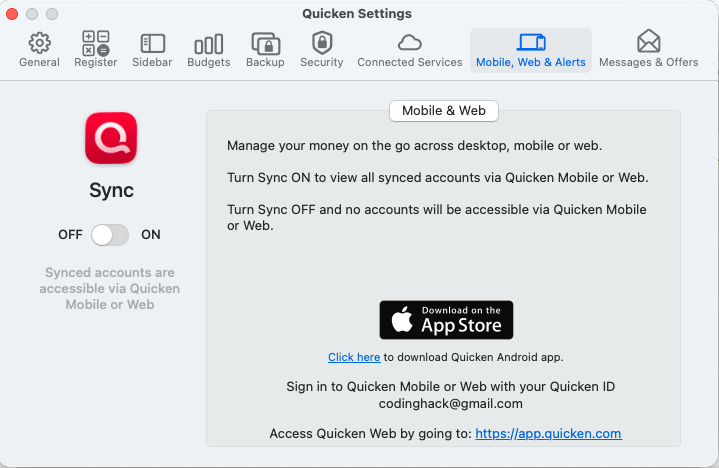
This is what I see. I do not see Accounts.
 0
0 -
Note: I am on 8.4.2 - not sure if it worked before on 8.4.2 or not. Sync'ing did work a week or two ago. I did not change the Sync to off.
0 -
And I do not want to turn on mobile, web, etc sync. It worked without this.
0 -
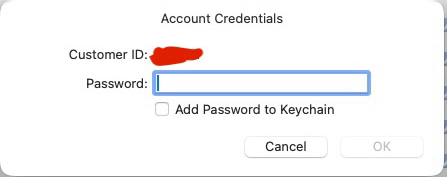
I have been getting this bogus pop-up for a very long time which maybe related, reading some of the other comments. How can I fix both issues? Thx!
 0
0 -
Thank you for your reply,
For the Sync error, since you don't have Sync turned on, please try restoring a backup from before the problem started.
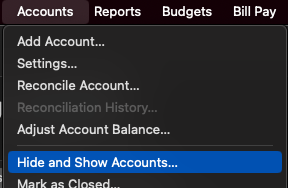
Is that Account Credentials pop up appearing for an account which shouldn't even be trying to update in your Quicken? If that is what is happening, then backup your Quicken file and deactivate the problem account. If you're not able to find the account, you may need to navigate to Accounts>Hide and Show Accounts to unhide it.
I hope this helps!
Quicken Kristina
Make sure to sign up for the email digest to see a round up of your top posts.
0 -
For the pop-up issue. I can pull up and see the list of all my accounts hidden and unhidden. How do I identify which is the problem account?
[Edited - Readability]
0 -
Thank you for your reply,
The pop up doesn't tell you the specific account, but it should tell you which financial institution.
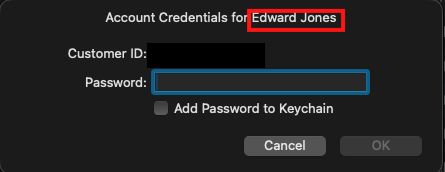
If you have more than one account with that financial institution, you can narrow it down by checking to see if any of the accounts connected in Quicken are inactive or closed on the financial institution side.
If the financial institution recently changed connection types, like Fidelity, you may also want to check for duplicate accounts, since it's possible that you have an account in your Quicken twice, one version connecting using the old connection type (Direct Connect) and the other using the new connection type (Quicken Connect/OAuth). The pop up would likely be associated with the Direct Connect account, since Quicken Connect/OAuth accounts don't store passwords on your keychain.
Thank you!
Quicken Kristina
Make sure to sign up for the email digest to see a round up of your top posts.
0 -
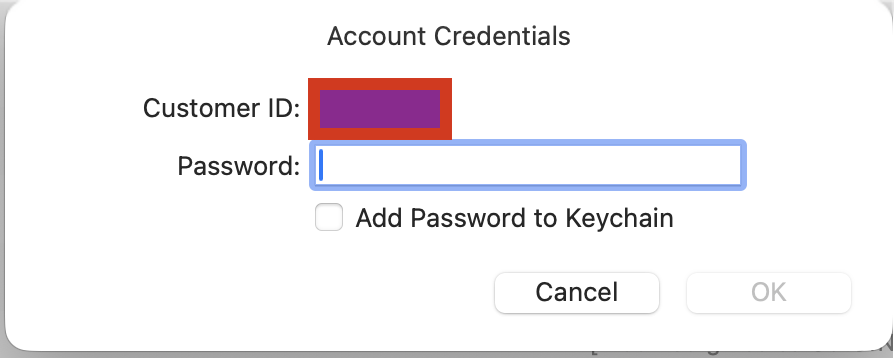
Again, No account name is listed. I re-pasted the screen shot.
0 -
Thank you for your reply,
I recommend that you contact Quicken Support directly for further assistance, since they have access to tools we can't access on the Community and they're able to escalate the issue as needed. The Quicken Support phone number can be found through this link here. Phone support is available from 5:00 am PT to 5:00 pm PT, Monday through Friday.
I apologize that I could not be of more assistance!
Quicken Kristina
Make sure to sign up for the email digest to see a round up of your top posts.
0
