Huntington Bank Downloads

I am unable to download my transactions from Huntington Bank. I get not error code it just does not download anything when I know there should be some transactions. It started earlier in the week and then yesterday (2/6/26) I got the transactions I should have gotten earlier in the week. And today it happen again no downloads. I have tried multiple times to do the download. It goes through the process says complete and nothing shows up.
Comments
-
Hello @thudly23,
Thank you for reporting this issue. Missing transactions—especially when no error code appears—can happen for a few different reasons. Below are some things to check which you can also review in more detail in this support article.
First, for a one-time occurrence:
- Sort order or filters: Make sure your account register is sorted by Date (click the top of the Date column) and click Reset at the top of the register to clear any filters.
- Pending transactions: Check your Huntington Bank website—transactions that are still pending may not download until they clear.
- Download window: Some banks only allow downloads for the last 90–200 days. Older transactions may need to be manually downloaded via Web Connect.
- Matching or renamed transactions: Sometimes downloaded transactions match incorrectly to existing entries and don’t appear as new.
- Deleted or moved transactions: If a transaction was deleted or moved to another account, it will not download again automatically.
If this happens frequently:
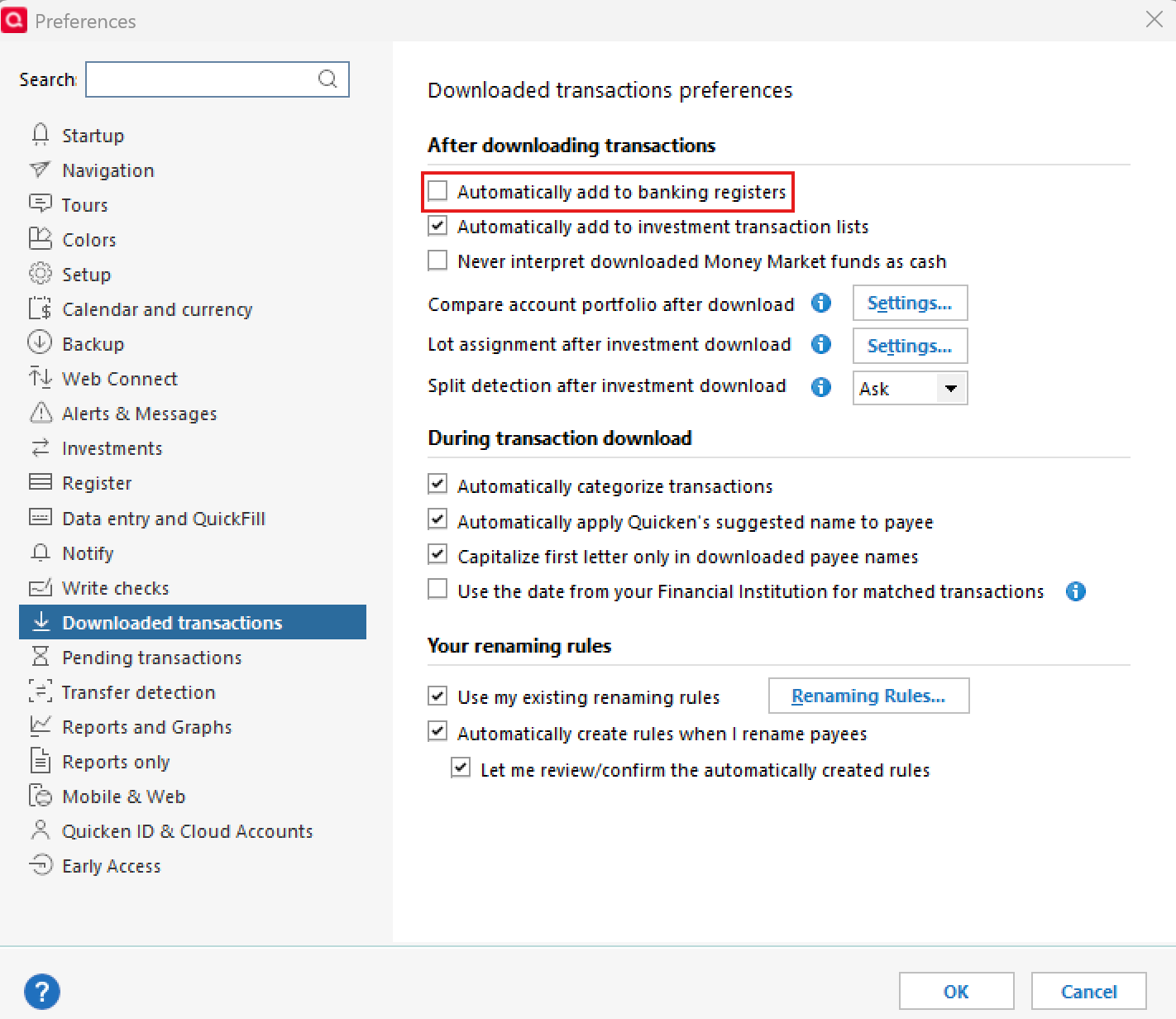
- Go to Edit > Preferences > Downloaded Transactions and ensure Automatically add to banking registers is unchecked.
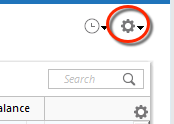
- Use the Actions Gear Icon in the register and select Update Now to refresh online account information.
- Check that the Sort Order is by Date and click Reset to remove filters.
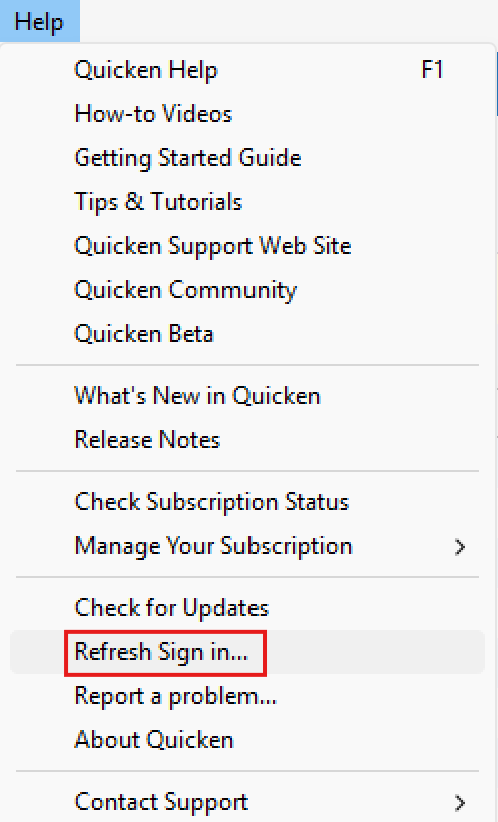
- Refresh your login session via Help > Refresh Sign In, then try One Step Update again.
- Verify that downloaded transactions aren’t hidden by checking Tools > Account List > Show Hidden Accounts.
- If using Direct Connect, please note that only Huntington Bank can escalate any data delivery issues, as the download comes directly from their servers.
If none of these steps resolve the issue, please reach out to Quicken Support for further assistance.
Thank you!
-Quicken Anja
Make sure to sign up for the email digest to see a round up of your top posts.0 -
Hello again,
We haven't heard back from you in a while. Do you still need assistance? Were you able to contact Quicken Support?
Thank you!
-Quicken Anja
Make sure to sign up for the email digest to see a round up of your top posts.0 -
Hello again,
Checking in once more before this thread is closed.
Let us know if you still need assistance.Thank you!
-Quicken Anja
Make sure to sign up for the email digest to see a round up of your top posts.0 -
Hello again,
Due to the lack of response, I went ahead and closed this post.
If you still require assistance, please feel free to start a new post.
Thank you!
-Quicken Anja
Make sure to sign up for the email digest to see a round up of your top posts.0
