UAE Dirham Symbol

The UAE Dirham is not a selection under the Currency List, but it can be easily added. However, the new UAE Dirham symbol is not available as a choice. I have not been able to find it in a usable format for the Currency List on the web. The new symbol is the capital letter "D" with two horizonal lines with bend ends crossing it.
QUESTION: Would it be possible for Quicken to send out an update with the UAE Dirham and the new symbol as a selection item in the Currency List in Window versions????
Thanks, Steve
Comments
-
Hello @sgularte71,
Thank you for letting us know you're encountering this issue. I tested in my Quicken and noticed the same issue. When I try to copy/paste the symbol into the Set up a New Currency window, it turns into a "?".
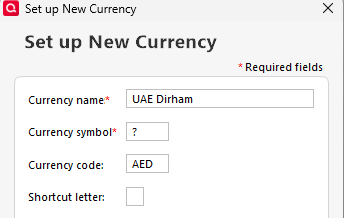
I forwarded this to the proper channels for further investigation. To contribute to the investigation, please navigate to Help>Report a Problem and send a problem report with log files attached.
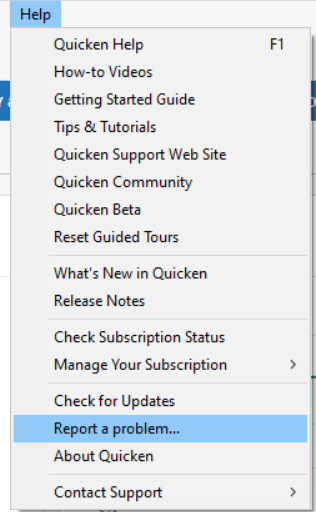
While you will not receive a response through this submission, these reports will help our teams in further investigating the issue. The more problem reports we receive, the better.
Thank you.
(CBT-1026)
Quicken Kristina
Make sure to sign up for the email digest to see a round up of your top posts.
0 -
Quicken Classic for Windows only supports standard single-byte ASCII characters. Double-byte or Unicode character symbols are not supported.
Wikipedia states that, at this time, the Dirham symbol does not yet have a codepoint in Unicode for use with computer fonts.For the time being, until there is a solution, I would suggest the use of "Dh" or "Dhs" (plural) as currency symbol in Quicken.
0


Categories
- All Categories
- 6 Product Ideas
- 34 Announcements
- 250 Alerts, Online Banking & Known Product Issues
- 19 Product Alerts
- 265 Welcome to the Community!
- 301 Before you Buy
- 1.5K Product Ideas
- 55.8K Quicken Classic for Windows
- 16.9K Quicken Classic for Mac
- 1K Quicken Mobile
- 834 Quicken on the Web
- 129 Quicken LifeHub