Category field corrupt?

This just started this morning, but when I try to add a category to a downloaded transaction, the "add account" dialog box pops up instead of the "category" box. I have to type in the category instead of choosing it from a drop down box. (Quicken Classic Deluxe V R65.29 on Windows 11 PC)
Comments
-
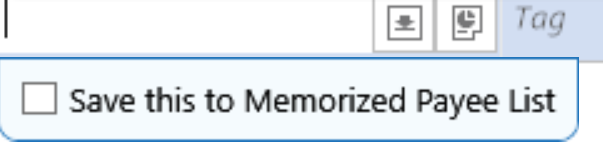
Are you sure it's not the Save this to Memorized Payee List entry field?
 0
0 -
When trying to add the category name, does the name start with a "[" square bracket? That's a Quicken shortcut to create a transfer-to-account transaction.
Sometimes a picture is worth a thousand words …
Can you please capture one or more images of the parts of your Quicken window showing the issue, sensitive information blacked out as necessary to protect your privacy and attach the image(s) here?
How do I post a screenshot in the community from a macHow do I post a screenshot in the community from windows
Please save images to files of file type PNG or JPG only.
0 -
I'll have to try tomorrow to replicate the situation and get screen shots. I don't currently have any uncategorized transactions, and when I deleted a transaction category, saved it, then tried to replicate the error… the error didn't occur. Thanks for your responses.
Also, no… the category does not start with "[".
0 -
OK. Thanks for responding. Next time you trip over this problem, grab a screen snapshot and attach it here.
0 -
Never mind. I recently made a series of payments via Zelle. Those were the transactions for which the category dropdown box did not appear. When I went to make a screenshot of the issue, I realized that the transactions had been automatically marked "TXFR" in the check number field. No wonder the account dropdown appears instead of category. I just wasn't observant enough at first.
2 -
Again, thanks for following up and telling us about both the cause and the solution of the problem.
If there's anything else the Community can help you with, please feel free to start a new discussion.
0

